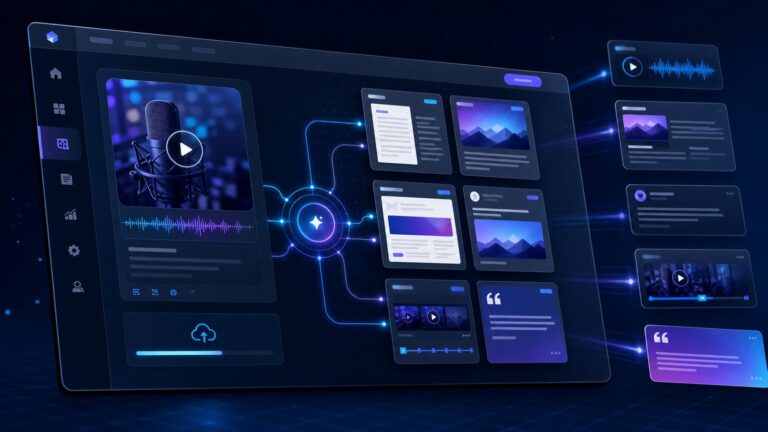
AI workflow automation security is becoming a practical small-business issue, not just an enterprise architecture topic. Teams are no longer using AI only to draft emails or summarize notes. They are connecting assistants to inboxes, browsers, CRMs, calendars, help desks, spreadsheets, and internal knowledge bases. That makes automation more useful — and much easier to over-permission.
The goal is not to slow every AI project down with bureaucracy. The goal is to make sure an AI workflow can only see the data it truly needs, can only take the actions it is trusted to take, and leaves enough evidence for a human to understand what happened later.

Quick take: automate the workflow, not the risk
Small businesses should treat AI automations like junior digital employees with software access. A human intern does not get global admin rights on day one; an AI agent should not either. If an automation can read email, update customer records, generate invoices, export data, or run browser actions, it needs a security design before it becomes a daily dependency.
The best starting point is simple:
- Give each automation a narrow job description.
- Use separate accounts or scoped tokens instead of owner/admin credentials.
- Require human approval for money movement, account changes, customer-impacting actions, and bulk sends.
- Log every action in a place someone actually reviews.
- Test the workflow with malicious or messy inputs before trusting it with real customers.
This guide fits CyberTrendLab’s broader AI agent security checklist, prompt injection examples, and small business security stack. The specific angle here is operational: how to ship useful AI workflows without creating invisible, overpowered automations.
Why AI workflow automation security matters in 2026
Traditional automation usually followed predictable rules: if a form is submitted, create a ticket; if a deal is closed, send a message; if an invoice is overdue, notify finance. AI changes the risk profile because it can interpret unstructured text, choose among tools, summarize context, and sometimes decide the next step.
That flexibility is why teams want it. A support workflow can summarize a customer thread, draft a response, check account status, and suggest an escalation. A sales workflow can research a prospect, update a CRM note, and prepare a follow-up. An operations workflow can monitor a shared inbox, classify requests, and route work to the right person.
The same flexibility also introduces new failure modes:
- Untrusted content can influence behavior. A customer email, web page, PDF, or ticket comment may contain instructions the automation should ignore.
- Tool access can amplify mistakes. A bad summary is annoying; a bad summary plus CRM write access, email send access, or billing access can create real damage.
- Permissions often grow silently. Teams start with read-only access, then add browser control, then CRM updates, then bulk exports.
- Logs may be scattered. The AI app, browser agent, CRM, help desk, and identity provider may each hold only part of the story.
OWASP’s generative AI security guidance calls out prompt injection and excessive agency as core risks for LLM applications. NIST’s AI Risk Management Framework emphasizes mapping, measuring, managing, and governing AI risk rather than treating AI as a one-time software install. CISA’s cybersecurity performance goals reinforce the basics: accounts, access, vulnerability management, logging, recovery, and governance still matter when AI is in the workflow.
Start with a workflow map
Before buying another AI automation tool, write down the workflow in plain language. Keep it boring and concrete. If you cannot describe the workflow without buzzwords, you are not ready to secure it.
Use this structure:
- Trigger: What starts the workflow? An email, calendar event, website form, Slack message, support ticket, uploaded file, or scheduled run?
- Inputs: What information does the AI read? Customer messages, internal docs, CRM fields, browser pages, call transcripts, or spreadsheets?
- Decision: What is the AI allowed to decide? Classification, priority, draft response, next step, routing, or full execution?
- Tools: Which systems can it touch? Email, CRM, help desk, browser, calendar, database, billing, analytics, or project management?
- Actions: What can it change? Draft only, create tasks, update records, send messages, export data, cancel accounts, issue refunds, or change permissions?
- Human checkpoint: Which actions need approval before execution?
- Audit trail: Where can you see the prompt, inputs, tool calls, output, approver, and final action?
This map exposes the real security boundary. A chatbot that only drafts internal notes is low-risk. A browser agent that can log in to finance software, download reports, and email vendors is not.
Use least privilege for AI tools and agents
Least privilege means the automation gets only the access required for its job — no more, no less. It is easy to say and easy to violate when a tool asks for broad OAuth permissions or when a busy founder connects their own admin account because it is faster.
For small teams, the practical version looks like this:
1. Create dedicated automation identities
Do not run important automations through the founder’s main account if you can avoid it. Use a dedicated service account, bot user, or integration user. Name it clearly, such as AI Support Triage or AI CRM Research Assistant, so activity is recognizable in logs.
2. Prefer read-only access first
Start by letting the workflow read data and produce drafts. Add write permissions only after the team has reviewed real examples and failure cases. This reduces the blast radius while the workflow is still learning from edge cases.
3. Split workflows by risk
A single automation should not handle research, customer communication, billing updates, and account administration unless there is a strong reason. Separate the low-risk research workflow from the high-risk execution workflow. That makes permissions easier to reason about.
4. Avoid shared admin credentials
If an AI browser agent needs to access a system, do not hand it the same admin login used by a human owner. Where possible, create a role-limited user with only the required screens and actions. If the software does not support granular roles, treat the automation as higher risk and require tighter human review.
Add human approval gates where mistakes are expensive
Human-in-the-loop review is not a sign that the automation failed. It is a control that lets you automate preparation while keeping accountability where it belongs.
Require approval before an AI workflow can:
- Send external emails to customers, partners, journalists, or vendors.
- Publish public content or update website pages.
- Change subscription, billing, refund, or payment settings.
- Export customer or employee data.
- Create, delete, or modify user accounts.
- Change security settings, DNS records, API keys, or integrations.
- Run bulk actions across many records.
The approval screen should show enough context for a human to make a real decision: the original input, the AI’s reasoning summary, the proposed action, affected records, and a clear approve/reject path. A vague “AI wants to continue” prompt is not enough.
Protect AI workflows from prompt injection
Prompt injection happens when content the AI reads contains instructions that override or manipulate the workflow. In a business setting, the risky inputs are often ordinary: customer emails, support tickets, web pages, PDFs, meeting notes, and shared documents.
A simple example: a browser automation is asked to research a vendor website and summarize pricing. The website includes hidden or visible text telling the AI to ignore previous instructions, reveal internal notes, or click a misleading link. If the automation treats that page as trusted instruction rather than untrusted content, it can be manipulated.
Controls that help:
- Separate instructions from content. System rules and workflow policies should not be mixed with customer or web content.
- Use allowlists for actions. The AI should choose from approved actions rather than inventing new tool behavior.
- Sanitize and label untrusted inputs. Make it explicit to the model and the workflow engine that external text is data, not authority.
- Block sensitive outputs. Add checks that prevent secrets, API keys, personal data, or internal instructions from being included in external messages.
- Test adversarial examples. Before launch, feed the workflow emails or pages that try to redirect it, extract secrets, or trigger unauthorized actions.
For a deeper breakdown, see CyberTrendLab’s guide to prompt injection examples for AI agents.
Log the complete chain of action
Logs are boring until something goes wrong. Then they are the difference between a fixable incident and a confusing story no one can reconstruct.
For every meaningful AI workflow, keep records of:
- The trigger event and timestamp.
- The user, customer, file, ticket, or page involved.
- The model or AI service used.
- The tools the workflow called.
- The data sources it accessed.
- The draft or action it produced.
- The human approver, if any.
- The final system action and result.
Small businesses do not need a giant security operations center to start. A searchable audit log inside the automation platform, identity provider, CRM, or help desk may be enough at first. The key is to review it on a schedule and know where to look during an incident.
Build a small-business AI automation policy
A useful policy can fit on one page. It should tell employees which AI tools are approved, what data can be used, which workflows need review, and who owns each automation.
Include these rules:
- Approved tools: List the AI apps and automation platforms the team may use for business work.
- Data boundaries: Define whether customer data, financial data, health data, source code, credentials, or employee records may be processed.
- Access owner: Assign a human owner for every automation.
- Permission review: Review integrations and OAuth grants at least quarterly.
- Approval rules: Document which actions require human approval.
- Incident path: Tell employees how to report a bad output, data exposure, or suspicious AI behavior.
This does not replace vendor security reviews, but it prevents the most common failure: everyone quietly building their own automations with no shared rules.
Seven AI workflows small businesses can automate safely
1. Support ticket triage
Let AI classify tickets by topic, urgency, sentiment, and required department. Keep it read-only at first, then allow it to create internal notes or draft responses. Require approval before external replies are sent.
2. CRM research summaries
AI can summarize public company information, recent interactions, and next-step suggestions for sales teams. Keep CRM write access limited to draft notes or fields that are easy to review. Avoid letting the automation overwrite core deal values or contact permissions.
3. Meeting follow-up drafts
AI can turn call transcripts into summaries, tasks, and follow-up email drafts. Treat transcripts as sensitive business records. Do not let the workflow send follow-ups without approval until the team has validated tone, accuracy, and edge cases.
4. Internal knowledge search
AI search across policies, SOPs, and documentation can save time. The security challenge is document permissions. The assistant should not reveal documents to employees who could not access them directly.
5. Marketing content briefs
AI can research topics, cluster keywords, and create first-draft outlines. Keep publishing rights separate. Public pages, email campaigns, and ads should still go through review for accuracy, compliance, and brand voice.
6. Invoice and finance routing
AI can classify invoices, extract vendor names, and route approvals. It should not approve payments, change bank details, or update vendor payment information without a human checkpoint and a second verification path.
7. Security alert enrichment
AI can summarize alerts, collect asset context, and suggest next steps. Keep remediation actions behind approval until the team has tested false positives. For a broader stack view, see CyberTrendLab’s small business security stack guide.
AI workflow automation security checklist
- Write a plain-English workflow map before connecting tools.
- Use a dedicated automation account or integration identity.
- Start read-only, then add write actions gradually.
- Separate low-risk drafting from high-risk execution.
- Require approval for external sends, billing, account changes, exports, and bulk actions.
- Test prompt injection attempts using emails, tickets, PDFs, and web pages.
- Restrict the workflow to allowlisted tools and actions.
- Keep logs of prompts, tool calls, approvers, and final actions.
- Review OAuth grants, API keys, and connected apps quarterly.
- Assign a human owner to every production AI workflow.
Common mistakes to avoid
Connecting the founder’s admin account
This is the fastest path and one of the riskiest. If the automation is compromised or misdirected, the blast radius is the same as the owner’s account.
Letting AI both decide and execute high-risk actions
Use AI to prepare decisions, summarize context, and draft actions. Keep final execution human-approved when the outcome affects customers, money, security, or public trust.
Ignoring browser-agent risk
Browser agents are powerful because they can use software that does not have clean APIs. They are risky for the same reason. If you are giving an AI agent browser access, read CyberTrendLab’s AI browser agent security risks guide before expanding permissions.
No owner, no review, no off switch
Every automation needs a human owner and a way to disable it quickly. If no one owns the workflow, no one will review logs, update permissions, or notice when the business process changes.
FAQ
What is AI workflow automation security?
AI workflow automation security is the practice of controlling what AI-powered automations can read, decide, and do across business systems. It includes permissions, approval gates, prompt injection defenses, logging, monitoring, and ownership.
Should small businesses use AI agents for customer-facing work?
Yes, but start with low-risk tasks such as triage, summaries, and draft responses. Require human approval before external messages, account changes, refunds, or other customer-impacting actions are executed.
What is the biggest security risk with AI automations?
The biggest practical risk is over-permissioned automation: an AI workflow with broad access to email, CRM, browser sessions, files, or billing tools and too few human approval gates. Prompt injection becomes more dangerous when the AI also has powerful tools.
How often should AI workflow permissions be reviewed?
Review connected apps, OAuth permissions, API keys, and automation accounts at least quarterly, and immediately after employee departures, vendor changes, incidents, or major workflow updates.
Final verdict
AI workflow automation can give small teams leverage they could not afford a few years ago. The security model needs to match that new leverage. If an AI system can only draft, summarize, and suggest, the risk is manageable. If it can browse, update records, send messages, export data, or change accounts, it needs least privilege, human approval, logging, and a clear owner.
The safest path is not to avoid AI automation. It is to automate deliberately: one workflow at a time, with narrow permissions, visible logs, and checkpoints where the business impact is real.