AI workflow automation tools are no longer just “connect app A to app B” utilities. In 2026, the best platforms help small teams capture leads, route support tickets, draft follow-ups, update CRMs, schedule work, and keep a human approval step around anything risky.
That makes this category especially useful for small businesses: you can remove repetitive admin work without hiring a full operations team. The catch is that not every AI automation tool fits the same job. Some are best for broad no-code automation, some are better for technical teams, and some are really AI assistants that automate a narrower slice of work.
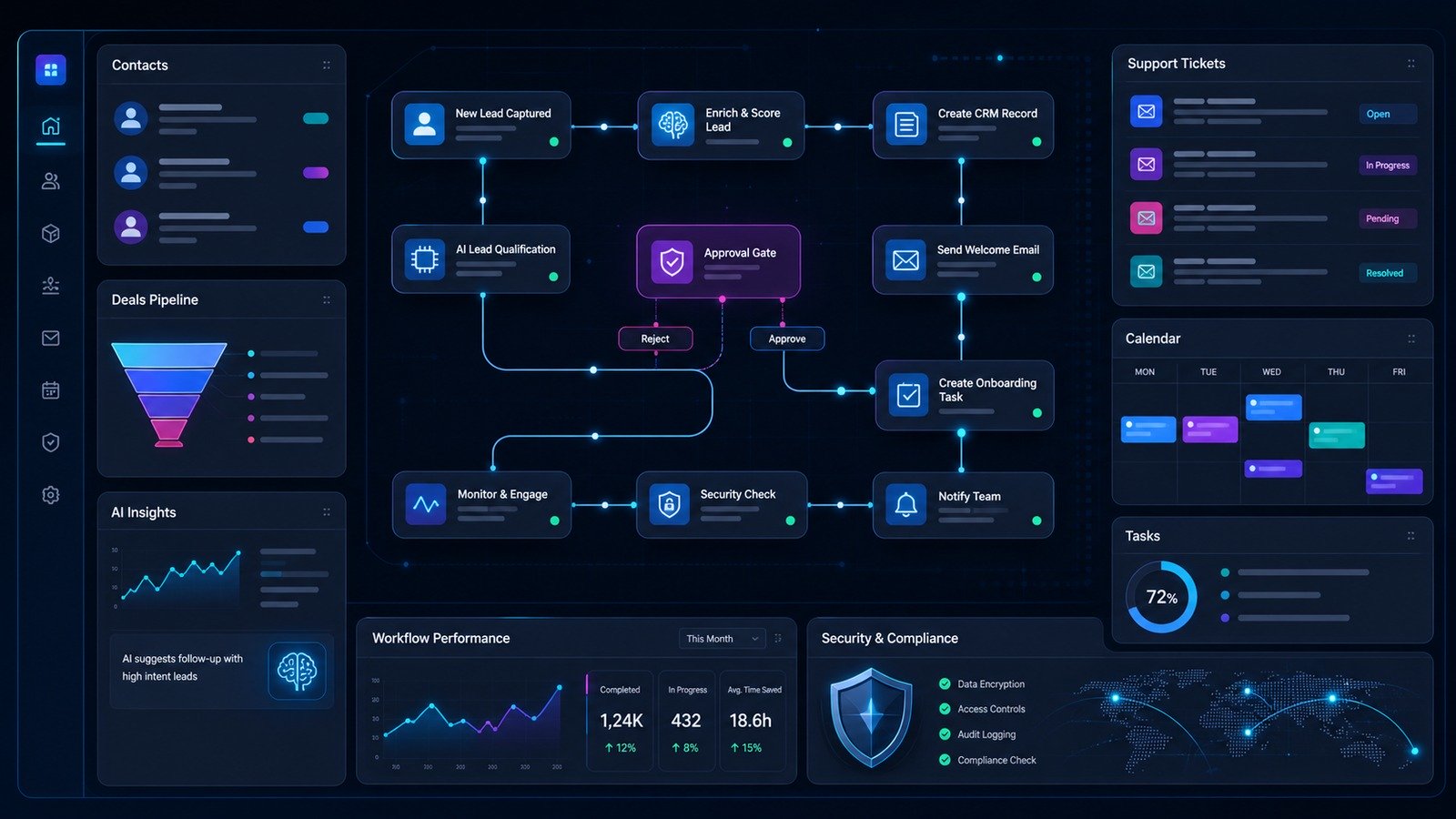
Quick verdict: the best AI workflow automation tools for small businesses
If you want the shortest possible answer, start here:
| Tool | Best fit | Why it stands out |
|---|---|---|
| Zapier | General no-code automation | Huge app ecosystem, workflows, tables, forms, canvas, agents, and chatbots. |
| n8n | Technical teams and custom logic | Flexible AI workflows, integrations, templates, and self-hosting options. |
| Make | Visual workflow builders | Strong visual scenario building for multi-step automations. |
| Lindy | AI assistant-style workflows | AI agents for inbox, meetings, calendar, sales, support, and operations tasks. |
| Reclaim.ai | Calendar and focus-time automation | AI scheduling for tasks, habits, meetings, calendar sync, and team planning. |
| Microsoft Power Automate | Microsoft-centric teams | Best when your business already runs on Microsoft 365, Teams, SharePoint, and Power Platform. |
How we chose these tools
This list focuses on practical tools a small business can actually deploy. The evaluation criteria were:
- Business workflow coverage: lead capture, support, CRM updates, scheduling, reporting, onboarding, approvals, and internal notifications.
- AI usefulness: not just “has AI,” but whether AI can summarize, classify, route, draft, reason over data, or operate inside a workflow.
- Integration depth: whether the platform can connect the apps a small team already uses.
- Human control: whether you can add approvals, review steps, logs, and guardrails.
- Small-business fit: speed to launch, maintenance burden, pricing flexibility, and whether a non-enterprise team can manage it.
For the security side of automation, pair this list with our AI workflow automation security guide. If you are letting AI agents touch customer data or internal systems, also read the AI agent governance checklist.
1. Zapier: best all-around AI automation platform for small businesses
Zapier is still the easiest first recommendation for most small teams because it combines no-code workflows with a very large app ecosystem. Its AI positioning now goes beyond simple “if this, then that” automation: Zapier describes AI as something you can add inside workflows, agents, or customer chatbots, with app connections across thousands of tools.
For a small business, that matters because your automation needs are probably scattered. One workflow may send a website form lead into a CRM. Another may summarize a support email and create a task. Another may update a spreadsheet, notify Slack, and draft a follow-up. Zapier is strongest when you need one central automation layer that many non-technical people can understand.
Best use cases
- Lead capture and routing from forms, landing pages, chat, or ad platforms.
- CRM hygiene: creating contacts, updating deal stages, and triggering reminders.
- Support triage: classify requests, create tickets, and notify the right person.
- Content operations: move briefs, approvals, assets, and publishing tasks between tools.
Watch-outs
Zapier can become expensive or messy if every team member builds disconnected workflows. Create naming conventions, owners, and review dates. For any automation that sends customer-facing messages or changes revenue data, keep a human approval step until the workflow has a track record.
2. n8n: best for technical teams that want flexible AI workflows
n8n is a strong fit when you want more control than a typical no-code tool gives you. Its AI automation page emphasizes modular AI systems, explainability, integrations, templates, and use cases such as AI agents, RAG, IT operations, security operations, lead automation, and CRM workflows.
That makes n8n especially appealing for small teams with a technical founder, ops engineer, or automation-minded developer. You can build workflows that include custom logic, API calls, data transformation, and AI steps without turning every workflow into a full software project.
Best use cases
- Custom lead scoring and enrichment flows.
- Internal AI agents that retrieve information from your own systems.
- Security and IT operations workflows that need logs and custom branching.
- Back-office automations where data transformation matters.
Watch-outs
n8n gives you flexibility, but flexibility means someone must own maintenance. If your team has no technical operator, start with a simpler platform first. If you do have technical capacity, n8n can be a powerful bridge between no-code speed and custom software control.
3. Make: best visual builder for multi-step scenarios
Make is often loved by operations teams because its visual builder makes complex scenarios easier to understand at a glance. For small businesses that need to map multi-step processes — for example, “new paid customer → onboarding checklist → CRM update → invoice folder → customer success reminder” — a visual canvas can reduce confusion.
Make is a good option when your workflows have branching paths and when you want stakeholders to see how data moves from one system to another. It is especially useful for marketing operations, ecommerce operations, and admin-heavy service businesses.
Best use cases
- Operations workflows that need a visual map.
- Ecommerce order, fulfillment, support, and reporting automations.
- Marketing campaign handoffs between forms, spreadsheets, CRMs, and email tools.
- Repeating admin processes where visibility matters.
Watch-outs
Visual workflows can still become fragile if nobody documents what each route does. Add notes, use clear scenario names, and test failures intentionally. If a workflow relies on generated AI text, review the output before it reaches customers.
4. Lindy: best AI assistant for inbox, meetings, and operations tasks
Lindy is closer to an AI executive assistant than a traditional automation connector. Its public positioning highlights AI agents, inbox management, meetings, calendar, sales, support, recruiting, operations, phone calls, email automation, meeting recording, templates, integrations, and app-building use cases.
For a small business, Lindy is interesting when the real bottleneck is not “connect two apps” but “handle the repetitive coordination work around a person.” Think follow-ups, meeting notes, lead qualification, email triage, call workflows, and internal operations tasks.
Best use cases
- Founder or executive inbox support.
- Meeting notes, follow-ups, and calendar coordination.
- Sales and support workflows where AI can draft or prepare responses.
- Operations tasks that feel more like assistant work than pure data routing.
Watch-outs
Assistant-style automation should start with strict boundaries. Do not let an AI assistant independently send sensitive customer messages, approve refunds, change billing, or make promises until you have tested it. Start with drafts and summaries, then expand permissions slowly.
5. Reclaim.ai: best for calendar, focus time, and task scheduling automation
Reclaim.ai is narrower than a broad automation platform, but it solves a painful workflow problem: calendars. Reclaim positions itself as an AI calendar for work and life, with task scheduling, habits, smart meetings, scheduling links, calendar sync, buffer time, planner, time tracking, and team analytics.
This is useful for small teams because calendar chaos creates hidden operational drag. When everyone is reacting to meetings, tasks, and urgent messages, even good automations do not help. Reclaim is best when your team needs AI to protect focus time, schedule tasks around meetings, and reduce calendar fragmentation.
Best use cases
- Automatically scheduling tasks into open calendar space.
- Protecting deep-work blocks for founders, marketers, engineers, and operators.
- Coordinating meetings without manually reshuffling the week.
- Improving team planning when calendar overload is the bottleneck.
Watch-outs
Reclaim is not a replacement for a workflow automation platform. It belongs in the stack when scheduling is the workflow. Combine it with tools like Zapier, n8n, or Make if you also need CRM, support, or reporting automation.
6. Microsoft Power Automate: best for Microsoft 365 businesses
Microsoft Power Automate is the obvious shortlist candidate if your business already depends on Microsoft 365, Teams, Outlook, SharePoint, OneDrive, Dynamics, or Power Platform. It can connect deeply into Microsoft’s ecosystem in a way that general automation tools may not match.
For small businesses, the best reason to choose Power Automate is ecosystem fit. If your files, approvals, meetings, documents, and internal communication already live in Microsoft, keeping workflows inside that environment can reduce tool sprawl.
Best use cases
- Document approval and internal request workflows.
- SharePoint, Outlook, Teams, and Microsoft 365 process automation.
- Finance, HR, and operations workflows with existing Microsoft data.
- Teams that want automation governed through Microsoft admin controls.
Watch-outs
If your business is mostly Google Workspace, Slack, Notion, Airtable, or startup SaaS tools, Power Automate may feel heavier than necessary. Choose it when Microsoft is already your operating system, not just because it is a famous brand.
Which AI workflow automation tool should you choose?
Use this simple decision path:
- Choose Zapier if you want the fastest general-purpose automation layer across many apps.
- Choose n8n if you have technical capacity and need custom logic, AI agents, API workflows, or self-hosting flexibility.
- Choose Make if visual workflow mapping is important and your operations team needs to understand complex scenarios.
- Choose Lindy if the repetitive work looks like assistant work: email, meetings, calls, follow-ups, sales, support, and coordination.
- Choose Reclaim.ai if calendar overload is blocking execution.
- Choose Power Automate if Microsoft 365 is already the backbone of your business.
Security checklist before you automate with AI
AI automation is powerful because it can act across systems. That is also the risk. IBM defines AI agents as systems that can autonomously perform tasks on behalf of a user or another system. NIST’s AI Risk Management Framework is a useful reminder that AI systems need governance, measurement, and risk controls — not just productivity claims.
Before you connect an AI automation tool to customer data, billing systems, or internal documents, use this checklist:
- Start with low-risk workflows: summaries, drafts, tagging, routing, and reminders.
- Add human approval: require review before emails, refunds, pricing changes, account changes, or public posts.
- Use least privilege: give each workflow only the app permissions it needs.
- Log important actions: keep records of what the automation changed and why.
- Review workflows monthly: remove unused automations and update broken app connections.
- Separate experiments from production: test AI agents with sample data before connecting real systems.
For a deeper security walkthrough, see our AI agent security checklist and prompt injection examples for AI agents.
Best starter stack for a small business
If you are starting from scratch, do not buy five tools on day one. Build a small stack around your biggest bottleneck:
- For sales-led businesses: Zapier or n8n for CRM workflows, plus Lindy for follow-ups and meeting support.
- For service businesses: Make or Zapier for client onboarding, file routing, invoices, and internal notifications.
- For busy founders: Reclaim.ai for calendar control, plus Zapier for simple operational handoffs.
- For technical teams: n8n as the automation backbone, with strict approval gates for AI-generated actions.
- For Microsoft-heavy teams: Power Automate first, then add specialist AI assistants only when needed.
FAQ
What is the best AI workflow automation tool for small businesses?
Zapier is the best default starting point for many small businesses because it is broad, no-code, and connects with a very large number of apps. n8n is better for technical teams, while Make is strong for visual workflow mapping.
Are AI agents the same as workflow automation?
No. Workflow automation usually follows defined triggers and steps. AI agents can reason over context and perform tasks more autonomously. In practice, many modern platforms combine both, which is why approval gates and permissions matter.
Should a small business use AI to send customer emails automatically?
Not at first. Use AI to draft, summarize, classify, or route messages, then require a human review before sending. After the workflow is proven and low-risk, you can consider more automation.
How many automations should a small business build first?
Start with three to five high-value workflows: lead capture, meeting follow-up, support triage, invoice or onboarding reminders, and weekly reporting. Document ownership before adding more.
Final verdict
The best AI workflow automation tool depends on the work you are actually trying to remove. Zapier is the safest general-purpose starting point. n8n is the most flexible for technical teams. Make is excellent for visual operations workflows. Lindy and Reclaim.ai are more specialized, but they can remove painful assistant and calendar work that broad automation tools do not solve as naturally.
The winning small-business approach is not “automate everything.” It is to automate repetitive work, keep humans in the loop for risky decisions, and build a stack that your team can maintain six months from now.
Disclosure: CyberTrendLab may earn a commission if you buy through some links in this article, at no extra cost to you. We only include tools that fit the editorial topic and do not let affiliate availability decide our recommendations.