Quick verdict: Wrike is best for operations, marketing, professional services, agencies, and cross-functional teams that have outgrown lightweight task boards and need structured request intake, dashboards, approvals, workload planning, integrations, and increasingly AI-assisted work orchestration. It is not the simplest project management app for a tiny two-person team, but it becomes much more compelling once work is moving across departments, clients, assets, dependencies, and reporting layers.

If your team only needs a shared to-do list, Wrike may feel like too much platform. But if the same request touches sales, creative, operations, delivery, finance, compliance, and management reporting, Wrike starts to make more sense. It is a work management platform built around projects, tasks, request forms, dashboards, automations, resource planning, proofing, integrations, and newer AI features that aim to reduce coordination drag.
This Wrike review focuses on the practical buying question for 2026: is Wrike worth it for small and mid-sized business teams, especially those dealing with messy client work, marketing operations, recurring workflows, or AI-assisted project management? I looked at Wrike’s current product pages, pricing page, security resources, integration directory, and AI messaging, then evaluated how the platform fits the broader CyberTrendLab clusters around AI tools for business, software reviews, and secure operations.
Try Wrike through CyberTrendLab
What is Wrike?
Wrike is a project and work management platform for teams that need to plan, execute, report on, and optimize work across multiple stakeholders. At the basic level, it covers familiar project management building blocks: tasks, subtasks, folders, projects, board view, table view, calendars, Gantt charts, file attachments, comments, notifications, and mobile or desktop access.
The more interesting part is how Wrike layers operational controls on top of those basics. Teams can use request forms to capture structured intake, templates and blueprints to standardize recurring work, dashboards and reports to monitor performance, approvals and proofing to manage review cycles, workload charts to see capacity, and integrations to connect Wrike with other business systems.
Wrike also now pushes heavily into AI-assisted work management. Its pricing page lists AI Essentials on Team, AI Elite actions beginning on Business, higher AI action volume on Pinnacle and Apex, and an AI Elite action pack as an add-on. Its feature page says Wrike AI agents can support workflows such as risk monitoring, auto-resource assignment, status update summaries, and more. That makes Wrike particularly relevant for teams exploring AI project management but worried about governance, access, and operational sprawl.
Who Wrike is best for
Wrike is best for teams where work is repeatable, cross-functional, reportable, or client-facing. Examples include marketing agencies, internal marketing teams, professional services teams, product operations, IT operations, implementation teams, content operations, and revenue teams with complex handoffs.
It is especially attractive when managers need answers to questions like:
- Which requests are waiting for review?
- Which projects are slipping?
- Which team members are overloaded?
- Which client work is consuming the most capacity?
- Which tasks are blocked by dependencies?
- Which workflows can be automated safely?
- Which AI features can help without giving agents uncontrolled access?
Wrike is less ideal for teams that want an ultra-simple personal task manager, a barebones kanban board, or a quick note-and-task workspace with almost no configuration. It can support smaller teams, but the product’s real value comes from structure.
Wrike pricing in 2026
Wrike’s public pricing page currently lists a Free plan at $0, a Team plan at $10 per user/month, and a Business plan at $25 per user/month, with pricing shown as billed annually. Pinnacle and Apex are listed as contact-sales plans for more complex workflows. Wrike also notes that the pricing shown is valid for new purchases on or after January 21, 2026 and that packaging and pricing can change, so buyers should verify current details before checkout.
| Plan | Current public positioning | Best fit |
|---|---|---|
| Free | $0, essential task management | Trying Wrike basics |
| Team | $10/user/month, 2–15 users, AI Essentials, dashboards, Gantt charts | Small teams that need structured project views |
| Business | $25/user/month, 5–200 users, templates, standard integrations, AI Elite starter actions | Growing operations teams with repeatable workflows |
| Pinnacle | Contact sales, advanced resource planning, budgeting, BI/reporting, more AI Elite actions | Complex service, portfolio, and reporting environments |
| Apex | Contact sales, human and AI-led enterprise workflows, more AI capacity, Wrike Integrate and Sync | Enterprise workflow automation and integration-heavy teams |
The important buying point is that Wrike’s value curve changes by team maturity. A small team may compare Wrike to Asana, Trello, ClickUp, Notion, or monday.com on price and simplicity. A larger team should compare the cost against saved coordination time, fewer missed handoffs, better capacity planning, cleaner approvals, and more accurate reporting.
Daily workflow: how Wrike feels in practice
A typical Wrike workflow starts with intake. Instead of letting requests arrive through Slack, email, meetings, spreadsheets, and random messages, a team can create dynamic request forms. The request becomes a structured item with the fields, assignee, project, and workflow path the team needs.
From there, the work can move through board, table, Gantt, calendar, dashboard, or workload views depending on the person’s role. A contributor may live in task lists and comments. A project manager may live in Gantt charts, dashboards, dependencies, and workload charts. An executive may only need dashboards and reports. A client or external stakeholder may interact through approvals or proofing rather than seeing the full workspace.
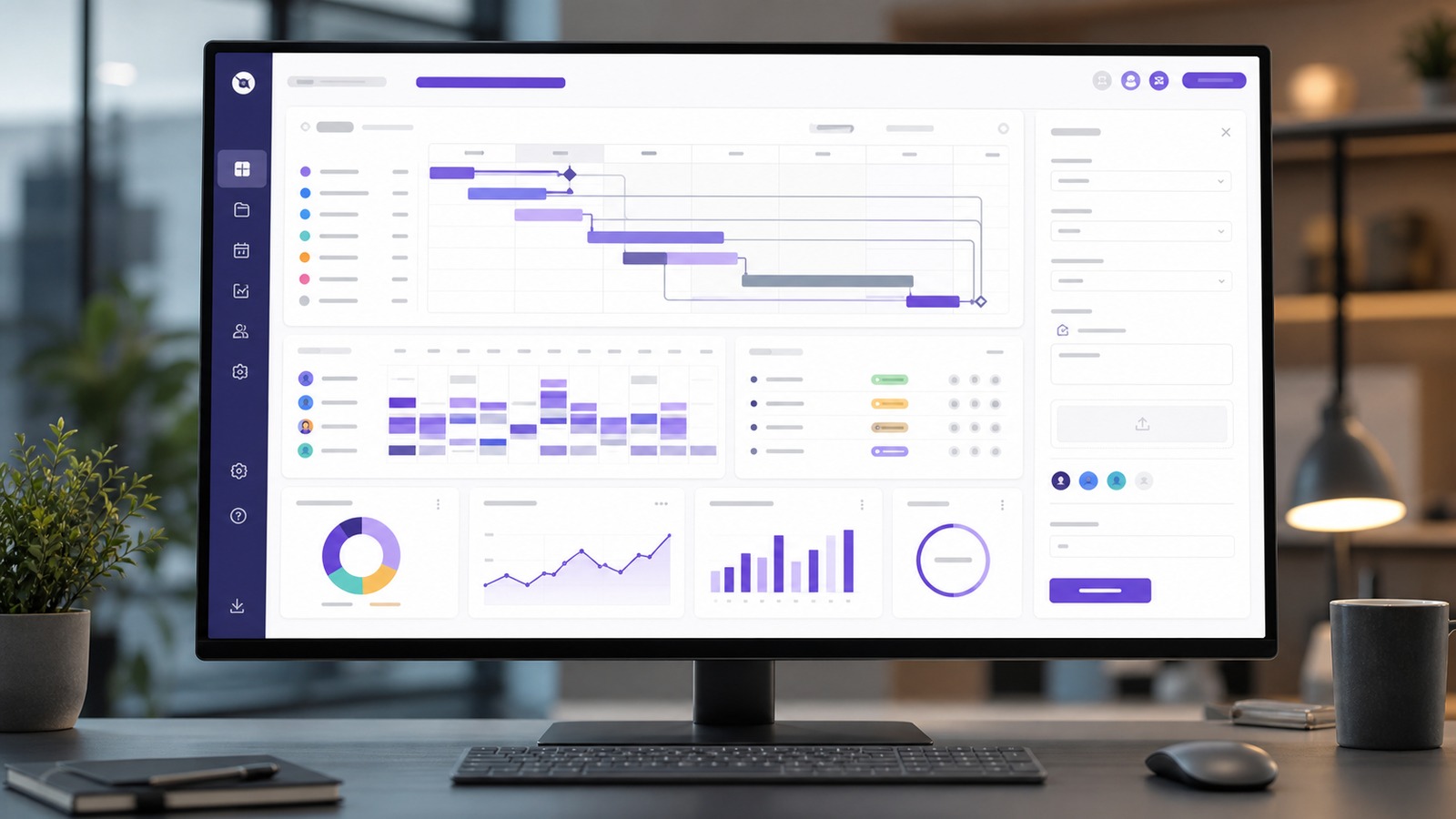
This matters because many project management tools look good in a demo but break down when the work needs multiple views. Wrike’s broad view system is one of its biggest strengths. Board view is useful for status movement. Table view works for spreadsheet-minded teams. Gantt charts help with dependencies and sequencing. Workload charts help managers see capacity. Dashboards and reports help leaders see trends without opening every task.
Key Wrike features that matter most
1. Project and task management
Wrike covers the core project management layer well: tasks, subtasks, assignees, comments, attachments, due dates, statuses, folders, projects, and cross-tagging. The advantage is not that Wrike invented these pieces. The advantage is that it connects them into a more governed operational system.
2. Custom views
Wrike’s feature pages emphasize multiple project views, including board, table, Gantt, calendar, chart, and other ways to visualize work. This is helpful for teams where different departments want different interfaces without duplicating the underlying project data.
3. Request forms
Request forms are one of the highest-leverage features for teams drowning in ad hoc work. A good form can capture the requester, due date, asset type, priority, client, budget, channel, dependencies, and approvals before the work starts. That reduces back-and-forth and makes reporting cleaner later.
4. Templates and blueprints
Wrike supports repeatable setup through templates and blueprints. This is useful for recurring campaigns, onboarding projects, client launches, monthly reporting cycles, security reviews, content calendars, and operational checklists.
5. Dashboards and reporting
Wrike’s dashboards and reports are a major reason to choose it over simpler apps. Teams can build visibility around overdue tasks, approvals, workloads, project progress, client status, budgets on higher tiers, and operational bottlenecks.
6. Proofing and approvals
For creative and marketing teams, proofing and approvals can remove a lot of chaos. Instead of review notes scattered across email threads and chat messages, Wrike can centralize review cycles around the work item.
7. Workload and resource planning
Wrike’s resource planning features help managers understand who has capacity, which projects need coverage, and where work may be over-allocated. The more your business bills for time or delivers client work, the more important this becomes.
8. Integrations and API
Wrike’s app directory lists integrations across categories such as CRM, email, file storage, chat, mobile and desktop apps, single sign-on, software/IT, business intelligence, visual collaboration, and MCP. The directory also highlights Wrike API access, Wrike Integrate, two-way sync options, and connections with tools such as Microsoft Copilot, ChatGPT, Claude, Google Gemini, Power BI, Salesforce, Google Sheets, Miro, and more.
Wrike AI: useful, but govern it carefully
Wrike’s AI story is a big part of its 2026 positioning. Wrike describes AI Essentials, AI Elite actions, AI agents, natural-language automation rule generation, comment summaries, mobile inbox prioritization, onboarding assistance, content and editing support, and AI-assisted workflow automation. It also promotes AI agents for use cases such as risk monitoring, auto-resource assignment, and status update summaries.
That is exciting, but it also creates a governance question. Any AI that can read project context, summarize sensitive discussions, suggest automations, interact with third-party tools, or act on live workflow data should be configured with the same care you would apply to integrations and user permissions.
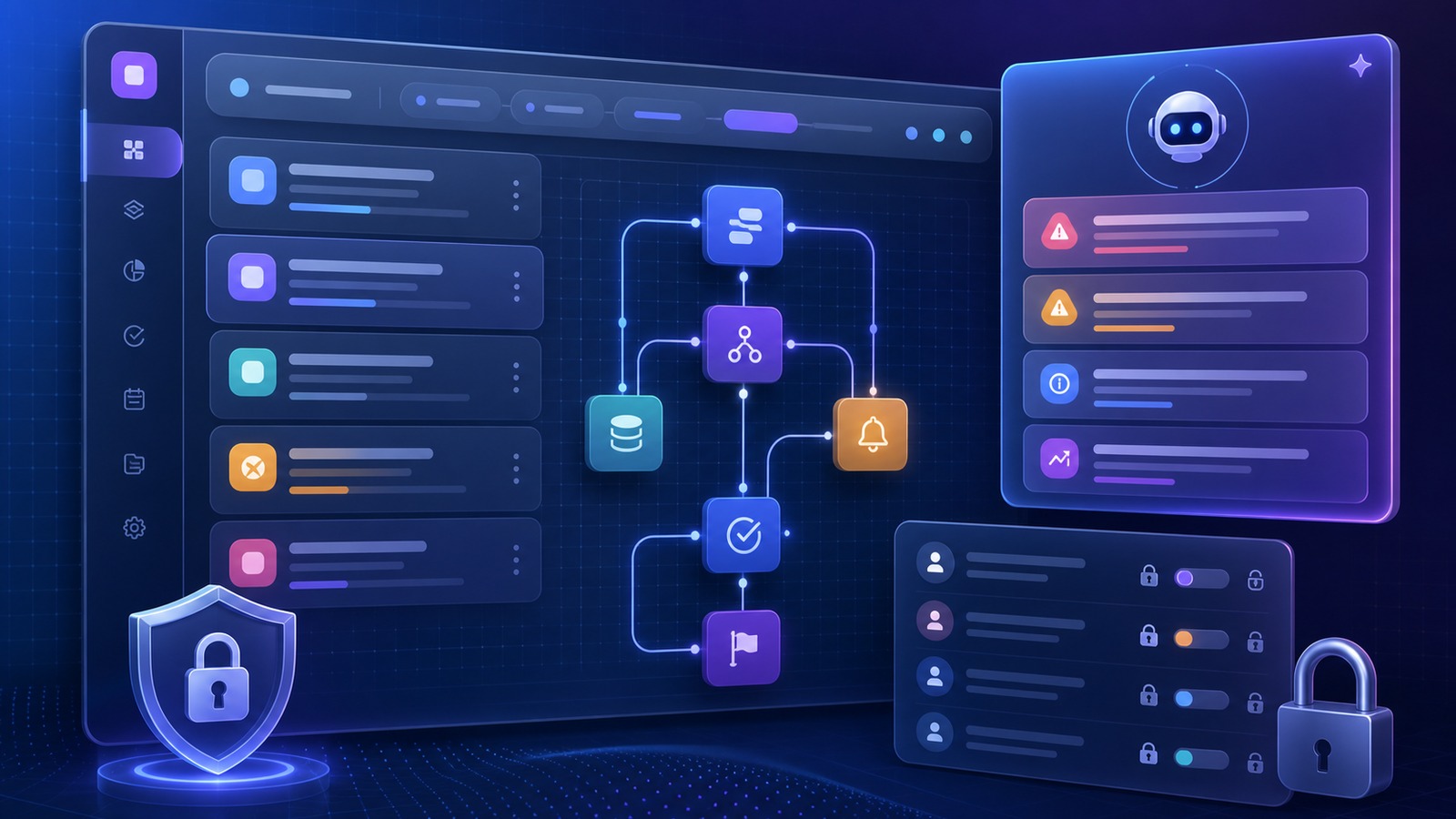
For small businesses, the safest approach is to start with lower-risk AI tasks: summarizing comments, drafting task descriptions, prioritizing inbox items, suggesting automation rules, or flagging project risk. Be more cautious with AI agents that trigger actions, touch client data, or connect multiple business systems.
This aligns with broader AI security guidance. NIST’s AI Risk Management Framework encourages organizations to map, measure, manage, and govern AI risks. OWASP’s current GenAI security work highlights risks such as prompt injection, sensitive information disclosure, excessive agency, insecure output handling, and overreliance. Those concepts are not limited to custom AI apps. They also matter when AI enters project management, CRM, support, analytics, and workflow automation tools.
Security and privacy considerations
Wrike has a dedicated security area with links to a security overview, privacy policy, terms, vulnerability reporting, and professional services information. Its pricing page also lists Wrike Lock as an add-on for managing your own encryption keys, and the app directory includes single sign-on and integrations that larger teams may need.
For a small or mid-sized business, the security review should focus on practical questions:
- Will Wrike contain client data, employee data, financial data, source code, credentials, or regulated information?
- Which users need admin access, and which should only have project-level permissions?
- How are guests, clients, vendors, and external approvers separated from internal work?
- Which integrations can read or write project data?
- How are AI actions logged, limited, and reviewed?
- Does the plan include the security controls your business needs, or are add-ons required?
Wrike can fit into a governed software stack, but buyers should not treat any work management tool as automatically safe just because it is popular. The risk depends on configuration, data scope, integrations, user roles, and AI usage.
Pros of Wrike
- Strong operational depth: Wrike goes beyond simple task tracking into intake, dashboards, proofing, approvals, workload planning, reporting, and automation.
- Multiple views: Board, table, calendar, Gantt, dashboard, and reporting views help different roles work from the same underlying data.
- Good fit for cross-functional teams: Marketing, operations, agencies, services, IT, and client-facing teams can centralize fragmented workflows.
- AI roadmap is relevant: AI Essentials, AI Elite actions, and AI agents make Wrike more interesting for teams looking to automate coordination.
- Integration ecosystem: Wrike’s app directory covers common business systems, BI tools, AI assistants, file storage, chat, CRM, and developer/API use cases.
- Reporting potential: Dashboards, reports, and higher-tier BI capabilities help managers see delivery and capacity instead of relying on status meetings.
Cons of Wrike
- Can feel heavy for very small teams: If you only need a simple board, Wrike’s structure may be more than you want.
- Setup matters: Wrike rewards thoughtful workspace design. Poorly configured folders, statuses, forms, and permissions can create clutter.
- Advanced value may require higher tiers: Some resource, reporting, integration, security, and AI capabilities are tied to higher plans or add-ons.
- AI needs governance: Teams should define where AI is allowed to summarize, suggest, automate, or act before enabling ambitious workflows.
- Pricing comparisons require care: Plan packaging changes, contact-sales tiers, add-ons, and annual billing assumptions can make direct comparisons with simpler tools misleading.
Wrike vs Asana, monday.com, ClickUp, and Trello
Wrike competes in a crowded work management category. The right comparison depends on what your team is optimizing for.
Wrike vs Trello: Trello is easier for lightweight boards. Wrike is stronger for structured operations, reporting, resource visibility, and multi-department workflows.
Wrike vs Asana: Asana is often easier for general task and project collaboration. Wrike may be stronger when teams need deep operational controls, client proofing, complex reporting, and resource planning.
Wrike vs monday.com: monday.com is flexible and visually approachable. Wrike is a better candidate when work management needs heavier project, proofing, capacity, reporting, and governance layers.
Wrike vs ClickUp: ClickUp often attracts teams that want many features at aggressive pricing. Wrike may be preferable for organizations that prioritize mature work management, approvals, operational reporting, and a more enterprise-oriented posture.
If you are still choosing between categories, read CyberTrendLab’s related AI workflow automation tools guide, marketing analytics tools comparison, and AI meeting notes security checklist. Wrike sits at the intersection of project operations, automation, reporting, and AI governance.
Best use cases for Wrike
Marketing operations
Marketing teams can use Wrike for campaign calendars, creative briefs, approvals, asset proofing, launch checklists, agency-client collaboration, and executive reporting. This is one of Wrike’s strongest fits because marketing work tends to be deadline-driven, cross-functional, and approval-heavy.
Professional services and agencies
Agencies and services teams can manage client intake, scopes, deliverables, recurring retainers, approvals, resourcing, and reporting. Wrike’s dashboards and workload features can help managers see capacity before client work becomes chaotic.
Product and operations teams
Operations teams can use Wrike to standardize processes, track dependencies, automate recurring handoffs, and keep stakeholders aligned. Product-adjacent teams may use it for launch operations, feedback routing, go-to-market planning, and release checklists.
AI-assisted workflow governance
Wrike is also interesting for teams that want AI inside work management but do not want every employee improvising automations in disconnected tools. Wrike’s AI features should still be reviewed carefully, but a governed work platform can be easier to manage than a scattered collection of unmanaged AI shortcuts.

Setup tips before you roll out Wrike
- Map your real workflows first. Do not import chaos into Wrike. Write down intake sources, approvals, roles, deadlines, and reporting needs before building spaces.
- Start with one department or workflow. A marketing request process, client onboarding workflow, or monthly reporting cycle is easier to optimize than the entire company at once.
- Create clean naming conventions. Decide how projects, folders, clients, campaigns, and statuses should be named.
- Use request forms early. Structured intake is one of the fastest ways to prove value.
- Limit admin rights. Keep workspace architecture controlled so every team does not create its own incompatible status system.
- Define AI guardrails. Decide which AI features are allowed, what data they can touch, and when human review is required.
- Review integrations quarterly. Connected apps are useful, but every integration should have an owner and a business reason.
Wrike alternatives to consider
Asana is a strong alternative for teams that want polished task and project collaboration with a gentler learning curve. monday.com is flexible and visually friendly for teams that want customizable workboards. ClickUp is feature-rich and often appealing to budget-sensitive teams that want many capabilities in one workspace. Trello remains useful for simple boards and lightweight processes. Jira is better when software development workflows are the core use case.
Wrike’s differentiator is not simplicity. It is operational structure. If you need request intake, dashboards, proofing, approvals, reporting, capacity planning, integrations, and AI-assisted workflow automation in one environment, Wrike deserves a serious look.
Final verdict: is Wrike worth it?
Wrike is worth it for teams that have enough operational complexity to justify a structured work management platform. If projects are slipping because requests are scattered, approvals are unclear, capacity is invisible, and reporting depends on manual status updates, Wrike can create real leverage.
The strongest buyers are not necessarily the biggest companies. They are the teams with repeatable workflows, multiple stakeholders, client deliverables, approval cycles, resource constraints, and managers who need visibility. For those teams, Wrike’s mix of project views, dashboards, request forms, approvals, integrations, and AI-assisted workflow features is compelling.
For very small teams or low-complexity task tracking, start with the Free or Team plan carefully, or compare simpler alternatives first. For growing teams that already feel the pain of operational sprawl, Wrike’s Business and higher tiers are where the platform becomes more strategically useful.
Where Wrike’s ROI comes from
The easiest mistake is to judge Wrike only by seat price. That matters, but the bigger question is whether the platform reduces expensive coordination waste. In a growing team, the real cost is often hidden in status meetings, duplicated updates, late approvals, missing files, unclear ownership, rushed rework, and managers building manual reports from scattered spreadsheets.
Wrike’s ROI is most realistic when three conditions are true. First, the team has repeatable workflows that can be standardized. Second, managers actually use dashboards and workload views to change decisions, not just to create prettier reports. Third, the organization is willing to enforce a single intake and project operating model instead of letting every department keep its own shadow system.
For a marketing agency, that might mean every client request enters through a form, every deliverable has an approval path, every campaign has a template, and every account manager can see project health without interrupting the creative team. For an operations team, it might mean recurring playbooks, dependency tracking, automation rules, and a dashboard that shows where work is stuck. For a services team, it might mean better capacity planning before new work is sold.
Buying checklist before choosing Wrike
Before signing up, use this checklist to decide whether Wrike is the right level of platform for your team:
- Workflow complexity: Do you have recurring processes, approvals, dependencies, or client handoffs?
- Reporting need: Do managers need dashboards and trend visibility, or do they only need a task list?
- Resource constraints: Do you need to see workload and capacity before assigning new work?
- Integration scope: Which tools must connect to your project system, and which integrations should be avoided?
- Security posture: Will Wrike hold sensitive client, financial, employee, or operational data?
- AI policy: Which AI features are acceptable for summaries and suggestions, and which require human approval?
- Implementation owner: Who will maintain spaces, templates, statuses, permissions, and reporting hygiene?
If the answers are mostly “yes” and your team has an owner for implementation, Wrike is a credible option. If the answers are mostly “no,” a simpler tool may deliver faster adoption with less process overhead.
One more practical point: run a pilot with real work, not a fake demo board. Import one active campaign, one approval-heavy project, or one recurring operations process. Measure whether request quality improves, whether status meetings get shorter, whether managers can answer capacity questions faster, and whether contributors understand what to do next without chasing context in chat. That kind of pilot will tell you more than a feature checklist.
FAQ
Is Wrike good for small businesses?
Yes, if the small business has structured projects, client work, approvals, recurring workflows, or reporting needs. It may be too much for a tiny team that only needs a basic task list.
Does Wrike include AI features?
Wrike’s current pricing and feature pages describe AI Essentials, AI Elite actions, AI agents, comment summaries, AI content support, natural-language automation rule generation, and AI-assisted workflow use cases. Availability depends on plan and packaging, so verify the latest plan details before buying.
How much does Wrike cost?
Wrike’s public pricing page currently lists Free at $0, Team at $10 per user/month, and Business at $25 per user/month when billed annually. Pinnacle and Apex are contact-sales plans. Add-ons may affect final cost.
Is Wrike better than Asana?
Wrike may be better for teams that need deeper operational controls, dashboards, reporting, proofing, capacity planning, and complex workflows. Asana may feel simpler for general task collaboration.
Is Wrike secure?
Wrike maintains security resources and offers features such as security documentation, vulnerability reporting, enterprise-oriented controls, and add-ons such as Wrike Lock. Whether it is secure enough for your business depends on your plan, configuration, integrations, data sensitivity, and permission model.
What is the best Wrike plan?
The best plan depends on team size and complexity. Team is the entry point for small structured teams. Business is usually where growing teams get more workflow customization. Pinnacle and Apex are better suited for complex resource planning, reporting, integrations, and AI-led workflow needs.
Affiliate disclosure: CyberTrendLab may earn a commission if you sign up through the Wrike links in this article. This does not change our editorial evaluation, and we only recommend software when it fits the use case described.