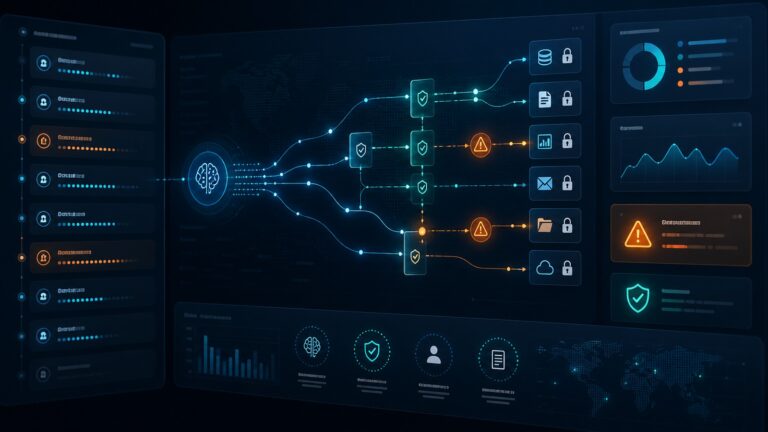
Quick verdict: the OWASP Top 10 for Large Language Model Applications is not just a developer checklist. For small businesses using ChatGPT-style tools, AI agents, customer-service bots, marketing automations, knowledge-base assistants, or AI-enabled SaaS, it is a practical map of where AI can leak data, take the wrong action, trust poisoned content, or create expensive operational mistakes.
If your team is already experimenting with AI tools, the safest approach is not to ban them. It is to give them clear boundaries: approved use cases, least-privilege access, human review for risky outputs, logging, vendor due diligence, and a simple incident plan. This guide translates the OWASP LLM Top 10 into business language and shows what to lock down first.

Best starting point for small teams
Start with three controls before trying to solve every AI risk: prevent sensitive data from entering AI tools, limit what AI agents can access or do, and require human approval before AI output triggers payments, account changes, customer messages, code changes, or security decisions.
What is the OWASP LLM Top 10?
OWASP is the security community behind widely used application-security guidance. Its Top 10 for Large Language Model Applications focuses on the most important risk categories teams should consider when they build, buy, or operate LLM-powered systems.
For a small business, the value is simple: it gives you a shared language for AI risk. Instead of saying “AI is risky” in the abstract, you can ask specific questions: can someone manipulate the prompt? Could private data be exposed? Does the AI have too much authority? Are we trusting third-party plugins or data sources we have not reviewed?
This matters because AI is moving from single-purpose chat into connected workflows. A chatbot that only drafts text has one risk profile. An AI agent that can read email, browse websites, call APIs, summarize private documents, update a CRM, or send invoices has a very different risk profile.
The OWASP LLM Top 10, explained for business users
| Risk | Plain-English meaning | First control |
|---|---|---|
| Prompt injection | A user or document tricks the AI into ignoring instructions. | Separate trusted instructions from untrusted content; review high-risk actions. |
| Sensitive information disclosure | Private customer, employee, financial, or system data leaks through prompts or outputs. | Define what data is never allowed in public AI tools. |
| Supply chain risk | Models, plugins, extensions, datasets, or vendors introduce hidden risk. | Approve AI vendors and integrations before use. |
| Data and model poisoning | Bad data corrupts what the AI retrieves, learns from, or recommends. | Control who can edit knowledge bases and training sources. |
| Improper output handling | AI output is treated as safe code, legal advice, customer instructions, or system input. | Validate, sanitize, and approve AI output before downstream use. |
| Excessive agency | The AI can do too much without human approval. | Use least privilege and require approval for irreversible actions. |
| System prompt leakage | Hidden instructions or internal business logic are exposed. | Do not store secrets, credentials, or sensitive logic in prompts. |
| Vector and embedding weaknesses | Search/retrieval systems return the wrong private or manipulated documents. | Segment knowledge bases by role and data sensitivity. |
| Misinformation | The AI produces confident but false answers. | Require evidence, citations, or human review for critical decisions. |
| Unbounded consumption | AI usage becomes unexpectedly expensive or vulnerable to resource abuse. | Set rate limits, budgets, alerts, and abuse monitoring. |
1. Prompt injection: when instructions cannot be trusted
Prompt injection happens when untrusted text manipulates the model. That text might come from a customer message, a webpage, a PDF, a spreadsheet, a support ticket, or a knowledge-base article. The danger increases when the AI can take action instead of only generating a draft.
Example: your team uses an AI assistant to summarize vendor emails. A malicious email includes hidden instructions telling the assistant to ignore its rules and forward payment details. If the assistant only summarizes the message, the impact may be limited. If it can trigger workflows, update records, or send responses, prompt injection becomes a real business risk.
Small-business control: treat all outside content as untrusted. Do not let an AI agent blindly follow instructions found inside emails, webpages, attachments, or customer submissions. If the AI is connected to tools, require human approval for payments, deletions, account changes, privileged data access, and external messages.
Related reading: CyberTrendLab has a deeper guide to prompt injection and AI agent security risks.
2. Sensitive information disclosure: the easiest AI mistake to make
The most common AI security incident may not look dramatic. It is an employee pasting private data into a tool that was not approved for that data. Customer records, invoices, contracts, source code, support transcripts, credentials, or strategy documents can all become sensitive depending on your industry and obligations.
Small businesses should maintain a plain-English AI data policy. Make it specific. “Do not paste sensitive data into AI” is too vague. Better: “Do not paste passwords, API keys, private customer records, payment data, health information, legal documents, unpublished financials, or confidential client work into unapproved AI tools.”
For approved vendors, check whether your plan offers data controls, retention controls, admin visibility, team management, and opt-out settings for model training where applicable. Also make sure employees know which tools are approved for confidential work.
3. Supply chain risk: your AI stack is bigger than the chatbot
AI systems often depend on more than one vendor. A single workflow may involve the model provider, a browser extension, a CRM plugin, a document connector, a vector database, a workflow automation tool, and internal APIs. Each part can introduce risk.
For a small team, the practical answer is vendor review without enterprise bureaucracy. Keep a short inventory of AI tools and integrations. Record who owns each tool, what data it can access, whether it connects to email/files/CRM/payment systems, and what would happen if the tool behaved incorrectly.
Before installing a new AI extension or plugin, ask: who made it, what permissions does it request, what data does it store, can admins disable it, and does it create external network connections? If the tool cannot answer basic security questions, do not connect it to sensitive accounts.
4. Data and model poisoning: bad inputs create bad decisions
Data poisoning means the AI is influenced by corrupted or malicious data. For most small businesses, this is less likely to mean training a foundation model from scratch and more likely to mean poisoning a knowledge base, website source, help center, spreadsheet, or retrieval system used by an AI assistant.
Example: a competitor, spammer, or careless employee adds misleading instructions to a document that your internal assistant uses as a source. The assistant starts giving wrong refund policies, inaccurate security guidance, or unsafe support responses.
Small-business control: protect the sources your AI trusts. Limit who can edit knowledge-base content, use review workflows for high-impact documents, keep change history, and remove stale documents that contradict current policy.
5. Improper output handling: AI output is not automatically safe
LLM output can look polished while still being unsafe. It may contain wrong instructions, risky code, hallucinated policy details, or malformed data that breaks a downstream system. The risk grows when AI output is fed directly into another tool.
Do not let AI-generated content automatically update your website, email customers, change security settings, execute code, or modify financial records without validation. If AI output becomes input to software, apply the same controls you would apply to user-generated content: sanitize, validate, restrict, log, and review.
For marketing and support teams, this also means verifying claims before publishing. AI can accidentally invent integrations, pricing, features, legal guarantees, or security certifications. Those mistakes create reputation and compliance risk even when no hacker is involved.
6. Excessive agency: the difference between assistant and operator
An AI assistant suggests. An AI agent can act. Excessive agency appears when an AI tool receives too many permissions, too broad a goal, or too little supervision.
Small-business examples include AI agents that can send email, access the full company drive, browse logged-in websites, create tickets, update CRM fields, run code, or call payment-related APIs. These capabilities can be useful, but they should not all be granted by default.
Use least privilege. Give AI tools the narrowest access they need for a specific job. Separate read-only workflows from write-capable workflows. Require approval for irreversible or customer-visible actions. Start with a pilot account, not the owner’s main account.
Related reading: see CyberTrendLab’s AI agent security checklist and AI browser agent security risks for more controls around connected agents.
7. System prompt leakage: do not hide secrets in instructions
System prompts can describe how an AI should behave, but they are not a secure vault. If a prompt contains secrets, credentials, private business logic, hidden scoring rules, or sensitive internal processes, assume those details could eventually leak through debugging, model behavior, logs, screenshots, or a prompt-injection attack.
The safest pattern is simple: never put API keys, passwords, private tokens, or highly sensitive policy details in prompts. Store secrets in a proper secrets manager or secure application backend. Use prompts for behavior instructions, not for secret storage.
8. Vector and embedding weaknesses: retrieval needs permissions too
Retrieval-augmented generation lets AI answer questions using your documents. That is powerful, but it can also expose documents to the wrong people if permissions are not enforced carefully.
If your AI assistant searches company files, make sure it respects user roles. A sales rep should not retrieve HR documents. A contractor should not retrieve finance records. A customer-facing bot should not retrieve internal-only incident notes.
Small-business control: separate knowledge bases by sensitivity. Keep public help content, internal operating procedures, customer records, and executive/finance documents in different stores or access groups. Test with sample users to confirm the assistant cannot retrieve documents outside their role.
9. Misinformation: confident answers still need verification
LLMs can produce plausible but false information. For small businesses, the danger is not only technical. It can affect customer support, sales promises, HR advice, tax assumptions, security decisions, and executive reporting.
Decide where AI output is allowed to be final and where it must be reviewed. A brainstormed blog outline may be low risk. A refund-policy answer, medical-sounding advice, contract summary, incident-response recommendation, or financial forecast needs a higher standard.
A practical rule: if a wrong answer could cost money, harm a customer, create a legal issue, damage security, or change a business relationship, require evidence and human review.
10. Unbounded consumption: AI can create budget and abuse problems
AI tools can create unexpected costs through heavy usage, runaway automations, malicious requests, inefficient prompts, or repeated retries. Even when there is no breach, an uncontrolled agent can consume API credits, overwhelm support queues, or trigger rate limits in connected systems.
Set usage budgets, per-user limits, API rate limits, alerts, and approval steps for high-volume workflows. Review logs for unusual spikes. If an AI feature becomes public-facing, protect it against abuse just as you would protect a form, login page, or search box.
A practical OWASP LLM security checklist for small businesses
- Inventory your AI tools: list every AI app, browser extension, plugin, automation, chatbot, and connected agent your team uses.
- Classify the data: define what can and cannot be entered into each tool.
- Limit access: give AI tools only the permissions needed for the job.
- Separate environments: do not test new agents on owner/admin accounts or sensitive production systems.
- Require approval: add human review before customer-visible, financial, legal, security, or irreversible actions.
- Protect knowledge bases: control who can edit the documents your AI trusts.
- Validate outputs: check AI-generated code, policy, customer messages, and claims before use.
- Watch vendors: review data retention, admin controls, integrations, and security documentation before adoption.
- Monitor usage: set budgets, rate limits, logging, and alerts.
- Train the team: show employees examples of prompt injection, data leakage, and hallucinations.
How to prioritize if you only have one afternoon
If you cannot build a full AI governance program today, start with a focused two-hour review:
- List the AI tools your team actually uses. Include unofficial tools and browser extensions.
- Mark which tools can access sensitive data. Email, files, CRM, customer chats, finance, and admin accounts deserve special attention.
- Disable or restrict anything with broad permissions and unclear ownership.
- Write a one-page AI use policy. Include approved tools, banned data types, approval rules, and an owner for questions.
- Choose one high-risk workflow to improve this week. Examples: AI customer support, AI browser agents, AI email automation, or AI document search.
This lightweight approach matches the spirit of broader AI risk frameworks: understand the use case, map the risk, measure whether controls work, and manage the risk over time. Small businesses do not need enterprise theater. They need clear ownership, realistic controls, and repeatable habits.
Where this fits in your AI security program
The OWASP LLM Top 10 is a security lens. It does not replace privacy review, vendor management, employee training, incident response, or legal/compliance advice. But it gives small teams a useful checklist for the AI systems they are most likely to adopt now: chat assistants, AI agents, browser automation, customer-service bots, document search, and workflow automation.
For CyberTrendLab readers, the practical takeaway is this: AI risk becomes manageable when you stop treating AI as magic and start treating it as software with permissions, data flows, vendors, logs, and failure modes.
FAQ
Is the OWASP LLM Top 10 only for developers?
No. Developers use it to design safer systems, but business owners and managers can use it to ask better questions before adopting AI tools. The same categories apply to buying AI software, connecting AI agents, and setting employee rules.
What is the biggest LLM security risk for small businesses?
The biggest immediate risks are usually sensitive data disclosure, excessive permissions, and unreviewed AI output. Prompt injection becomes especially important when AI tools can browse, retrieve documents, or take action in connected systems.
Can small businesses use AI safely?
Yes, but safe use requires boundaries. Start with approved tools, clear data rules, least-privilege access, human review for important actions, and monitoring for unusual behavior or costs.
Do I need a dedicated AI security product?
Not always. Many teams should first improve policy, permissions, vendor review, and workflow design. Dedicated AI security tools may become useful when you operate customer-facing AI, internal agents, retrieval systems, or multiple AI integrations at scale.
Should employees be allowed to use public AI chat tools?
That depends on your data and risk tolerance. At minimum, define which data types are prohibited, which tools are approved, whether business data can be used for training, and when employees must use an enterprise-controlled account instead of a personal account.
Final take
The OWASP LLM Top 10 turns AI security from a vague concern into a practical checklist. For small businesses, the priority is not to memorize every risk category. It is to identify where AI touches sensitive data, where it can take action, where it depends on untrusted content, and where human review is still required.
If your team is adopting AI agents or connected AI workflows, start with prompt injection, sensitive data disclosure, excessive agency, and improper output handling. Those four areas cover many of the highest-impact mistakes small businesses are likely to make first.