AI meeting notes are becoming a default part of modern work. Google Meet can generate notes into Google Docs, Microsoft 365 Copilot can reason across meetings and organizational data, and standalone AI note takers promise instant summaries, action items, and searchable call archives. That is useful—but it also changes the risk profile of every sales call, customer interview, HR conversation, board update, and vendor meeting your team records.
The security question is not “should small businesses use AI meeting notes?” The better question is: which meetings should be captured, who can access the output, how long should it be retained, and what permissions did the note-taking tool receive?
This guide gives small business owners, operators, and lean IT teams a practical framework for adopting AI note takers without turning every conversation into an unmanaged data lake.
Quick verdict: AI meeting notes are useful, but treat them as sensitive business records
AI meeting notes can reduce manual admin work, improve handoffs, and help remote teams remember decisions. They are especially helpful for sales teams, customer success, recruiting, podcast/content workflows, and internal project reviews. CyberTrendLab has also covered adjacent workflow tools like Castmagic for AI content repurposing, where transcripts become reusable assets.
But the same convenience creates three security problems:
- Meeting transcripts are high-context data. A transcript can include customer names, pricing, private roadmap details, access credentials spoken aloud by mistake, medical/HR information, or vendor contract terms.
- AI summaries travel farther than the live meeting. Notes may be saved to cloud drives, emailed to invitees, synced into CRMs, or indexed by search tools.
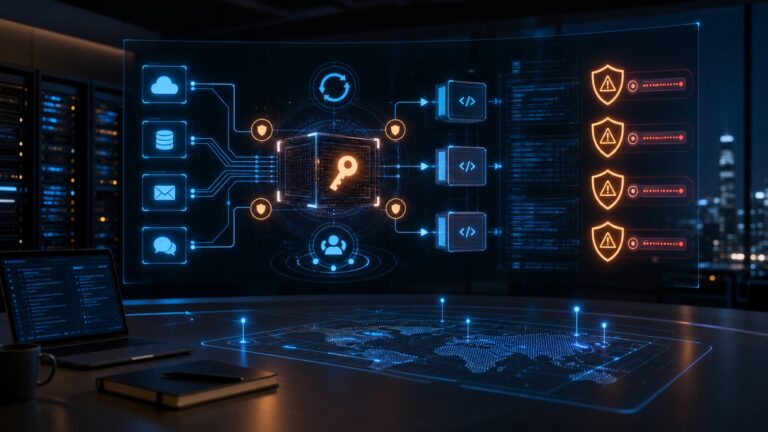
- Third-party integrations can request broad OAuth scopes. If a note-taking app asks for calendar, email, Drive, Teams, Zoom, or CRM access, a weak approval process can create long-lived exposure.
The safest approach is to approve AI meeting-note tools like you would approve a password manager, CRM, or file-sharing platform: with a clear data policy, admin controls, retention rules, and periodic access reviews.
Why this topic matters in 2026
AI assistants are moving from optional side tools into core productivity suites. Google’s Meet documentation describes “Take notes for me” as a way to automatically capture meeting notes in Google Docs, share recaps, and attach notes to Calendar events when the feature is enabled. Microsoft says Microsoft 365 Copilot can use content in Microsoft Graph—such as emails, chats, documents, meetings, and calendar context—while honoring existing permission models. NIST’s AI Risk Management Framework also encourages organizations to map, measure, manage, and govern AI risk rather than treating AI adoption as a one-off software decision.
For small businesses, the practical takeaway is simple: meeting AI is not just a productivity setting. It touches identity, access control, data retention, vendor risk, employee consent, customer trust, and incident response.
The core risks of AI meeting note takers
1. Silent capture of sensitive conversations
A meeting can feel informal, but the transcript is a durable record. If the AI tool captures a customer’s internal budget, a candidate’s personal information, an employee issue, or a security incident discussion, that content may now live in a place your normal document-retention policy never considered.
For high-risk meetings, decide before the call whether AI notes are appropriate. Recruiting, legal, healthcare, finance, HR, incident response, and board meetings should have stricter rules than a routine marketing standup.
2. Over-sharing through calendars, drives, and default permissions
Native meeting assistants often save notes into a user’s drive or attach the recap to the calendar event. That can be helpful, but it can also inherit messy invite lists. External guests, former contractors, large distribution groups, or personal email addresses can accidentally become part of the sharing chain if the organization does not configure defaults carefully.
This is why the security review should include the post-meeting path: where notes are saved, who receives them, whether external invitees can view them, and whether summaries can be forwarded.
3. OAuth app sprawl
Standalone note takers commonly request access to calendars, conferencing platforms, email, file storage, and CRM systems. Google Workspace’s admin documentation explains that administrators can review accessed apps, requested services, OAuth scopes, verification status, and user counts, then set apps as trusted, limited, specific-data, or blocked. That workflow exists for a reason: third-party app permissions can become a major identity risk.
If one user can authorize an unreviewed meeting bot with broad access, the business may have a shadow-SaaS problem—not just a note-taking problem. This connects directly to CyberTrendLab’s OAuth app permissions audit checklist.
4. AI summaries can be wrong or incomplete
Meeting summaries are not legal transcripts. Google’s support page notes that meeting summaries can sometimes be incomplete, inaccurate, or not generated. Microsoft’s Copilot documentation also emphasizes that Copilot produces responses based on data and context a user can access, which means output quality depends on permissions, source material, and prompts.
For decisions, customer commitments, or legal language, require a human review before treating an AI-generated summary as the official record.
5. Retention without a business reason
The FTC’s business security guidance warns companies to know what information they collect, keep only what is essential, protect what they keep, and dispose of what they no longer need. Meeting-note archives are a perfect example. If your company keeps every transcript forever, you increase discovery, breach, and insider-risk exposure without a clear benefit.
AI meeting notes security checklist for small businesses
| Control | What to do | Why it matters |
|---|---|---|
| Meeting classification | Label meetings as normal, sensitive, or restricted before allowing AI notes. | Not every conversation should be recorded or summarized. |
| Admin approval | Require admin approval for note-taking apps and integrations. | Prevents shadow AI tools from gaining calendar, email, or drive access. |
| Consent notice | Make capture visible and tell participants when notes, transcription, or recording are active. | Builds trust and reduces legal/privacy surprises. |
| Sharing defaults | Limit recap access to internal participants unless someone intentionally shares externally. | Stops summaries from leaking through calendar invite lists. |
| Retention | Delete routine notes after a defined period; retain only records with a business or legal reason. | Reduces breach impact and data-discovery risk. |
| Human review | Require owners to confirm action items and commitments before sending externally. | AI summaries can omit nuance or misstate decisions. |
Which meetings should not use AI notes by default?
Create a short “restricted meeting” list. For many small businesses, AI notes should be off by default for:
- HR investigations, performance reviews, layoffs, compensation, and employee relations conversations.
- Legal strategy, contract disputes, privileged conversations, and board discussions.
- Security incidents, vulnerability disclosure, and breach-response meetings.
- Healthcare, financial, insurance, or other regulated customer conversations unless the tool and process have been reviewed for that use case.
- Customer calls where contracts or local rules require explicit recording/transcription consent.
This does not mean AI can never be used in sensitive areas. It means the default should be conservative until your business has documented consent, storage, retention, and access controls.
What to check before approving an AI note-taking vendor
Data handling and training policy
Read the vendor’s privacy and security documentation. Look for clear answers to: Are meeting recordings, transcripts, prompts, or summaries used to train models? Can the business opt out? Where is data processed and stored? Who are subprocessors? Can admins export and delete data?
Permissions and integrations
Check exactly what the app requests. Calendar read access may be necessary for joining meetings; broad email and file-drive scopes may not be. In Google Workspace, review OAuth scopes and accessed apps in the Admin console. In Microsoft 365, review enterprise app permissions and consent policies. If you have not done this recently, use CyberTrendLab’s AI vendor risk assessment checklist as a starting point.
Admin controls
Prefer tools that let administrators control who can enable notes, where summaries are stored, whether external sharing is allowed, and how long data is retained. If a tool depends on every employee configuring settings correctly, it is harder to govern.
Security posture
Ask for security documentation such as SOC 2 reports, ISO 27001 certification, encryption details, SSO/SAML support, audit logs, and incident-notification commitments. Small businesses do not need enterprise bureaucracy, but they do need enough evidence to avoid trusting a black box with every customer conversation.
Export and deletion
Before adopting a tool, test whether an admin can export data, delete a user’s records, revoke integrations, and remove the bot from future meetings. This matters during employee departures, vendor changes, and security incidents.
Policy template: simple rules your team can actually follow
A practical AI meeting-notes policy can fit on one page:
- Approved tools only. Employees may use only the AI meeting-note tools approved by the company.
- Visible consent. Participants must be notified when AI notes, transcription, or recording are active.
- No restricted meetings without approval. HR, legal, security incident, finance, healthcare, and board conversations require an owner’s approval before capture.
- Least-privilege sharing. Notes should be shared only with people who need them. External sharing requires deliberate review.
- Retention limit. Routine notes are deleted after a set period unless tagged as a business record.
- Human confirmation. AI-generated action items, pricing promises, contract terms, and customer commitments must be reviewed before they are treated as official.
- Quarterly access review. Admins review OAuth apps, note-taking vendors, inactive users, and shared folders at least once per quarter.
For identity hygiene around this policy, CyberTrendLab’s passkeys and phishing-resistant MFA checklist is a useful companion because meeting tools often connect through Google Workspace, Microsoft 365, Zoom, Slack, and CRM accounts.
Best-practice rollout plan
Step 1: Start with one approved tool and one team
Do not let every department pick a separate AI note taker. Pilot one approved tool with a team that has clear workflows—such as sales, customer success, or internal operations. Document what gets captured, where notes are stored, and what the team actually uses.
Step 2: Configure admin controls before launch
Set sharing defaults, external guest behavior, retention periods, bot permissions, and recording/transcription consent settings before the pilot. If you use Google Workspace or Microsoft 365, review native AI settings and third-party app consent controls at the tenant level.
Step 3: Create a “do not capture” meeting list
Give employees a clear list of meeting types where AI notes are off unless approved. This removes guesswork and avoids putting junior employees in the position of making legal or privacy calls live on a customer meeting.
Step 4: Review the first month of outputs
Look at a sample of generated notes. Are they accurate? Are they over-shared? Are confidential topics being captured? Are employees using summaries as official commitments without review? Adjust before scaling.
Step 5: Add the tool to your backup and offboarding process
If notes become business records, they belong in your data governance process. Make sure account offboarding revokes access, shared folders are owned by the company rather than a departed employee, and critical notes are not lost accidentally. For broader resilience, see CyberTrendLab’s SaaS backup and recovery checklist.
FAQ
Are AI meeting notes legal?
It depends on your location, industry, participants, and whether the tool is recording audio, transcribing, or only summarizing. Many businesses can use meeting notes responsibly, but consent and disclosure rules vary. Use visible notices, follow your platform’s consent controls, and get legal advice for regulated or high-risk workflows.
Should external customer calls use AI notes?
They can, but only with clear notice and careful sharing defaults. Customer calls often include pricing, internal priorities, personal information, or support details. The recap should not automatically go to everyone unless that matches the customer relationship and the meeting purpose.
Can AI meeting summaries be used as official records?
Only after human review. AI summaries can miss nuance, mislabel speakers, or omit important caveats. Treat them as drafts until a responsible person confirms decisions, commitments, and next steps.
What is the biggest security mistake with AI note takers?
The biggest mistake is allowing unreviewed tools to connect to calendars, email, drives, CRMs, and video platforms without admin approval. That creates an identity and data-access risk that is larger than the transcript feature itself.
Final verdict
AI meeting notes are worth using when they save time and improve follow-through. They are risky when they quietly capture sensitive conversations, over-share recaps, or connect third-party apps to business systems without review.
The winning small-business approach is not to ban AI notes. It is to approve the right tools, define where they are allowed, require visible consent, keep sharing tight, delete what you do not need, and review integrations regularly. Do that, and AI meeting notes can become a productivity asset instead of another shadow-SaaS liability.