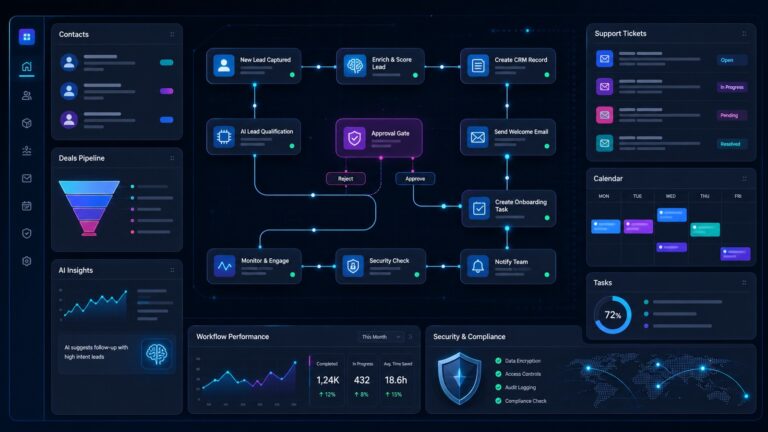
API key security is no longer just a developer problem. Small businesses now connect CRMs, AI tools, payment platforms, analytics dashboards, email services, workflow automations, and support chatbots with tokens that can move data or trigger real business actions. One copied key in a repository, browser extension, shared spreadsheet, automation recipe, or old contractor account can give an attacker the same reach as a trusted integration.

This guide explains API key security for small businesses in plain English: what API keys are, where they leak, how to store them, how often to rotate them, and what to do when one is exposed. It is written for founders, operations leads, IT managers, agency owners, and technical generalists who manage SaaS stacks without a full security team.
Quick verdict: the API key rule small teams should follow
If a key can read customer data, send messages, create users, change billing, access repositories, trigger AI workflows, or write into production systems, it belongs in a controlled secret store — not in a document, chat thread, code file, browser note, or automation description.
A practical small-business rule:
- Use the narrowest possible permissions for every key.
- Keep keys out of code and shared docs.
- Give every key an owner, purpose, creation date, and rotation date.
- Rotate keys after staff changes, vendor changes, public exposure, or suspicious activity.
- Delete keys that are not actively used.
That sounds basic, but it prevents the most common failure pattern: a key is created for a quick integration, copied into three places, forgotten for a year, and then still works after the employee, contractor, plugin, or vendor who used it is gone.
What is an API key?
An API key is a credential that lets one system talk to another. Instead of a human signing in with a username, password, and MFA code, the software presents a token. The receiving service checks the token and allows the request if the key is valid.
API keys are useful because they let tools work together: a form can send leads to a CRM, an AI workflow can summarize support tickets, an analytics platform can pull campaign data, or a billing app can sync customer records. The security problem is that a key often behaves like a password for a machine. Anyone who gets it may be able to use it until it is revoked, expired, or blocked.
OWASP’s API Security guidance warns that authentication endpoints and flows are exposed targets, and it specifically notes that API keys should not be used as user authentication; they are for API client authentication. That distinction matters. A key should identify and limit an integration, not become a universal account substitute.
Where small-business API keys usually leak
Most API key incidents are not movie-style hacks. They are ordinary operational mistakes. The key leaks because the team moved quickly, nobody owned the lifecycle, or the integration was built before a formal process existed.
1. Git repositories and deployment history
Developers sometimes hardcode a token during setup and intend to move it later. If the file is committed, deleting the line in a later commit may not remove it from history. GitHub’s secret scanning documentation explains that hardcoded credentials such as API keys and passwords become targets when committed to repositories, and that scanning can inspect repository history for known secret types.
For small businesses, the risk is especially high when freelancers, agencies, internal tools, and AI-assisted coding workflows all touch the same repositories. A single old token in a private repo can become an issue when the repo is forked, exported, archived, or accidentally made public.
2. No-code and automation platforms
Zapier-style automations, AI workflow builders, internal dashboards, and browser-based scripts often need tokens. The risky version is a plaintext key pasted into a field called “headers,” “custom request,” “API token,” or “authorization.” If the automation platform supports encrypted connection objects, use those instead of manually pasting secrets into arbitrary text fields.
3. Shared documents and spreadsheets
A shared implementation checklist can become a credential database by accident. Keys get copied into onboarding docs, vendor notes, SOPs, Notion pages, Google Sheets, Slack messages, screenshots, Loom videos, and support tickets. These locations rarely have the same access controls, audit logs, or expiration policies as a real secret manager.
4. Browser extensions and local scripts
Growth teams often test scrapers, enrichment tools, AI assistants, and reporting scripts locally. Keys end up in browser storage, exported extension settings, shell history, desktop folders, or local environment files that are later uploaded for troubleshooting.
5. Old vendor, contractor, and employee access
Staff offboarding often disables email and SaaS logins, but machine credentials survive. If an API key was created under an employee account, the team may not know whether it still exists, what integration depends on it, or whether it should be revoked.
The small-business API key inventory
The first security win is not buying another tool. It is creating an inventory of the keys that matter. A lightweight inventory can live in your password manager, secret manager, asset database, or internal security tracker — as long as it does not store the actual plaintext key in an unprotected document.
| Field | Why it matters |
|---|---|
| Service | Which vendor or internal system issued the key. |
| Purpose | The business process the key supports. |
| Owner | Who can approve changes or deletion. |
| Permissions | Read-only, write, admin, billing, export, send, delete, or scoped resource access. |
| Created date | Helps identify forgotten long-lived keys. |
| Rotation date | Prevents “forever credentials.” |
| Storage location | Where the secret lives, without exposing the secret itself. |
The inventory should answer three questions in less than five minutes: what keys exist, what would break if each key were revoked, and who is allowed to change them.
Store API keys in the right place
The OWASP Secrets Management Cheat Sheet recommends centralizing and standardizing secrets management, controlling access, automating rotation where possible, auditing usage, and managing the full secret lifecycle from creation through revocation. Small teams can adapt that advice without over-engineering.
Good storage options
- Cloud secret managers such as AWS Secrets Manager, Google Cloud Secret Manager, Azure Key Vault, or equivalent infrastructure-managed vaults.
- Password managers with business controls for small operational teams that need shared ownership but not full cloud infrastructure.
- Platform-native encrypted variables for CI/CD, hosting, serverless functions, and workflow automation tools.
- Environment variables injected by the platform at runtime, not committed into the repository.
Bad storage options
- Source code files.
- Public or private Git history.
- Shared spreadsheets.
- Chat messages.
- Support tickets.
- Plaintext desktop notes.
- Training screenshots that show the full key.
If a tool must display a token for setup, copy it once, store it securely, and avoid leaving the browser tab, screenshot, or onboarding note behind as a second copy.
Use scopes, not all-powerful keys
The safest key is the one that can only do the one job it was created to do. This is the machine-credential version of least privilege.
For example:
- A reporting dashboard should usually have read-only analytics access, not admin access.
- A lead form should be able to create a lead, not export the entire customer database.
- An AI summarization workflow should read the specific ticket or document it needs, not every connected file drive.
- A deployment pipeline should deploy to the intended environment, not manage every account-wide setting.
This connects directly to CyberTrendLab’s earlier guidance on least privilege for AI agents, MCP security, and AI agent audit logs. As AI tools receive more tool access, the permissions behind each token become more important than the user interface around the workflow.
Rotation: how often should API keys change?
There is no single rotation schedule that fits every key. A low-risk read-only reporting key does not need the same treatment as a production deployment token or a payment-platform secret. The goal is to rotate based on risk, exposure, ownership changes, and vendor capability.
Rotate immediately when:
- A key appears in a repository, ticket, screenshot, chat message, or shared file.
- An employee, agency, developer, or contractor with access leaves.
- A laptop, browser profile, repository, or automation platform may be compromised.
- The vendor reports a security incident affecting credential handling.
- Logs show unusual API requests, locations, endpoints, or volumes.
Use planned rotation for:
- Production write keys.
- Keys that access customer data.
- Keys used by AI agents and automations.
- Keys with broad account or admin permissions.
- Keys owned by teams with high staff turnover.
For small teams, a quarterly review is often more realistic than pretending every credential will rotate monthly. The review should identify keys that can be deleted, downgraded, moved to safer storage, or split into narrower keys.
Monitoring: what should you watch?
API key monitoring does not require a large SOC. Start with the signals that catch the most common problems:
- New geographic patterns: requests from places your systems do not normally operate.
- Endpoint changes: a key that only read leads is now exporting users or billing records.
- Volume spikes: sudden high request counts, export jobs, failed calls, or rate-limit errors.
- Time-of-day anomalies: sensitive actions outside your normal automation schedule.
- Permission changes: keys upgraded from read to write or admin without approval.
- Failed authentication: repeated invalid token attempts against important services.
Use vendor logs where available. If your platform supports webhook alerts, SIEM forwarding, email alerts, or audit-log exports, turn on alerts for high-risk services first: payment, CRM, cloud hosting, source control, email, support, identity, and AI workflow platforms.
API keys and AI tools: the new risk layer
AI tools change the API key problem because they often sit between systems. A chatbot may read support tickets, call a CRM, draft email replies, summarize documents, and trigger automations. That makes its underlying tokens more valuable.
Before connecting an AI tool to a live business system, ask:
- Can the integration run with read-only access?
- Can it be limited to a specific workspace, inbox, project, folder, or customer segment?
- Can humans approve high-impact actions before execution?
- Are prompts, outputs, tool calls, and API actions logged?
- Can the key be revoked quickly without breaking unrelated systems?
- Does the vendor document data handling, retention, security controls, and subprocessors?
NIST describes its Cybersecurity Framework as a way for organizations to better understand and improve management of cybersecurity risk. That framing is useful here: API key security is not just a technical hygiene task. It is a risk-management practice around who can access what, through which systems, with what evidence, and how quickly the business can respond.
A simple API key security checklist
Week 1: inventory and cleanup
- List the top 20 SaaS tools and internal systems your business depends on.
- Identify which tools issue API keys, webhook secrets, access tokens, OAuth apps, or service-account credentials.
- Delete keys with no clear owner or current business use.
- Move active keys out of docs, chats, and repositories.
- Record each key’s purpose, owner, scope, and rotation trigger.
Week 2: least privilege and storage
- Replace admin keys with narrower keys where vendors allow it.
- Separate production, staging, development, and reporting credentials.
- Use platform-encrypted variables for hosting and CI/CD.
- Use a business password manager or secret manager for operational credentials.
- Turn on repository secret scanning where available.
Week 3: rotation and response
- Define immediate rotation triggers.
- Test revocation on one non-critical key so the team understands the process.
- Create a “suspected key leak” incident checklist.
- Document who can revoke high-risk keys after hours.
- Review vendor audit logs for unusual key usage.
What to do if an API key leaks
Do not spend the first hour debating whether the leak is “serious enough.” Assume the key is compromised until proven otherwise.
- Revoke or rotate the key. If possible, create a replacement key, update the integration, test it, and revoke the old one.
- Check logs. Look for exports, permission changes, new users, unusual API endpoints, and actions outside normal patterns.
- Find every copy. Remove the key from code, history, screenshots, tickets, docs, automation fields, and local files.
- Review downstream data. If the key accessed customer, billing, support, or analytics data, identify what may have been read or changed.
- Update the process. Add scanning, safer storage, narrower scopes, or rotation reminders so the same leak is less likely next time.
If the key was committed to Git history, simply deleting it from the current file is not enough. Rotate the key and treat the old value as exposed.
Common API key mistakes to avoid
- Using one master key for every automation. Split keys by system, environment, and purpose.
- Letting contractors create permanent credentials without ownership transfer. Make key ownership part of offboarding.
- Assuming private repositories are safe storage. Repositories are for code, not secrets.
- Skipping logs because “it is just a small tool.” Small tools often connect to the most sensitive business systems.
- Giving AI agents broad write access on day one. Start read-only, then add scoped write actions with approvals.
- Keeping old keys because nobody knows what they do. Unknown purpose is a risk signal, not a reason to keep credentials forever.
FAQ
Are API keys the same as passwords?
They are not identical, but they should be treated with similar care. A password usually represents a human user. An API key usually represents an application, integration, script, or machine client. Both can grant access if stolen.
Should small businesses use a secrets manager?
Yes, if they run production code, automations, AI tools, or cloud infrastructure that depend on sensitive keys. A full cloud secret manager is ideal for technical environments. A business password manager with access controls can be a practical starting point for operational teams.
How often should API keys be rotated?
Rotate immediately after exposure, staff changes, vendor incidents, suspicious activity, or ownership changes. For planned rotation, review high-risk keys at least quarterly and rotate the ones with broad permissions, customer-data access, or unclear ownership.
Can API keys be safely stored in environment variables?
Environment variables are safer than hardcoding keys in source code, but they are not magic. Use platform-managed encrypted variables where possible, restrict who can view them, avoid printing them in logs, and separate keys by environment.
What is the first API key security step for a non-technical founder?
Make an inventory. List which tools have API keys or connected apps, who owns each integration, what it can access, and whether it is still needed. Then delete unused keys and move active keys into a controlled storage location.
Final verdict
API key security is one of the highest-leverage security improvements a small business can make because it sits at the intersection of SaaS, AI, automation, code, vendors, and customer data. You do not need enterprise bureaucracy to get the basics right. You need ownership, inventory, least privilege, safe storage, monitoring, and a tested rotation process.
Start with the keys that touch customer data, billing, email, source code, cloud hosting, analytics, and AI workflows. Delete what is unused, narrow what is overpowered, store what remains safely, and document how to revoke it fast. That turns API keys from hidden permanent backdoors into managed business credentials.
Related reading: OWASP API Security on broken authentication, OWASP Secrets Management Cheat Sheet, GitHub secret scanning documentation, and the NIST Cybersecurity Framework.