Quick verdict: AgencyAnalytics is one of the cleaner choices for marketing agencies that have outgrown manual Looker Studio builds, spreadsheet screenshots, and last-minute client report assembly. Its strongest fit is a small or mid-sized agency that needs client-ready dashboards, scheduled reports, white-label portals, AI-assisted performance summaries, and broad marketing integrations in one place. The tradeoff is that it is purpose-built for agencies; in-house marketing teams that only need one internal dashboard may find it more specialized than necessary.
This AgencyAnalytics review is written for agency owners, account managers, PPC/SEO leads, and operations teams deciding whether a dedicated client reporting platform is worth the switch in 2026. It focuses on the current public product positioning, pricing model, reporting workflow, AI features, client portal experience, and the practical buying questions that matter before you move dozens of client reports into a new system.
What is AgencyAnalytics?
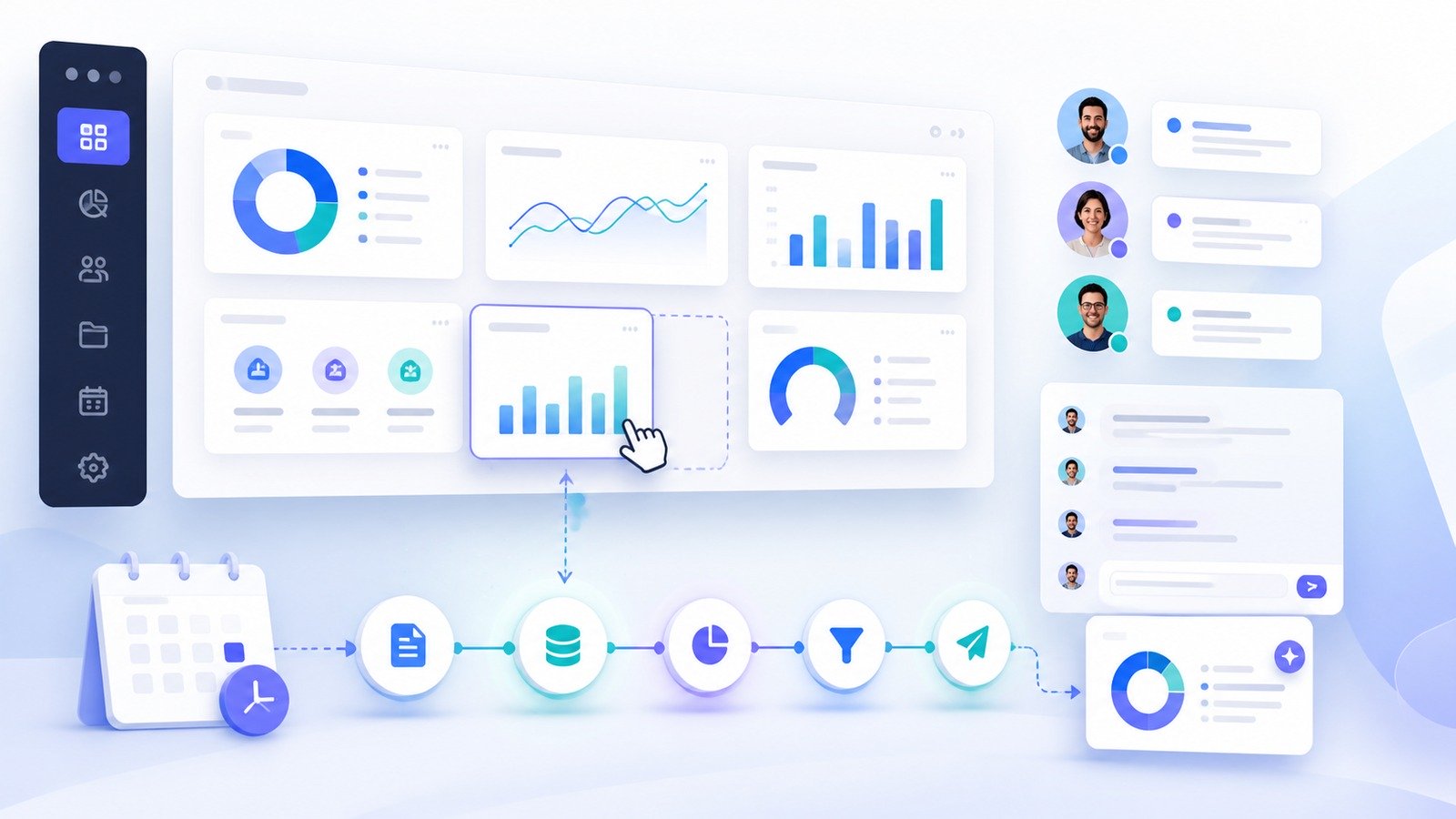
AgencyAnalytics is a client reporting and marketing analytics platform built specifically for marketing agencies. Instead of asking account managers to collect data from Google Analytics, Google Ads, social channels, SEO tools, call tracking tools, ecommerce platforms, and spreadsheets every reporting cycle, the platform centralizes connected data into dashboards, scheduled reports, and client portals.
The company currently positions the product around AI-powered reporting for agencies: connect data sources, surface the changes that matter, and send polished client-ready reports without rebuilding the same work every week or month. On its public site, AgencyAnalytics says it serves 7,000+ marketing agencies and supports 85+ integrations. Its pricing page also emphasizes one core plan with unlimited data sources, unlimited reports and dashboards, unlimited staff and client users, API access, AI insights, client portals, white-label branding, custom domain/email options, benchmarks, forecasting, and MCP access for AI tools.
That agency-first positioning matters. Many analytics tools can visualize data. AgencyAnalytics is more narrowly focused on the operational pain of running recurring client reporting across many accounts. If your agency has ten, twenty, or fifty clients and each one expects a slightly different report, the time savings can be significant. If you only need one internal executive dashboard, a more general BI tool may be enough.
Who AgencyAnalytics is best for
AgencyAnalytics is best for agencies that need to prove results repeatedly and professionally. The ideal buyer is not just someone who wants charts; it is someone who needs a repeatable client communication system.
- SEO agencies that want rank tracking, organic traffic, backlink, site-audit, and conversion data in one client report.
- PPC agencies that need paid search, paid social, spend, lead, ROAS, and budget pacing dashboards across many clients.
- Full-service digital agencies managing a mix of SEO, PPC, social, email, ecommerce, call tracking, and local search channels.
- Client services teams that want white-labeled portals so clients can check performance without sending another “can you send the latest numbers?” email.
- Agency owners trying to reduce non-billable reporting hours and standardize how results are presented.
It is less compelling for a solo marketer with one brand, a company that already has a mature internal BI stack, or a team that needs deep custom warehouse modeling more than client-facing presentation.
AgencyAnalytics pricing in 2026
At the time of writing, AgencyAnalytics publicly lists a simple core pricing model: $20 USD per client per month when billed annually. The pricing page describes this as one plan where every feature is unlocked and agencies pay for the clients they actually manage. The page also lists a 14-day free trial with no credit card required.
The core plan currently highlights unlimited data sources, unlimited reports and dashboards, unlimited staff and client users, automated client reporting, white-label branding, client portals, API access, AI insights and analysis, 85+ integrations, benchmarks and forecasting, custom domain and email, and email/chat support. Larger enterprise teams managing 25+ clients are directed to contact sales for custom volume pricing, database connectors, priority support, and dedicated training.
There are also optional add-ons. AgencyAnalytics currently lists an AI Tracker add-on for monitoring visibility, sentiment, position, and citations across AI engines, billed from $20.83 per month per 250 credits annually. It also lists a Rank Tracker add-on from $41.67 per month per 500 keywords annually. Those add-ons are important because they can change the real monthly bill for SEO-heavy agencies.
Practical pricing takeaway
If you manage five clients, the per-client model is easy to reason about. If you manage twenty or more clients, the base platform may still be clean, but you should model add-ons, keyword volume, AI visibility credits, and any enterprise requirements before judging the final cost. Always confirm the latest pricing and regional billing options on AgencyAnalytics’ pricing page before purchase.
Key features that matter in daily agency work
1. Automated reports and dashboards
The core use case is scheduled client reporting. Agencies can build dashboards and reports around the metrics each client cares about, then automate delivery instead of rebuilding decks manually. That makes AgencyAnalytics especially useful for monthly reporting cycles, weekly client snapshots, executive summaries, and renewal conversations.
The drag-and-drop reporting experience is designed for client service teams, not only analysts. That is important because the people preparing client reports are often account managers or specialists who need speed and consistency more than a blank BI canvas.
2. White-label branding and client portals
White-label reporting is a major reason agencies choose a dedicated platform. AgencyAnalytics includes branded reports, color schemes, custom domains, custom email, and client portals in its public feature set. For clients, this means they can log into a branded experience rather than receiving a messy bundle of screenshots or links from several tools.
For the agency, the client portal can reduce repetitive status-check emails. It can also create a more professional retention experience because the client has a single place to see campaign performance, reports, tasks, and updates.

3. Integrations across marketing channels
AgencyAnalytics currently promotes 85+ integrations and an integrations directory spanning analytics, PPC, SEO, social, email, ecommerce, local, call tracking, and database categories. The practical value is not just having many logos on a page. The value is giving an account manager one repeatable reporting layer across Google Ads, Google Analytics, social channels, SEO metrics, ecommerce performance, call tracking, and other client-specific data sources.
Before buying, check your exact integration needs. Some integrations may have account-per-integration limits or API restrictions. If one client has multiple locations, languages, ad accounts, or ecommerce stores, confirm how that setup maps into AgencyAnalytics before migrating.
4. AI analysis, anomaly detection, forecasting, and benchmarks
AgencyAnalytics is leaning into AI-assisted reporting. Its public feature pages reference Ask AI, AI analysis, anomaly detection, trend forecasting, benchmarks, and AI summaries. The best use for these features is not replacing the strategist. It is helping the strategist spot what changed, draft a clearer performance narrative, and avoid missing an obvious trend before the client meeting.
For example, a dashboard can show that paid search leads dropped. AI-assisted analysis can help surface whether the issue appears connected to spend changes, conversion-rate movement, channel mix, or a single outlier. A good account manager still needs to validate the story, but the tool can reduce the time spent staring at tables.
5. Goal, budget, and alert workflows
Reporting is more useful when it triggers action. AgencyAnalytics includes goal tracking, budget tracking, alerts, metric insights, and anomaly detection in its public feature set. These features can help an agency move from “here is what happened last month” to “here is what needs attention this week.”
That matters for retention. Clients do not just want charts; they want confidence that someone is watching performance. Alerts and budget pacing workflows make that promise easier to operationalize.
6. API access, custom metrics, and Google Sheets
The pricing page lists API access, Google Sheets integration, and custom metrics in the included feature set. These are useful for agencies that need to blend standard platform metrics with CRM, offline conversion, call-quality, sales-pipeline, or spreadsheet-maintained data.
However, this is also where buyers should be realistic. AgencyAnalytics can be a strong reporting hub, but it is not a substitute for a fully governed data warehouse if your agency needs heavy transformations, complex attribution modeling, or multi-touch revenue reconciliation across custom systems.
Daily workflow: what it feels like to use
A practical AgencyAnalytics workflow usually starts by creating a client, connecting the relevant data sources, choosing or customizing a dashboard template, and deciding which report should be sent on a schedule. From there, the team can refine widgets, add commentary, set goals, build alerts, and invite client users into a branded portal.
The real payoff comes after the first setup. When month two arrives, the report is already structured. The account manager is editing analysis and recommendations instead of chasing exports. When a client asks for the latest numbers, the portal already exists. When a campaign dips, alerts and anomaly detection can highlight that change before the meeting.
For small agencies, that repeatability can feel like hiring an operations assistant. For larger agencies, it can standardize reporting quality across account managers who would otherwise build very different decks.
AgencyAnalytics pros
- Purpose-built for agencies: the product centers on client reporting, client portals, white-label presentation, and multi-client workflows.
- Transparent core pricing: the current per-client pricing model is easier to understand than seat-heavy or source-heavy pricing models.
- Broad integration coverage: the public directory spans analytics, PPC, SEO, social, email, ecommerce, local, call tracking, and database categories.
- Strong client communication layer: scheduled reports, branded dashboards, and portals can reduce repetitive reporting work.
- AI features support the reporting narrative: AI summaries, anomaly detection, benchmarks, and forecasting can help teams explain what changed.
- Unlimited staff and client users listed in the core plan: this helps agencies avoid seat-by-seat friction as teams and client stakeholders grow.
AgencyAnalytics cons
- Agency-specific focus: in-house teams that do not need client portals or white-label workflows may not use the strongest parts of the platform.
- Add-ons matter: rank tracking, AI visibility monitoring, and enterprise needs can change the real cost profile.
- Report quality still depends on your team: automation does not fix unclear KPIs, messy data sources, or weak client strategy.
- Not a full data warehouse replacement: agencies with complex attribution, offline revenue, and custom pipelines may need AgencyAnalytics plus a separate data layer.
- Security due diligence still belongs to the buyer: client portal permissions and access controls are useful, but agencies handling sensitive client data should still ask procurement-level security questions before rolling it out widely.
AgencyAnalytics vs Looker Studio
Looker Studio can be powerful and inexpensive, especially for teams already comfortable building dashboards. The problem is that agencies often need repeatable client-ready reporting, permissions, templates, scheduled delivery, white-label portals, and support across many clients. Looker Studio can do parts of that, but it often requires more manual setup, connector management, and internal standards.
AgencyAnalytics is better when the job is operational client reporting at scale. Looker Studio is better when budget is the overriding constraint or when an internal analytics team wants a highly flexible canvas and already has the data pipeline handled.
AgencyAnalytics vs Databox, Whatagraph, and DashThis
Databox, Whatagraph, DashThis, and AgencyAnalytics all compete around reporting and dashboards, but the best choice depends on your agency’s operating model. AgencyAnalytics leans heavily into agency-specific white-label reporting, client portals, and per-client pricing. Databox is often broader for business dashboards. Whatagraph is strong for visual marketing reports and cross-channel presentations. DashThis is known for straightforward marketing dashboards.
If your agency cares most about polished recurring client reports, client access, white-labeling, and predictable per-client scaling, AgencyAnalytics deserves a close look. If your team wants a more general dashboard environment, highly visual one-off reports, or a different pricing structure, compare the alternatives side by side using your actual client count and integration list.
| Buying question | AgencyAnalytics fit |
|---|---|
| Do you manage multiple client accounts? | Strong fit. The platform is designed around multi-client reporting. |
| Do clients need branded access? | Strong fit. White-label reports, portals, custom domain, and custom email are central features. |
| Do you only need one internal dashboard? | Possible, but likely more specialized than necessary. |
| Do you need deep custom data modeling? | Use it as the reporting layer, but keep a separate warehouse or BI pipeline if needed. |
| Is SEO rank tracking essential? | Budget for the Rank Tracker add-on and verify keyword volume before buying. |

Security and client data considerations
Any tool that connects to client ad accounts, analytics accounts, email platforms, ecommerce stores, or call tracking systems deserves a real security review. AgencyAnalytics publicly highlights client and staff user management, access controls, custom permissions, client portals, API access, and data-source integrations. Those are useful controls, but agencies should still document how access will be granted, who can view each client, how offboarding works, and how connected accounts are reviewed.
Before migrating sensitive clients, ask practical questions: Which team members have administrator access? Are client users restricted to their own dashboards? Who can connect or disconnect integrations? How will your agency remove access when an employee leaves? What data is necessary for reporting versus nice to have? Strong reporting operations are partly a software choice and partly a permissions discipline.
Setup tips before you roll it out
- Start with three representative clients. Choose one SEO-heavy client, one PPC-heavy client, and one multi-channel client to test the real workflow.
- Define reporting standards first. Decide which KPIs every client gets, which sections are optional, and how account managers write commentary.
- Audit integrations before migration. Confirm the exact platforms, accounts, and permissions you need for each client.
- Create a template library. Build reusable dashboards for SEO, PPC, social, ecommerce, local, and executive summaries.
- Train account managers on interpretation. AI summaries can help, but clients still need a human strategy narrative.
- Review add-on costs early. Rank tracking and AI visibility monitoring may be worth it, but they should not be surprise line items.
Who should not use AgencyAnalytics?
Do not buy AgencyAnalytics just because dashboards look polished. If you have one brand, one internal marketing team, and no client-facing reporting process, the platform may be more agency-specific than you need. If your main pain is complex data transformation, identity resolution, multi-touch attribution, or finance-grade revenue reconciliation, start with the data architecture first.
It is also not a magic fix for agencies with unclear strategy. Automated reports can make reporting faster, but they do not decide which KPIs matter, explain weak offers, or replace hard conversations about campaign performance.
How to evaluate AgencyAnalytics during the trial
The best way to test AgencyAnalytics is not to click around with sample data. Use a real client, a real reporting deadline, and a real account manager. Pick one client whose report usually takes too long, connect the sources that matter, and rebuild the next report inside AgencyAnalytics. Time the setup, the review process, the commentary writing, and the final delivery. Then compare that against your current reporting workflow.
During the trial, pay attention to three things. First, check data completeness. Are the integrations pulling the metrics your team actually reports, or do you still need manual spreadsheet work? Second, check narrative speed. Does the platform help the account manager write a clearer summary faster, or does it only make the charts prettier? Third, check client experience. Would a client understand the report without a walkthrough, and would the portal reduce status-check emails?
It is also worth testing role-based access during the trial. Create an internal user, a client user, and a manager-level user. Confirm that each person sees the right accounts and cannot wander into another client’s dashboard. Agencies often evaluate reporting tools visually but forget the operational details that make a platform safe to use across a team.
Reporting templates that make the most sense
AgencyAnalytics becomes more valuable when the agency standardizes report templates instead of reinventing each client dashboard. A strong starter library might include an executive snapshot, SEO performance report, paid search report, paid social report, local SEO report, ecommerce report, lead generation report, and quarterly business review report.
The executive snapshot should be short and outcome-focused: revenue or leads, spend, conversion rate, top channel movement, biggest win, biggest risk, and next actions. Channel reports can go deeper with keyword movement, ad spend, landing-page performance, social engagement, or email metrics. Quarterly reports should step back from weekly noise and answer whether the strategy is working.
The mistake to avoid is making every report a wall of charts. Clients rarely need every available metric. They need the metrics that explain business progress and the context that tells them what to do next. AgencyAnalytics can make reports easier to build, but your agency still needs a point of view.
Client retention angle: why reporting quality matters
Client reporting is not just administration. For agencies, it is a retention mechanism. When clients cannot see what changed, why it changed, and what the agency is doing next, even decent performance can feel uncertain. A consistent reporting platform helps turn scattered campaign data into a recurring confidence-building ritual.
This is where AgencyAnalytics has a strategic advantage over ad-hoc dashboards. White-labeled portals, scheduled reports, goals, alerts, and commentary can make performance visible before the client asks. That does not guarantee retention, but it reduces one common failure mode: the agency doing work that the client does not understand or value.
For renewal conversations, benchmarks and trend views can be especially useful. Instead of presenting isolated monthly numbers, the team can show directional progress, compare performance over time, and explain where the next phase of work should focus. The result is a more mature client conversation than “here are last month’s clicks.”
Common implementation mistakes
- Migrating every client at once: start with a pilot group, fix the template, then roll out gradually.
- Copying old bad reports into a new tool: use the migration as a chance to simplify KPIs and remove vanity metrics.
- Ignoring add-on economics: rank tracking and AI visibility credits may be valuable, but they should be planned by client tier.
- Letting everyone customize everything: too much freedom recreates the reporting inconsistency the platform is supposed to solve.
- Skipping permissions review: client access is powerful only if account visibility, staff roles, and offboarding are managed carefully.
- Using AI summaries without review: AI can speed up analysis, but account managers should verify the story before it reaches a client.
Final verdict: is AgencyAnalytics worth it?
AgencyAnalytics is worth shortlisting if client reporting is eating agency hours or making the agency look less polished than the work deserves. Its best features—automated reports, white-label dashboards, client portals, broad integrations, AI-assisted summaries, alerts, forecasting, and per-client pricing—map directly to the recurring reporting pain that agencies feel every month.
The strongest buying case is time saved plus client trust. If the tool helps your team stop assembling reports manually, standardize KPI storytelling, give clients self-serve visibility, and catch performance changes earlier, the subscription can pay for itself quickly. The weakest buying case is using it as a generic dashboard because it happens to look nice.
For most growth-minded marketing agencies, the smart move is to test the 14-day trial with a real client reporting cycle. Build one dashboard, schedule one report, invite one internal reviewer, and compare the process against your current workflow. If the team spends less time collecting numbers and more time explaining what to do next, AgencyAnalytics is doing its job.
Best fit
Marketing agencies that manage multiple clients and want a repeatable reporting system with white-label dashboards, portals, automated reports, AI insights, and broad marketing integrations.
FAQ
What is AgencyAnalytics used for?
AgencyAnalytics is used by marketing agencies to create client dashboards, automate recurring reports, centralize marketing data, provide white-label client portals, and explain campaign performance across channels such as SEO, PPC, social, email, ecommerce, call tracking, and analytics.
How much does AgencyAnalytics cost?
At the time of writing, AgencyAnalytics publicly lists core pricing at $20 USD per client per month when billed annually, with every feature unlocked. It also lists optional add-ons such as AI Tracker and Rank Tracker. Always verify the latest pricing on the vendor’s pricing page before buying.
Does AgencyAnalytics have a free trial?
Yes. AgencyAnalytics currently advertises a 14-day free trial with no credit card required.
Is AgencyAnalytics good for SEO agencies?
Yes, especially if the agency needs recurring SEO client reports, rank tracking, dashboards, site-audit metrics, traffic trends, conversion reporting, and client-ready summaries. SEO-heavy agencies should review the Rank Tracker add-on and keyword volume before finalizing cost.
Is AgencyAnalytics better than Looker Studio?
It depends on the workflow. AgencyAnalytics is usually stronger for repeatable client reporting, portals, white-label presentation, templates, and multi-client agency operations. Looker Studio can be better for teams that want a flexible, low-cost dashboard canvas and already have the data setup handled.
Disclosure: CyberTrendLab may earn a commission if you buy through the AgencyAnalytics link in this review, at no extra cost to you. We only include affiliate links where they fit the topic and keep the review focused on practical buying factors.