Quick verdict: CI/CD security is now a small-business risk, not just an enterprise DevOps problem. If your website, SaaS product, internal dashboard, ecommerce stack, or AI workflow ships through GitHub Actions, GitLab CI, Bitbucket Pipelines, Jenkins, Vercel, Netlify, Cloudflare, or a managed build service, your pipeline can become a privileged path into production. The practical goal is not to slow developers down. It is to make sure code changes, dependencies, secrets, build artifacts, and deployment permissions are controlled well enough that one compromised account, package, or workflow file cannot quietly become a full business breach.
SEO target: CI/CD security checklist for small business.
Bottom line: start with least-privilege pipeline access, protected branches, secret hygiene, dependency review, signed or traceable artifacts, and alerts for deployment changes.
Why CI/CD security belongs on the small-business checklist
Continuous integration and continuous delivery tools connect the places where code is written, tested, packaged, and deployed. That makes them convenient. It also makes them unusually sensitive. A normal employee account may only see source code. A CI/CD runner may be able to read secrets, publish containers, update production, trigger database migrations, or deploy website changes customers see immediately.
The OWASP Top 10 CI/CD Security Risks frames this clearly: CI/CD systems have become a path to an organization’s “crown jewels” because they sit between developers and production. OWASP calls out risks such as inadequate identity and access management, dependency chain abuse, poisoned pipeline execution, credential hygiene failures, improper artifact integrity validation, and insufficient logging. For a small business, those risks often show up in simpler forms: too many admins, long-lived deployment tokens, unreviewed workflow edits, old secrets copied between tools, and no alert when a pipeline suddenly starts deploying from the wrong branch.
CISA’s Secure by Design guidance also pushes software makers and buyers toward security outcomes, transparency, and executive ownership. Even if your business is not a software vendor, the same idea applies internally: the team should know who owns the pipeline, what the pipeline can change, and what evidence proves a release was built and deployed from trusted code.
The small-business CI/CD security checklist
Use this checklist as a quarterly review and as a setup guide whenever you add a new repository, automation tool, plugin, deployment provider, or AI coding workflow.
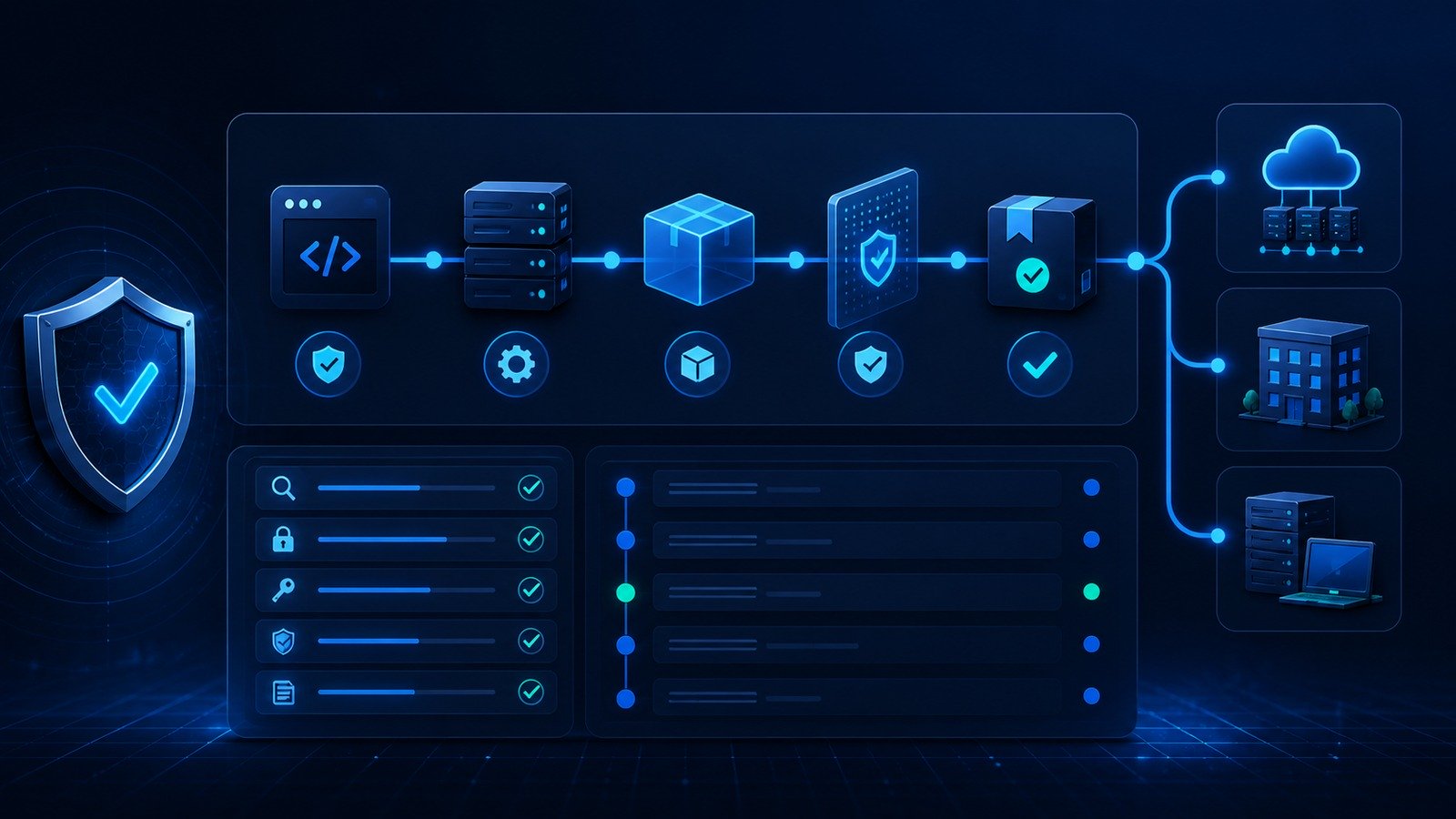
1. Map every production deployment path
Start by writing down how production changes actually happen. Include the repository, branch, CI/CD provider, build runner, package registry, hosting provider, database migration path, DNS provider, and any third-party automation that can publish changes. Many small teams discover that production can be changed from more places than they expected: a GitHub Actions workflow, a Vercel project, a WordPress deployment script, a container registry, a Cloudflare Worker, a Zapier automation, or an old Jenkins job nobody owns anymore.
The goal is a simple release map: who can change code, who can change the workflow, who can change secrets, who can approve deployment, and where the final artifact lands. If you cannot answer those questions, you cannot confidently investigate a suspicious release.
2. Lock down identity and admin access
CI/CD identity is usually the highest-impact control. Require MFA for repository, CI/CD, cloud, DNS, and hosting accounts. Remove former contractors, duplicate owners, shared logins, and unused service accounts. Keep at least two trusted owners so recovery is possible, but avoid giving every developer owner-level access by default.
For GitHub, GitLab, Bitbucket, and similar platforms, separate the ability to push code from the ability to change protected branches, secrets, and workflow settings. A developer may need to open pull requests; far fewer people need to edit deployment credentials or approve production releases. If your team uses AI coding agents, create separate least-privilege tokens rather than handing them a human owner token.
3. Protect main branches and release branches
Branch protection is a low-cost control with a high payoff. Require pull requests for protected branches, at least one human review for production-bound changes, status checks before merge, and signed commits where practical. Block force pushes and direct pushes to production branches. For very small teams, this can feel slower at first, but it prevents accidental self-approval and gives the business a review trail.
Do not forget workflow files. In many CI/CD providers, a change to a YAML workflow can change what runs, which secrets are exposed, and where deployments go. Treat workflow edits like infrastructure changes. They should be reviewed by someone who understands the deployment path.
4. Reduce secret sprawl
Secrets are one of the most common small-business weak points. API keys, database URLs, webhook signing secrets, cloud credentials, package registry tokens, and deployment tokens often get copied between laptops, chat messages, local .env files, CI settings, and project-management tickets. That creates too many places to rotate after a leak.
Keep production secrets in the CI/CD or cloud secret store, not in the repository. Scope tokens to the minimum actions they need. Prefer short-lived credentials or provider-managed identity where your stack supports it. Rotate secrets after staff changes, vendor incidents, suspicious builds, or accidental exposure. Add secret scanning to repositories and make it clear who must respond when a secret is found.
5. Pin and review third-party actions, packages, and build images
Small teams often trust third-party actions, plugins, npm packages, Python packages, Docker images, and build scripts because they save time. That is reasonable, but the trust should be explicit. Pin third-party GitHub Actions to commit SHAs or trusted major versions, avoid random one-maintainer actions for production releases, and remove dependencies that are no longer used.
NIST’s software supply chain security guidance emphasizes criteria for evaluating software security, supplier practices, and ways to demonstrate conformance with secure practices. For a small business, that translates into practical questions: who maintains this package, how often is it updated, does it have known vulnerabilities, does it run during deployment, and could it access production secrets?
6. Separate build, test, and deployment permissions
A pipeline that can do everything is easy to set up and risky to operate. The build step should not automatically have every production secret. Test jobs should not be able to deploy. Preview environments should not use production database credentials. Deployment jobs should run only after the right branch, status checks, and approval conditions are met.
If your provider supports environments, use them. Create separate development, staging, and production environments with different secrets and approval rules. A pull request preview should be useful for QA, but it should not have the same authority as a production deploy.
7. Verify artifacts before release
Artifact integrity is the part many small teams skip. The business needs confidence that the thing deployed to production came from the reviewed code, not from a modified runner, surprise dependency, or manual upload. At minimum, keep build logs, deployment logs, commit SHAs, image tags, and release IDs tied together. Use immutable tags or digests for containers where practical. Avoid overwriting the same generic latest artifact without traceability.
For higher-risk systems, consider signing releases or containers, generating an SBOM for major releases, and documenting exactly which workflow produced the final artifact. You do not need a heavy enterprise process to get value here. A simple release record that links commit, pull request, build run, artifact, and deployment timestamp is already better than guesswork.
8. Watch for dependency and pipeline abuse
OWASP includes dependency chain abuse and poisoned pipeline execution in its CI/CD risk list. In small-business language: attackers may try to get malicious code into a dependency, modify the build process, abuse a pull request workflow, or trick the pipeline into running code with too much authority.
Defenses include dependency scanning, lockfiles, review of new dependencies, restricted workflow triggers for external pull requests, and careful handling of scripts that run during install. If a build step downloads and executes a remote script, make sure the source is trusted and pinned where possible. If a dependency suddenly adds a post-install script or asks for new permissions, review it before it reaches production.
9. Log the events you would need during an incident
Small businesses often discover logging gaps only after something goes wrong. Keep logs for repository access, pull requests, workflow edits, secret changes, build runs, deployment approvals, failed deployment attempts, package publishing, and production releases. Alerts should fire for owner changes, new deployment tokens, disabled branch protection, failed MFA, unusual runner activity, and deployments outside normal patterns.
This connects directly to CyberTrendLab’s AI agent audit log checklist: automation needs records. Whether the actor is a human, a bot, or an AI coding assistant, the company should be able to reconstruct what changed, what tool ran, and which credential was used.
10. Create a release rollback plan
Security also means recovery. Document how to roll back a website, app, Cloudflare Worker, container, plugin update, database migration, or automation change. Know who can pause deployments, revoke a token, restore a previous artifact, and communicate with customers. Test rollback on a low-risk release before the emergency.
For WordPress and small SaaS stacks, the rollback plan should cover both content and code. Back up the database before major changes, keep deployment scripts versioned, and avoid changing multiple unrelated systems in one release window. The more tightly scoped a release is, the easier it is to investigate and reverse.
A 30-minute CI/CD security review for busy teams
If you cannot do everything today, run this quick review:
- List every account with owner/admin rights in your repository and deployment tools.
- Confirm MFA is required for those accounts.
- Check that production branches block direct pushes and require passing checks.
- Open the CI/CD secrets page and delete anything unused or unknown.
- Review the last five workflow-file changes.
- Confirm production deploys record commit SHA, build run, and deployment time.
- Check whether external pull requests can run workflows with secrets.
- Verify one person knows how to roll back the last production release.
This 30-minute pass will not solve every supply-chain risk, but it usually reveals the first set of dangerous assumptions.
How this fits with AI coding tools and autonomous agents
AI coding tools make CI/CD controls more important, not less. A model can produce useful code quickly, but it can also edit workflow files, add dependencies, generate insecure scripts, or misunderstand how production deployment works. If the same token can ask an AI agent to modify code and deploy it, the pipeline needs guardrails around review, permissions, and logging.
For teams using AI agents, combine this checklist with least privilege and auditability. CyberTrendLab’s guide to MCP security and AI agent tool access is a useful companion: limit what tools can do, isolate sensitive credentials, and log tool calls. The CI/CD layer should then enforce the final release gate.
Common mistakes to avoid
- Using one all-powerful deployment token everywhere. If it leaks, everything is exposed.
- Letting workflow changes bypass review. A workflow edit can be as sensitive as a code change.
- Running external pull requests with production secrets. Preview workflows need strict boundaries.
- Depending on unpinned actions or images for production releases. Convenience should not erase traceability.
- Keeping no release evidence. You should know which commit, artifact, and user produced a deployment.
- Ignoring old automations. Retired sites, old runners, and forgotten deploy keys often become the easiest path in.
FAQ
Do small businesses really need CI/CD security?
Yes, if they use automated builds or deployments. The smaller the team, the more likely one account or token has broad authority. Basic controls such as MFA, branch protection, secret cleanup, and deployment logging are realistic even for lean teams.
What is the first CI/CD security control to implement?
Start with identity and branch protection: MFA for admins, fewer owners, no direct pushes to production branches, required status checks, and review for workflow changes. Those controls reduce many high-impact mistakes quickly.
Do I need SBOMs and signed artifacts immediately?
Not every small business needs an advanced supply-chain program on day one. But you should at least preserve traceability from commit to build to artifact to deployment. SBOMs and signing become more valuable as your software, customer obligations, or regulatory exposure grows.
How should AI coding agents access CI/CD tools?
Use separate, least-privilege credentials. Do not give an AI agent a human owner token or unrestricted production deployment rights. Require human review for production-bound changes and log the agent’s repository, tool, and workflow actions.
Final take
CI/CD security is a practical operations discipline: know the deployment path, limit who and what can change it, keep secrets controlled, verify artifacts, and retain enough logs to investigate. Small businesses do not need enterprise bureaucracy to improve. They need a release path where a single compromised token, dependency, or workflow edit cannot quietly become a production incident.