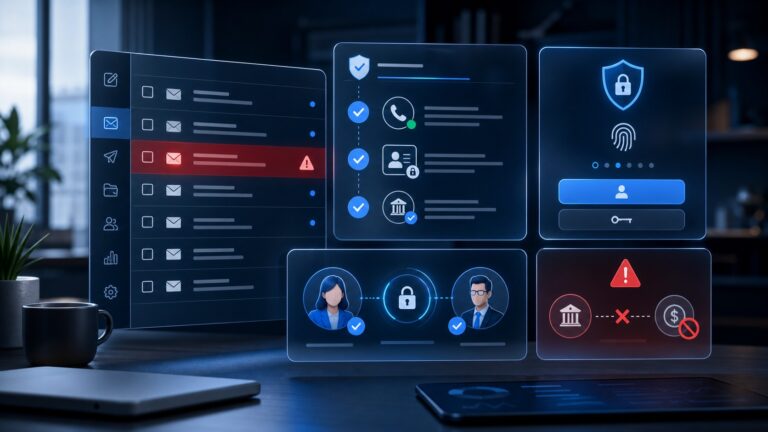
A small business security stack should not feel like an enterprise procurement maze. In 2026, the strongest baseline is a compact set of tools and habits that protect identities, devices, email, cloud files, customer data, and recovery plans without burying a lean team in alerts.
This guide gives small teams a practical stack: what to buy, what to configure first, what can wait, and how the layers work together. It is written for founders, operations leads, agencies, remote teams, and IT generalists who need a defensible setup without pretending they have a full security department.

Quick verdict: the best security stack is layered, boring, and measurable
The right small business security stack is not the longest tool list. It is the set of controls your team will actually use every day: strong unique passwords, phishing-resistant MFA where possible, locked-down devices, secure email defaults, backups, patching, permissions, and a simple incident plan.
That framing matches the direction of current public guidance from groups such as CISA on strong passwords, CISA on MFA, the FTC’s cybersecurity guidance for small businesses, and the NIST Small Business Cybersecurity Corner: start with practical safeguards, reduce avoidable account compromise, and make recovery possible.
| Layer | What it protects | First move |
|---|---|---|
| Password manager | Account takeover | Move shared and reused passwords into managed vaults |
| MFA / passkeys | Stolen credentials | Enable MFA on email, finance, admin, cloud and domain accounts |
| Endpoint protection | Laptops and malware | Standardize device security and auto-updates |
| Secure email | Phishing and impersonation | Turn on domain authentication and admin alerts |
| Backups | Ransomware and accidental deletion | Test restore for the files you cannot lose |
1. Start with a business password manager
If a team still shares logins in chat, spreadsheets, browser sync, or old project docs, the stack has a weak foundation. A business password manager gives every employee a private vault, lets admins share credentials without revealing them broadly, and makes offboarding far less chaotic.
The real value is not only generating long passwords. It is inventory. Once business credentials live in a managed vault, you can see which accounts exist, which accounts are shared, where two-factor authentication is missing, and which former contractors still need access removed.
For a deeper buyer comparison, CyberTrendLab already covers 1Password vs Bitwarden vs Dashlane for business teams. Use that comparison when you are choosing a vendor; use this stack article to decide where a password manager fits in the broader security plan.
Implementation checklist
- Create company-owned vaults rather than relying on personal accounts.
- Require long, unique passwords for every SaaS, banking, cloud, domain, and email account.
- Split shared access by team or role instead of putting everything into one shared folder.
- Store recovery codes securely, especially for email, domain registrar, cloud hosting, and finance tools.
- Review access during onboarding, offboarding, and role changes.
2. Add MFA everywhere it can prevent real damage
MFA is one of the highest-impact controls for small teams because it directly reduces the damage from stolen passwords. Prioritize accounts that can create a business-wide incident: email admin consoles, finance tools, payroll, cloud storage, password managers, domain registrars, ad accounts, hosting providers, source-code repositories, and social media accounts.
Where available, passkeys or hardware security keys are stronger than SMS codes. Authenticator apps are usually a better baseline than text messages. The best choice depends on your team’s maturity, but the worst choice is leaving admin accounts protected by password only.
Rollout tip
Do not start with a vague instruction like “everyone should enable MFA.” Start with a spreadsheet of critical systems, name the owner of each system, record whether MFA is required, and verify at the admin level where possible. Review it monthly until it becomes boring.
3. Standardize endpoint protection for every work device
Remote work made the laptop the new office perimeter. A small team does not need enterprise complexity on day one, but it does need basic endpoint hygiene: modern antivirus or EDR, automatic operating-system updates, full-disk encryption, screen-lock policies, browser update enforcement, and a process for lost devices.
Endpoint protection is also where “bring your own device” policies often break down. If an employee’s personal laptop stores customer files, connects to admin dashboards, and opens invoices, it is part of the company security stack whether the company admits it or not.
If you are comparing products, see CyberTrendLab’s Bitdefender vs SentinelOne vs Sophos endpoint protection comparison for a buyer-focused view of SMB endpoint options.
4. Make email harder to abuse
Email is still the highest-friction battlefield for small companies because it combines identity, trust, payments, documents, and urgency. A good small-business stack should treat email as a security system, not only a communication tool.
At minimum, teams should configure SPF, DKIM, and DMARC for their sending domain, require MFA on all mailboxes, restrict admin privileges, create external-sender warnings where appropriate, and train staff to verify payment or bank-detail changes through a second channel.
For privacy-focused teams choosing an email platform, CyberTrendLab’s best secure email providers for business privacy and Proton for Business vs Google Workspace comparison provide more detailed software context.
5. Protect cloud storage and collaboration tools
For many small businesses, Google Drive, Microsoft 365, Dropbox, Notion, Slack, project-management tools, and CRM exports contain more sensitive data than a traditional file server ever did. The stack should include rules for who can share files externally, how long contractor access lasts, and which folders contain regulated or customer-sensitive data.
The biggest mistake is letting every tool develop its own permission culture. Instead, define a simple access model: company-wide, department-only, project-only, admin-only, and external-share approved. Then map each core tool to that model.
Minimum settings to review
- External link sharing defaults.
- Admin and owner roles.
- Guest access expiration.
- Download permissions for sensitive folders.
- Audit logs for critical files and customer data.
6. Add backups that have been restored at least once
Backups are not a checkbox until someone proves they can restore the data. A small business needs recoverable copies of cloud files, website data, customer databases, password-manager recovery materials, accounting records, and the operational documents needed to rebuild access after an incident.
A practical pattern is the 3-2-1 mindset: keep multiple copies, use more than one storage type, and keep at least one copy isolated from the day-to-day account that ransomware or a compromised admin could reach. Exact tooling varies, but the principle is stable: recovery must not depend on the same compromised account.
For incident-specific preparation, see the CyberTrendLab ransomware prevention checklist for small businesses.
7. Use a VPN or zero-trust access where it solves a real problem
A VPN is useful when employees need secure access to internal services, admin panels, development environments, or private dashboards that should not be exposed to the open internet. It is less useful as a magic privacy shield for every business problem.
For small teams, the decision is simple: if a service is private or administrative, do not leave it publicly reachable with only a password. Put it behind a VPN, zero-trust access gateway, IP allowlist, or managed identity-aware proxy. If the service is public, focus on strong authentication, rate limits, patching, and monitoring instead.
8. Reduce privacy exposure and executive doxxing risk
Privacy is part of security when attackers use personal data to craft phishing, SIM-swap attempts, invoice fraud, or executive impersonation. Data broker exposure, old personal phone numbers, home addresses, and public relationship data can all make social engineering more convincing.
CyberTrendLab has a dedicated best data broker removal services for business privacy guide, plus an Optery vs DeleteMe vs Incogni comparison. Those articles are useful if your risk model includes executives, founders, sales leaders, creators, or remote staff whose personal details are easy to find.
9. Create a lightweight incident response plan
A small business incident plan should fit on a few pages. The goal is not to imitate a Fortune 500 playbook. The goal is to know who can make decisions, who can lock accounts, which vendors to contact, which customers or regulators may need notice, and where recovery materials live.
Include these basics
- Emergency contacts for email, hosting, cloud storage, finance, legal, insurance, and key vendors.
- Steps for a suspected compromised email account.
- Steps for a lost or stolen laptop.
- Steps for ransomware or mass file deletion.
- A clean device and secure communication channel for incident coordination.
- A post-incident review template: what happened, what changed, and what still needs funding.
Suggested rollout order for a 30-day security upgrade
If you try to buy everything at once, the project can stall. A better approach is to implement the highest-risk layers first, then mature the stack over time.
| Timeline | Priority | Outcome |
|---|---|---|
| Days 1–3 | Inventory critical accounts | Know what must be protected first |
| Days 4–10 | Password manager + MFA | Reduce account takeover risk |
| Days 11–17 | Endpoint and email hardening | Protect daily work devices and inboxes |
| Days 18–24 | Backups and cloud permissions | Make recovery realistic |
| Days 25–30 | Incident plan and review rhythm | Turn security into a repeatable process |
What not to buy first
Small teams often overspend on tools that sound sophisticated while skipping basics. Avoid starting with broad security information and event management, complex compliance platforms, expensive consultants, or advanced threat feeds unless you already have the identity, endpoint, backup, and email foundations in place.
A simple stack that is deployed well usually beats an advanced stack nobody maintains. The best early investments are the controls that remove common paths attackers use: reused passwords, missing MFA, unpatched devices, exposed admin panels, weak backups, and confused payment-change workflows.
FAQ
What is a small business security stack?
It is the combination of tools, settings, policies, and routines a business uses to protect accounts, devices, data, email, cloud files, privacy, and recovery. For small teams, it should be practical enough to maintain without a large security department.
What should a small business secure first?
Start with the systems that can cause the largest business disruption: email, password manager, finance, cloud storage, domain registrar, hosting, ad accounts, customer databases, source-code repositories, and administrator accounts.
Do small businesses need endpoint protection?
Yes, if employees use laptops or desktops for customer data, admin dashboards, finance, sales, or cloud tools. Endpoint protection should be paired with automatic updates, full-disk encryption, screen locks, and a lost-device process.
Is a VPN required for every small business?
No. A VPN or zero-trust access layer is most useful when private admin tools, dashboards, servers, or development environments should not be publicly reachable. It is not a substitute for MFA, patching, secure email, or backups.
How often should the stack be reviewed?
Review critical accounts and admin access monthly, test backups quarterly, and run a broader vendor and permission review at least twice a year. Also review immediately after hiring changes, contractor offboarding, a security incident, or a major software migration.
Final takeaway
The best small business security stack for 2026 is not a shelf full of tools. It is a layered operating system for trust: managed passwords, MFA, protected devices, secure email, safer cloud permissions, tested backups, private access to sensitive systems, privacy exposure reduction, and a response plan people can actually follow.
Start with the accounts and data that would hurt most if compromised. Then make the stack measurable: which systems have MFA, which devices are managed, which backups have been restored, which users have admin rights, and which vendors still need review. That is how a small team turns cybersecurity from a vague worry into a repeatable business habit.