Quick verdict: If your main bottleneck is producing more paid-ad variations and testing ideas faster, AdCreative.ai is the most focused option in this comparison. If your team needs one broad design workspace for social posts, presentations, PDFs, websites, and simple ads, Canva is still the easiest all-rounder. If you are scaling multi-size campaign production, feed-based ad sets, localization, and more advanced publishing workflows, Creatopy — now branded as The Brief — is the stronger production-platform choice.

AdCreative.ai vs Canva vs The Brief: the short answer
These three tools overlap, but they are not interchangeable. AdCreative.ai is purpose-built for paid advertising teams that want ad variants, creative scoring, text generation, stock assets, and performance-informed ideas in one place. Canva is a broad visual suite for business users who need fast, collaborative content across many formats. The Brief, the platform formerly known as Creatopy, is built around ad production at scale: Ad Studio, Canvas, brand systems, resizing, localization, publishing, ad serving, and enterprise governance.
For a small business, the best choice depends less on which platform has the longest feature list and more on the job you need done this month. A founder creating occasional Facebook and LinkedIn posts should not buy an enterprise ad-production system. A performance marketer launching weekly paid tests should not rely only on a generic design canvas. An agency managing dozens of client ad sets needs more approval and export control than a solo creator.
| Tool | Best fit | Watch-out |
|---|---|---|
| AdCreative.ai | Performance marketers, ecommerce teams, agencies, and founders who need many ad variants quickly. | It is more ad-specific than a general design suite, so it is not a full replacement for every brand or document workflow. |
| Canva | Small teams that want one easy workspace for social content, presentations, brand kits, simple ads, and everyday design. | Ad creation is only one part of the suite; deep paid-ad testing and bulk ad production may require extra workflow around it. |
| The Brief | Agencies and marketing teams that need scalable ad adaptation, localization, publishing, ad serving, and governance. | The workflow can be more than a solo founder needs if the goal is only a few static creatives per month. |
How I compared the tools
This comparison focuses on practical buyer criteria for small businesses and lean marketing teams: how quickly the tool turns an idea into usable ads, how well it protects brand consistency, whether it can resize and localize creative assets, how much paid-ad context it adds, what collaboration and security controls are available, and how pricing maps to real usage.
Pricing and plan details change, so treat every number below as the currently listed public information at the time of writing and verify the latest plan limits before buying. The bigger point is the pricing model: AdCreative.ai prices around credits, brands, and packages; Canva prices around broad individual and business visual-suite plans; The Brief prices around creator, team, and enterprise ad-production capacity.
What AdCreative.ai does best
AdCreative.ai is the most narrowly focused tool in this comparison, and that is its advantage. Its homepage positions the platform around generating ad banners, texts, product photoshoots, and videos, with creative scoring and insights informed by paid-ad performance patterns. It also highlights competitor insights, A/B testing support, stock assets through iStock, and the ability to generate multiple formats and variations quickly.
That makes AdCreative.ai especially useful when you already know you need paid-ad assets. For example, a small ecommerce team could upload brand inputs, generate multiple ad directions, shortlist the best variants, and move those into Meta or Google testing. A solo SaaS founder could use it to get beyond one or two amateur-looking ad concepts before spending money on traffic. An agency could use it to speed up first drafts while still applying human review before launch.
The key phrase is human review. AI creative tools can accelerate production, but they do not automatically understand your compliance constraints, your actual offer economics, or whether a visual claim is too aggressive. Use AdCreative.ai for idea velocity, pattern matching, and variation output — then use your own judgement for offer accuracy, brand safety, legal review, and channel-specific approvals.
Try AdCreative.ai if your bottleneck is ad-creative volume and testing speed.
What Canva does best
Canva is the broadest tool here. Its public product pages describe a visual suite for social posts, videos, presentations, websites, whiteboards, PDFs, brand kits, templates, background removal, image generation, Magic Resize, collaboration, and business controls. The pricing page currently lists Free, Pro, Business, and Enterprise options, with Canva Business priced publicly at US$250/year per person and Pro at US$180/year for one person when billed yearly.
For many small businesses, Canva wins because the team already has many non-ad design needs. The same workspace can handle a product one-pager, a pitch deck, a LinkedIn carousel, a YouTube thumbnail, a simple landing-page mockup, a webinar graphic, and a basic ad image. Canva Business also adds more brand kits, approvals, collaboration controls, higher storage, and additional AI access compared with the free tier.
The tradeoff is focus. Canva can help create ad assets, and its pricing page now references ad insights and AI ad creation. But Canva is still a general-purpose creative operating system. If your marketing engine depends on large numbers of ad variants, creative scoring, paid-channel learnings, or bulk campaign localization, you may outgrow a Canva-only workflow and add either an ad-specific generator or a production automation layer.
What The Brief does best
Creatopy is now The Brief, and the platform has moved further into end-to-end ad creation. The public homepage describes a workflow that unifies ad generation, adaptation, deployment, and optimization. It highlights Ad Studio, Canvas, brand-trained AI, editable outputs, product photography, AI resize, localization, direct publishing, ad serving across 40+ ad networks, and security controls such as GDPR/CCPA readiness, ISO 27001, SSO, and 2FA.
The pricing page currently lists Pro at $29/month billed annually, Ultra at $79/month billed annually, Team at $49 per seat per month billed annually, and Enterprise by custom quote. The same page says every plan includes Ad Studio, AI generation, and export, while advanced capacity, seats, ad serving, localization, direct publishing, reporting, SSO, DAM integrations, API access, and governance scale up by plan.
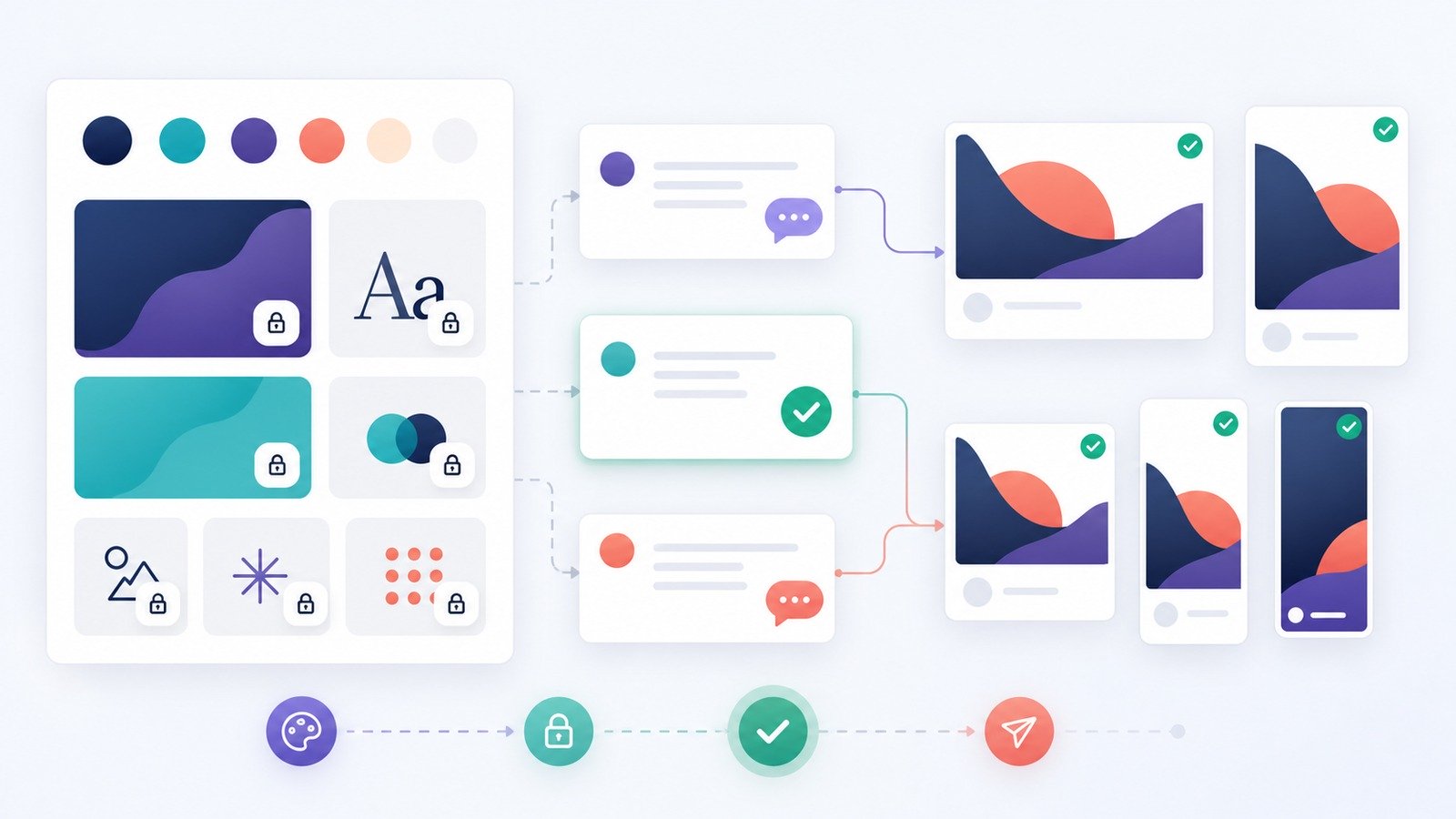
The Brief is strongest when ad production has become operational work, not just design work. If you need to adapt one concept into many dimensions, languages, clients, and channels, its workflow is built for that reality. If your team needs locked brand systems, version history, co-editing, multi-channel export, and eventual enterprise controls, it is worth evaluating earlier than you might think.
Feature-by-feature comparison
1. Ad generation and creative variation
AdCreative.ai has the clearest paid-ad generation angle. It is designed to generate ad creatives, ad text, banners, product images, and video-oriented assets with performance scoring and testing in mind. Canva can generate and edit visuals across many content types, but ad generation is part of a larger suite. The Brief supports AI generation too, but pairs it with a production environment for editable campaign assets, resizing, localization, and publishing.
Best pick: AdCreative.ai for quick paid-ad variation, The Brief for scaled campaign production, Canva for everyday marketing content.
2. Brand consistency
Canva is very approachable for brand kits and template-driven work. Canva Business currently lists 100 brand kits and approvals, while Enterprise adds deeper controls. The Brief emphasizes brand systems, locked elements, shared templates, and governance in team and enterprise workflows. AdCreative.ai lets users create brands with logos, colors, descriptions, and connected ad accounts so the model can tailor outputs.
Best pick: Canva for simple brand enablement, The Brief for structured creative governance, AdCreative.ai for ad-specific brand inputs.
3. Resizing, localization, and export
For simple resizing, Canva’s Magic Resize is convenient. For ad-specific multi-format output, The Brief is more production-oriented: its pages highlight AI Resize, HTML5/MP4/GIF/JPG/PNG/PDF export, localization, ad serving, and direct publishing on higher plans. AdCreative.ai also focuses on creating multiple ad sizes and variations quickly, which is useful for campaign testing.
Best pick: The Brief if resizing, localization, and export are recurring operational tasks; AdCreative.ai if you mainly want performance-ad variants; Canva if you need casual multi-format content.

4. Collaboration and approvals
Canva is easy for teams because non-designers can comment, edit, and reuse templates without a steep learning curve. The Brief is more specialized for ad teams that need version history, co-editing, roles, permissions, client workspaces, and enterprise approval flows. AdCreative.ai supports teamwork through users and brands, but the buyer should evaluate whether its collaboration layer fits their exact agency or in-house workflow.
5. Security and governance
For small businesses, the security question is not only whether a vendor has certifications. It is also whether the team can prevent messy behavior: random uploads of customer data, uncontrolled public sharing, unmanaged contractor access, and outdated brand assets. Canva’s business security page references ISO 27001, SOC 2 Type II, Canva Shield, SSO/SCIM for Enterprise, permissions, and team activity visibility. The Brief publicly references GDPR, CCPA readiness, ISO 27001, SSO, 2FA, and governance options on higher plans. AdCreative.ai’s help center and account controls should be checked during trial for your preferred sign-in, permissions, data, and connected-ad-account requirements.
Pricing comparison: how to think about total cost
Do not compare these tools only by the lowest public price. Compare them by the cost of getting an approved ad live.
- AdCreative.ai: Public page markup currently shows starter options beginning around $39/month for 10 credits and higher packages that scale by credits, brands, users, and monthly download capacity. Because the site uses dynamic pricing and promotions, verify the exact price and renewal terms at checkout.
- Canva: Canva currently lists Free, Pro at US$180/year for one person, Business at US$250/year per person, and Enterprise by sales contact. This is attractive if your team uses Canva across many design workflows, not just ads.
- The Brief: The Brief currently lists Pro at $29/month billed annually, Ultra at $79/month billed annually, Team at $49/seat/month billed annually, and Enterprise by custom quote. It becomes more compelling as ad production volume and governance needs increase.
If you are spending meaningful money on paid traffic, creative cost should be evaluated against testing speed, reduced designer bottlenecks, fewer off-brand assets, and faster iteration. A tool that costs more but helps you test more credible angles can be cheaper than a low-cost tool that slows down production.
Which tool should you choose?
Choose AdCreative.ai if…
- You run Meta, Google, LinkedIn, TikTok, ecommerce, or display campaigns and need many ad ideas.
- You want AI-generated ad visuals and copy, not just a blank canvas.
- You care about creative scoring, competitor insights, and faster A/B testing.
- You have a small team and need better first drafts before involving a designer.
Choose Canva if…
- You need one design workspace for ads, social posts, slides, PDFs, videos, and internal assets.
- Your team includes non-designers who need simple templates and collaboration.
- You value ease of use more than deep ad-production specialization.
- You already use Canva and only need occasional paid-ad assets.
Choose The Brief if…
- Your team produces ads at scale across many sizes, formats, markets, or clients.
- You need editable outputs, resizing, localization, direct publishing, ad serving, and reporting.
- You have approvals, brand governance, or enterprise security requirements.
- You are an agency or growing marketing team that needs repeatable production workflows.
Recommended workflow for small businesses
A practical setup is to separate idea generation, brand production, and launch review. Use AdCreative.ai to generate paid-ad concepts and copy angles when you need volume. Use Canva for everyday brand content, social posts, and lightweight creative edits. Consider The Brief when your volume grows enough that resizing, localization, publishing, and governance become the bottleneck.
For example, a small SaaS team might draft ad variants in AdCreative.ai, polish evergreen brand assets in Canva, and only evaluate The Brief once paid acquisition becomes a repeatable weekly production process. An agency might do the opposite: use The Brief as the central production layer, keep Canva for lightweight collateral, and test AdCreative.ai for performance-ad ideation.
Common mistakes to avoid
- Buying for features instead of workflow: A long checklist does not matter if your team will not use the tool every week.
- Skipping brand review: AI-generated ads can drift from your positioning, compliance boundaries, or visual identity.
- Confusing ad quality with ad performance: A polished image still needs offer-message fit, audience fit, and landing-page fit.
- Ignoring ownership and permissions: Decide who can upload assets, publish creatives, connect ad accounts, and export final files.
- Not tracking learning: Save winning hooks, visuals, audiences, and post-click outcomes so each creative cycle improves the next one.
Final verdict
AdCreative.ai, Canva, and The Brief all help small businesses create marketing visuals, but they solve different levels of the problem. AdCreative.ai is the sharpest choice for paid-ad variation and testing speed. Canva is the most approachable general design platform. The Brief is the more advanced ad-production system for teams that need scale, localization, publishing, and governance.
If your current pain is “we need better paid ads this week,” start with AdCreative.ai. If your pain is “our whole team needs easier design,” Canva is the safer default. If your pain is “we are drowning in campaign formats, approvals, and exports,” shortlist The Brief.
FAQ
Is AdCreative.ai better than Canva?
For paid-ad creative generation and testing workflows, AdCreative.ai is more focused. For general business design, templates, presentations, and everyday collaboration, Canva is broader and easier for mixed teams.
Is The Brief the same as Creatopy?
Creatopy has rebranded as The Brief. The public site now presents The Brief as an AI ad creation platform for ad generation, adaptation, deployment, optimization, and brand-controlled production workflows.
Which tool is best for agencies?
Agencies should evaluate The Brief for scalable campaign production and AdCreative.ai for fast paid-ad ideation. Canva is still useful for client collateral and lightweight brand assets, but it may not replace a dedicated ad-production workflow.
Can I use affiliate links in ad software comparisons?
Yes, when the link is relevant and disclosed. A comparison should still be balanced: explain who should use each tool, where each tool is weaker, and what buyers should verify before purchasing.
Affiliate disclosure: CyberTrendLab may earn a commission if you buy through the AdCreative.ai link in this article, at no extra cost to you. We only include affiliate links where they fit the topic and reader intent.