Quick verdict: Castmagic is best for content teams that already record useful audio or video and want to turn it into publishable assets faster: transcripts, show notes, blog drafts, newsletters, social posts, quote pulls, clips, and client deliverables. It is not a magic replacement for an editor, but it can remove a large amount of blank-page work from podcast, webinar, interview, and video repurposing workflows.
Strong choice for creators, agencies, and B2B teams that need repeatable content repurposing from long-form media. The main caveat is quality control: AI drafts still need a human editor, source checking, and a clear publishing process.
What is Castmagic?
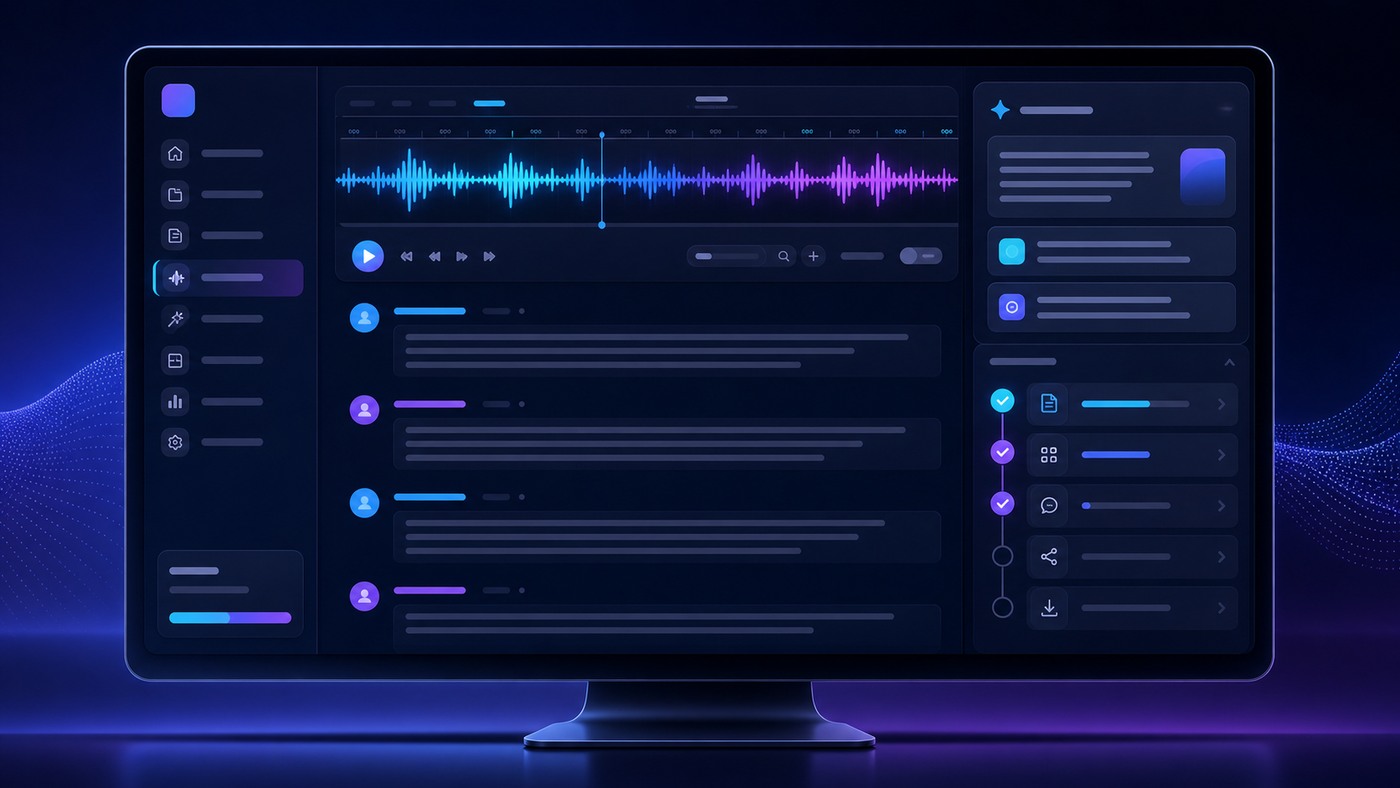
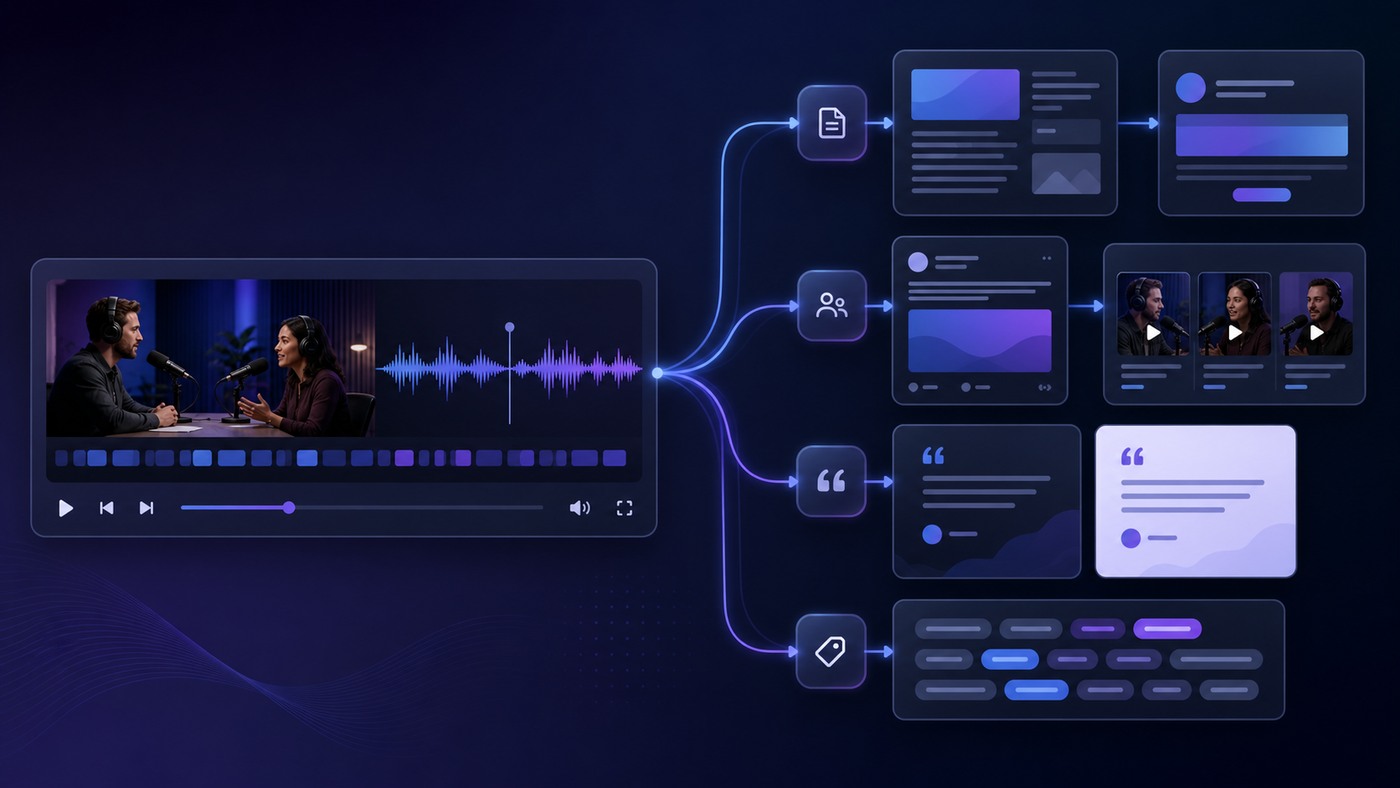
Castmagic is an AI content repurposing platform for people who record valuable conversations and need to turn those recordings into useful marketing assets. The core idea is simple: upload or import a podcast, video, webinar, sales call, interview, meeting, or social clip, then use AI to generate transcripts, summaries, show notes, long-form articles, email newsletters, LinkedIn posts, tweets or threads, captions, quotes, video scripts, lead magnets, and other reusable content.
That makes it different from a generic AI writing tool. Instead of starting with a prompt and hoping the model understands your business, Castmagic starts with a real recording. The transcript becomes the source material. For a marketing team, that is valuable because customer language, founder opinions, expert nuance, objections, stories, and examples are already inside the audio. The job is not to invent content from scratch; it is to extract and package what was said.
On its public site, Castmagic positions itself as an AI-powered content operating system for content teams, agencies, marketers, podcasters, creators, production studios, and B2B marketing teams. It says users can import from many platforms or upload files directly, generate many content formats from one recording, work across multiple spaces, use templates and brand voice controls, and search across a growing media library. Pricing and limits should always be checked on Castmagic’s current pricing page before purchase, but at the time of this review the public pricing page lists Hobby, Starter, Team, and Business/Scale options.
Who Castmagic is best for
Castmagic is most compelling when your business already creates long-form material but struggles to distribute it consistently. Examples include a founder who records customer calls, a podcast team with weekly episodes, a YouTube creator with long interviews, a webinar-led B2B company, a content agency serving several clients, or a consultant who wants to turn calls and workshops into newsletters, articles, and social posts.
If you only publish short written updates and rarely record anything, Castmagic may be overkill. A general writing tool or workflow automation app might be enough. But if your bottleneck is “we have great raw material and no time to turn it into assets,” Castmagic fits the problem very directly.
The strongest use case is a repeatable content engine: record once, extract transcript, generate notes, create a blog draft, turn the key ideas into social posts, pull quotes, prepare a newsletter, and hand everything to an editor or client. That workflow supports the AI workflow automation cluster without becoming another generic “AI writes everything” pitch.
Daily workflow: how Castmagic fits a content operation
A practical Castmagic workflow starts before upload. The team decides which recordings are worth repurposing: customer interviews, founder webinars, podcast episodes, expert Q&A sessions, product demos, internal training, or sales calls that contain repeatable objections and answers. After upload or import, Castmagic transcribes the media, organizes the recording in a workspace, and gives the user a starting point for content outputs.
The next step is selection. Not every recording deserves a full campaign. A good editor looks for the three to five strongest ideas, then chooses the right outputs: a blog post if the topic has search intent, a newsletter if the recording contains a strong point of view, short clips if the video has a memorable segment, LinkedIn posts if there are founder insights, or follow-up emails if it came from a sales or webinar context.
Castmagic’s value is speed. It can produce a rough set of assets quickly, which gives the editor something to shape. The editor still needs to remove repetition, verify claims, add examples, match the company’s voice, and decide what should not be published. In other words, Castmagic is a production accelerator, not an editorial conscience.
Key features that matter
1. Importing and uploading media
Castmagic says users can paste a link or upload audio and video directly. Its public homepage mentions support for sources such as YouTube, Spotify, Apple Podcasts, TikTok, Reels, X, Google Drive, Vimeo, Twitch, Reddit, Loom, Wistia, RSS feeds, and file uploads. That breadth matters for real teams because recordings rarely live in one tidy folder. A useful repurposing tool should accept the messy reality of modern content operations.
2. Transcripts, summaries, and searchable recordings
The transcript is the backbone of the product. Castmagic’s site describes speaker-separated transcription, summaries, takeaways, timestamps, show notes, and a searchable library. For teams with dozens or hundreds of recordings, semantic search can become especially useful. Instead of asking “which episode had the story about the first customer?” a marketer can search the library and reuse the strongest moments.
3. AI outputs for different channels
Castmagic lists outputs such as blog content, email newsletters, LinkedIn posts, tweets or threads, captions, YouTube descriptions, video scripts, client follow-ups, lead magnets, quote highlights, and social media assets. The useful part is not that AI can write a post. It is that the AI can write from a specific recording, with the original language and examples close at hand.
4. Templates, custom prompts, and brand voice
For serious content teams, generic output is not enough. Castmagic’s site describes custom prompts, recurring prompts, editable templates, brand voice controls, and workspaces. This matters because a podcast producer, an agency strategist, and a B2B SaaS marketer do not need the same format. A reusable prompt library can turn Castmagic from a one-off transcription tool into an operating system for repeatable content packages.
5. Team workspaces and client operations
Castmagic appears especially interesting for agencies and production teams because it supports multiple spaces, team members, collaboration, and workflow organization. Agencies often need to keep client recordings separate, reuse different voice guidelines, and move drafts through review. If that is your workflow, the Team or Business/Scale plans may be more relevant than a solo creator plan.
6. Integrations and API options
The public pricing page lists integrations such as Zoom, Google Drive, Zapier, RSS, YouTube, TikTok, and Instagram import, with API access listed on higher plans. That makes Castmagic more attractive for teams that want to connect recordings, publication workflows, and client reporting rather than manually uploading every file forever.
Castmagic pricing in 2026
At the time of writing, Castmagic’s public pricing page lists annual pricing for three self-serve tiers and a larger Business/Scale option. The page currently shows Hobby at $19 per month billed annually, Starter at $48 per month billed annually, and Team at $139 per month billed annually with five seats included. It also lists Business & Scale from $699 per month for studios, platforms, publishers, and teams that need more volume, seats, storage, and dedicated support.
The plan differences are mostly about transcribed hours, spaces, storage, seats, team size, API access, and support. The public page lists 30 hours on Hobby, 100 hours on Starter, and 400 hours on Team as library totals, with more hours available. It also lists unlimited AI content re-generations, media clipping, audiogram generation, public sharing, AI image generation, file uploads, and common integrations across plans.
Do not buy based only on the monthly headline number. Estimate your real recording volume first. A weekly podcast is very different from an agency handling multiple client webinars, sales calls, and video interviews. Also check whether you need multiple workspaces, API access, additional seats, or dedicated support.
| Plan | Best fit | Public annual price shown |
|---|---|---|
| Hobby | Solo creator testing a content repurposing workflow | $19/mo billed annually |
| Starter | Growing creator or small marketing team | $48/mo billed annually |
| Team | Agency, production team, or B2B content team | $139/mo billed annually |
| Business & Scale | High-volume studios, publishers, and platforms | From $699/mo |
Pros
- Excellent fit for content repurposing: Castmagic is built around turning real recordings into many usable content assets.
- Broad import concept: The product is designed for modern media sources, not only local file uploads.
- Helpful for agencies: Workspaces, templates, prompts, and team features support repeatable client workflows.
- Source-based AI writing: Outputs start from a transcript, which is usually better than prompting from memory.
- Good commercial use cases: Podcasts, webinars, sales calls, interviews, courses, and client calls all create reusable raw material.
Cons
- Still needs editing: AI drafts can be generic, repetitive, or too confident without human review.
- ROI depends on recording volume: If you do not create regular audio or video, the platform may sit unused.
- Plan selection can be tricky: Teams should calculate hours, seats, workspaces, API needs, and storage before buying.
- Not a full publishing CMS: You still need editorial judgment, SEO strategy, approvals, and distribution.

Who should use Castmagic?
Use Castmagic if you record consistently and want more output from the same input. It is a strong match for podcasts, YouTube interviews, expert webinars, customer research calls, creator education businesses, founder-led B2B marketing, and agencies that package content deliverables for clients. It also fits teams that want to build a library of searchable interviews and extract quotes or themes later.
Castmagic is especially useful when the person with the best insights is not the person who has time to write. A founder can record a 40-minute point-of-view conversation, a subject-matter expert can talk through a topic, or a customer can explain a use case. The content team can then turn that raw conversation into drafts, outlines, and snippets without losing the original voice.
Who should avoid Castmagic?
Avoid Castmagic if you want AI to create a content strategy for you from nothing. It can support strategy, but it works best when you feed it strong source material. Also avoid it if your team has no editor. Publishing unreviewed AI drafts can damage trust, especially in technical, cybersecurity, legal, finance, or health-related topics.
Small teams should also be cautious if they only record occasionally. The product can still be useful for a major webinar or course launch, but the subscription ROI is strongest when there is a steady flow of recordings.
Setup tips for getting value quickly
- Choose one repeatable recording type. Start with a podcast, webinar, customer interview, or founder voice memo series.
- Create three default outputs. For example: SEO brief, newsletter draft, and LinkedIn post set.
- Build prompt templates. Make one template for each channel instead of rewriting instructions every time.
- Add an editorial checklist. Verify facts, remove repetition, add internal links, clarify claims, and cut anything that sounds generic.
- Track time saved. If the tool saves hours per episode or client, the ROI becomes obvious. If not, adjust the workflow before upgrading.
Alternatives to compare
Castmagic competes with a few categories rather than one exact tool. For transcription-first workflows, compare it with transcription and meeting-note tools. For short-form video production, compare it with clip generation platforms. For AI writing, compare it with general writing assistants. For broader automation, compare the workflow to tools covered in our best AI workflow automation tools guide.
If your team is mainly doing sales outreach, a CRM or AI SDR platform may be a better first investment. See our AI SDR tools comparison for that use case. If your team is mainly doing customer support, our AI customer service chatbot security guide explains the security side of deploying AI in customer-facing workflows.
Security and privacy considerations
Because Castmagic works from uploaded or imported recordings, teams should think carefully about what they put into the platform. A casual podcast episode is low risk. A customer research call, sales call, investor update, internal strategy session, or support recording may contain names, account details, revenue numbers, product roadmap details, personal information, or confidential customer context. Before rolling out any AI transcription or repurposing workflow, decide which recording types are approved, who can upload them, and when sensitive sections should be trimmed before processing.
For small businesses, a simple policy is usually enough: do not upload passwords, API keys, payment details, medical details, legal advice, or private customer information unless the team has verified that the workflow is contractually and operationally appropriate. If you use Castmagic for client work, make sure your client agreement allows AI-assisted transcription and content production. If you operate in a regulated industry, involve the person responsible for compliance before building the workflow around customer calls.
Editorial security matters too. AI-generated summaries can compress nuance. A recording might include a joke, a partial answer, an outdated claim, or a customer story that was never meant to become public marketing copy. Castmagic can help surface useful material, but the publisher is still responsible for deciding what should be quoted, anonymized, rewritten, or discarded.
How we would test Castmagic before committing
The best way to evaluate Castmagic is not to upload one random clip and judge the first output. Run a controlled test with three to five real recordings that represent your normal workflow. For example, a B2B team could use one webinar, one customer interview, one founder point-of-view recording, and one product demo. A creator could use two podcast episodes, one short video, and one guest interview. An agency could test one recording from each client type it serves.
For each recording, ask Castmagic to create the same set of deliverables: transcript cleanup, summary, show notes, long-form article outline, newsletter draft, LinkedIn post set, short video script, and quote list. Then score the outputs against specific criteria: factual accuracy, voice match, structure, usefulness, how much editing was required, and whether the output created assets you would actually publish.
Track time honestly. If your normal episode package takes six hours and Castmagic plus editing takes three, that is a meaningful operational win. If the AI output is fast but the editor spends the same amount of time fixing generic copy, the workflow needs better prompts, cleaner recordings, or narrower output formats. The goal is not “AI generated a lot of words.” The goal is “the team published more useful assets with less manual bottleneck.”
Best workflow by team type
For solo creators
Solo creators should keep the workflow simple. Upload the recording, generate a transcript, pull a summary, create show notes, draft one newsletter, and create a small set of social posts. Avoid trying to turn every recording into ten assets at first. The risk for solo creators is content sprawl: too many drafts, not enough publishing. Pick two channels and build consistency.
For B2B marketing teams
B2B teams should connect Castmagic to a pillar-and-cluster strategy. A webinar can become a blog post, but it can also support comparison pages, sales enablement, objection handling, FAQs, and newsletter segments. The strongest workflow is to record subject-matter experts answering real buyer questions, then use Castmagic to turn those answers into structured drafts. The content team should add keyword targeting, internal links, screenshots, proof points, and calls to action.
For agencies
Agencies should build standardized packages. For example: one client interview becomes a transcript, summary, blog outline, two LinkedIn posts, one newsletter blurb, five quote pulls, and a client approval doc. If Castmagic’s workspaces, templates, and prompts are configured per client, the agency can reduce production time while still protecting each client’s voice.
For podcast networks and studios
High-volume media teams should focus on library management and search. The bigger the archive, the more valuable it becomes to find old stories, quotes, guests, examples, and themes. Castmagic’s semantic search and organized workspaces can be more valuable over time than any single draft.
Where Castmagic sits in the AI content stack
Castmagic should usually sit between recording and editing. A human or team records the source material. Castmagic transcribes, summarizes, and drafts. Then an editor or marketer shapes the outputs for SEO, email, social, or client delivery. After that, a CMS, newsletter tool, scheduler, or project management system handles publication and distribution.
That positioning is important. If you expect Castmagic to replace strategy, it will disappoint you. If you use it to remove the repetitive parts of repurposing, it can be very effective. The tool is closest to a production layer: it helps content move from raw material to usable draft faster.
For many businesses, that is exactly the missing layer. They already have Zoom calls, Loom videos, podcasts, sales demos, webinar recordings, and founder rants. What they lack is a consistent system to turn those assets into content. Castmagic is built for that gap.
Buying recommendation
Start with the smallest plan that matches your recording volume and team structure, then upgrade only after you know which workflow saves time. If you are a solo creator testing one weekly recording, the entry plan may be enough. If you run a small content team, the Starter tier may provide a better balance of hours and workspace flexibility. If you manage multiple people, clients, or publishing workflows, Team is likely the more realistic evaluation point.
Before upgrading to Business & Scale, document the operational case. How many recordings per month? How many clients or brands? How many editors need access? Do you need API access, more storage, service-level expectations, or custom implementation support? High-volume teams can justify the larger plan, but only if Castmagic becomes part of a repeatable production system.
Editorial checklist before publishing Castmagic outputs
Before publishing anything generated from a recording, run a short but strict editorial pass. First, compare the draft against the transcript and remove claims the speaker did not actually make. Second, check any statistics, pricing, product features, or customer claims against a current primary source. Third, rewrite generic AI phrasing into the voice your audience expects. Fourth, add examples, screenshots, internal links, and specific calls to action that were not obvious from the recording alone.
Finally, decide whether the recording should produce one strong asset or several smaller ones. A detailed webinar may deserve a full SEO article, newsletter, quote cards, and social posts. A short tactical conversation may only deserve a LinkedIn post and a checklist. Good content operations are selective. Castmagic makes asset creation easier, but restraint is what keeps the output useful instead of noisy.
Final verdict
Castmagic is a strong buy for teams with a repeatable recording habit and a real distribution plan. It solves a specific content operations problem: too much valuable audio and video, not enough time to turn it into polished assets. The product is most useful when a human editor treats the AI output as a structured first draft, not a final article.
For creators and agencies, the value can be immediate: more show notes, more newsletters, more social posts, more client deliverables, and a searchable library of past recordings. For small businesses, the decision should come down to volume and process. If you can record useful insights every week and publish them across multiple channels, Castmagic is worth testing. If you only want occasional AI copy, start with a simpler tool.
FAQ
Is Castmagic only for podcasters?
No. Podcasting is a natural fit, but Castmagic also supports workflows around webinars, video interviews, customer calls, sales calls, training sessions, and long-form creator content.
Does Castmagic replace a content writer?
Not completely. It can create strong drafts and structured outputs from transcripts, but a human should still edit for accuracy, voice, examples, SEO, and brand judgment.
What is the best Castmagic plan for a small team?
Many small teams will compare Starter and Team. Starter can fit a growing creator or small content workflow, while Team is more relevant when you need more seats, spaces, storage, collaboration, and API access. Verify current plan limits before choosing.
Is Castmagic good for agencies?
Yes, agencies are one of the better fits because they often manage recordings, templates, client workspaces, approvals, and repeatable content packages across multiple brands.
Can Castmagic help with SEO content?
It can help turn expert conversations into SEO drafts, outlines, summaries, and supporting content. It should not replace keyword research, fact checking, internal linking, or editorial review.
Affiliate disclosure: CyberTrendLab may earn a commission if you buy through the Castmagic link in this review. This does not change our editorial opinion, and we only recommend tools that fit the use case described.