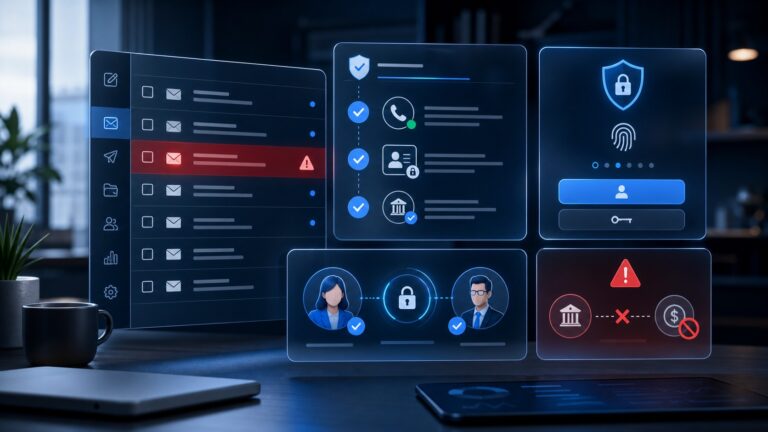
Quick verdict: Bouncer is a strong email verification platform for small businesses, SaaS teams, agencies, and growth teams that need cleaner lists without turning deliverability into a full-time job. Its best fit is not “one more cheap bulk verifier.” The real value is the combination of bulk verification, API checks, signup-form protection, list toxicity checks, integrations, and deliverability tooling in one focused platform.
Try Bouncer for email verification
What is Bouncer?
Bouncer is an email verification and deliverability platform built around a simple promise: help teams remove invalid, risky, disposable, or low-quality addresses before those contacts damage campaign performance. The company’s public product pages currently position Bouncer as a “powerful, secure, and caring” email verification platform for marketers, SaaS companies, lead generation teams, agencies, and engineers.
The core product is bulk email verification. You upload or connect a list, Bouncer checks addresses, and you get a cleaner export with status categories that help you decide which contacts to keep, suppress, or review. But Bouncer has grown beyond a single upload-and-clean workflow. Its current product menu includes an email verification app, an email verification API, integrations, Bouncer Shield for signup protection, AutoClean, Toxicity Check, company data enrichment, Deliverability Kit, and email engagement insights.
That combination matters. Many small businesses only look for an email verifier after a campaign starts bouncing. By then, deliverability may already be under pressure. Bouncer is more useful when it becomes part of the operating system for email quality: clean imported lists, verify form submissions in real time, keep CRM records fresher, monitor deliverability basics, and reduce the chance that marketing or sales sends to a list full of bad data.
Who Bouncer is best for
Bouncer is a particularly good fit for teams that already send email through tools such as newsletter platforms, CRMs, outbound sales systems, ecommerce marketing apps, or customer success tools. It is not trying to replace those systems. It sits next to them as the hygiene and validation layer.
- Small businesses with purchased, imported, or old lists: Bouncer can help reduce obvious risk before a campaign goes out.
- SaaS teams with product signups: The API and Shield features are useful for blocking disposable, fake, or risky addresses at the point of entry.
- Agencies: Multiple clients often mean multiple list-quality problems. Bouncer’s pay-as-you-go model and integrations are easier to explain than a large enterprise suite.
- Lead generation and outbound teams: Cleaning prospect lists before sequencing helps protect domain reputation and reduces wasted sales activity.
- Marketing teams focused on deliverability: Deliverability Kit, toxicity checks, and engagement insights make Bouncer more useful than a basic verifier.
If your site captures leads, your CRM has years of stale contacts, or your sales team imports prospect lists regularly, Bouncer belongs on the shortlist.
The problem Bouncer solves: bad email data quietly taxes growth
Bad addresses are not just a reporting nuisance. They create a chain reaction. Hard bounces waste send volume. Disposable or fake addresses pollute analytics. Risky contacts can increase spam complaints. Inactive contacts distort conversion rates. Over time, mailbox providers may trust your sender less, which means fewer real subscribers see the messages they asked for.
For a small business, that is especially painful because email often sits at the center of sales, retention, onboarding, and support. A company may invest in better copy, new automation, or a premium CRM, then still underperform because the underlying list quality is poor. Bouncer tackles that lower-level problem before teams spend more money on campaigns.
It also helps create clearer responsibility. Instead of asking a marketer to guess whether a list “looks okay,” Bouncer gives a repeatable verification process. Instead of asking a developer to build custom validation logic from scratch, the API can check addresses as they enter your product or form. Instead of treating deliverability as a mystery, the platform surfaces practical signals teams can act on.
Daily workflow and interface
The simplest Bouncer workflow starts with a list upload. You bring in a CSV or connect an integration, run verification, review the results, and export a cleaned version back into your email tool. The key benefit is speed and clarity: a non-technical marketer can run a list check without opening a ticket for engineering.
For teams with recurring list inflow, the workflow should become more systematic. New webinar registrants, event leads, trial signups, partner lists, ecommerce contacts, and sales prospecting lists should be checked before they enter high-volume campaigns. If a list is already in a marketing platform, Bouncer’s integrations and AutoClean-style workflow can reduce manual work.
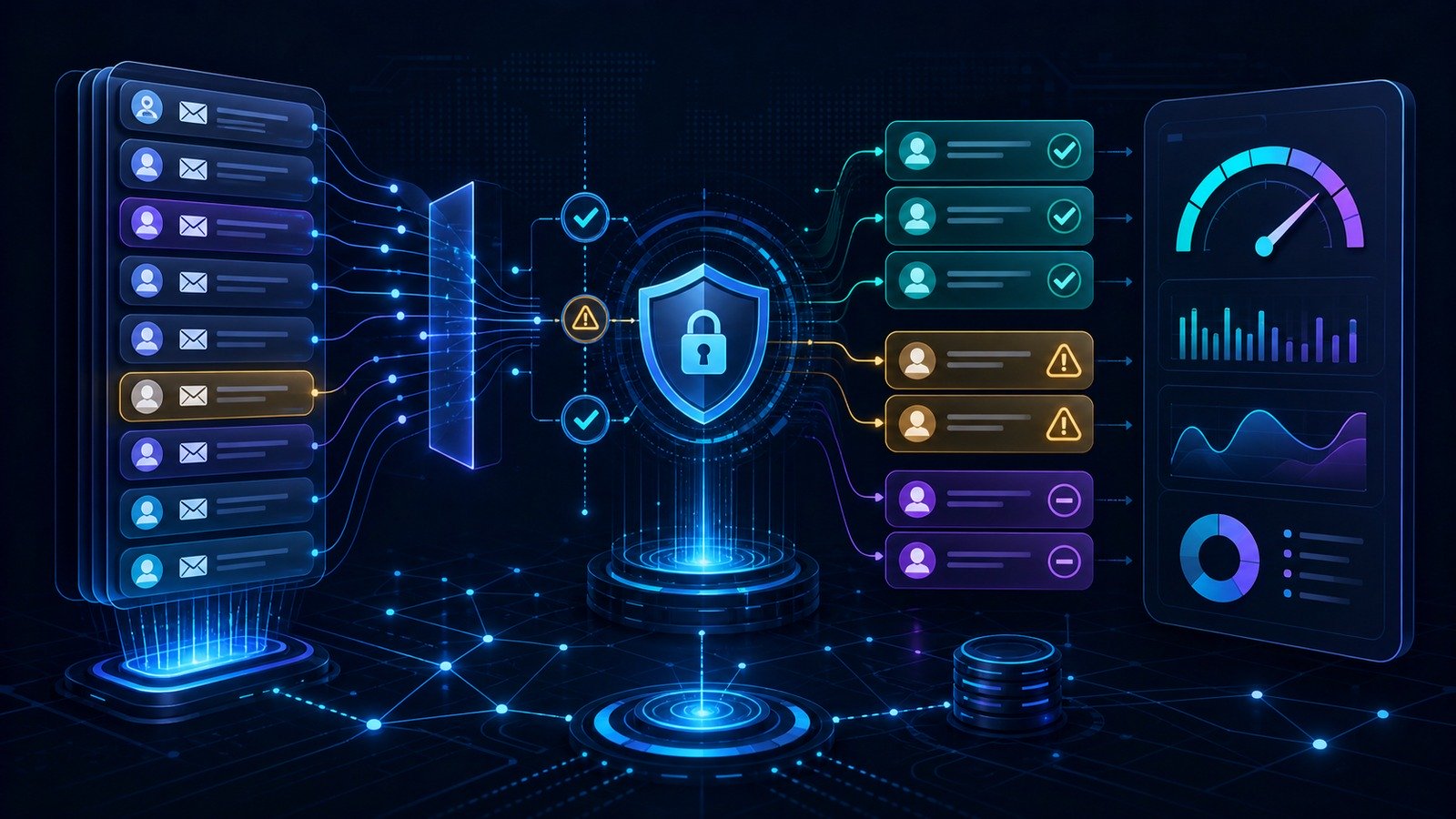
For SaaS and developer-led teams, the API is the bigger story. Instead of cleaning only after bad addresses are collected, real-time verification can happen during signup, lead capture, partner onboarding, or trial registration. That is the cleaner operating model: stop low-quality addresses at the door, then use bulk verification for historical data and imported lists.
CyberTrendLab’s broader view: Bouncer is strongest when used as part of a small business security and data-quality stack, not as a one-off list-cleaning tool. Email verification supports deliverability, security, sales productivity, and CRM hygiene at the same time.
Key Bouncer features
1. Bulk email verification
The main Bouncer app checks email lists and returns statuses that help teams decide which addresses are safe to send to and which should be removed, suppressed, or reviewed. Bouncer publicly emphasizes high coverage, low unknown rates, speed, and accuracy. Its email verification page currently states that 10,000-address lists are typically processed within about an hour, while single checks can run in seconds.
That makes it practical for both campaign preparation and periodic database cleanup. A founder can clean a small newsletter list. An agency can process client lists before migration. A sales team can validate a prospect file before launching an outbound sequence.
2. Email Verification API
Bouncer’s API gives developers a way to validate addresses inside products, forms, signup flows, and internal tools. This is valuable because the best time to stop bad data is before it enters your systems. API validation can reduce fake trial signups, typo-filled contact forms, disposable email use, and automated abuse.
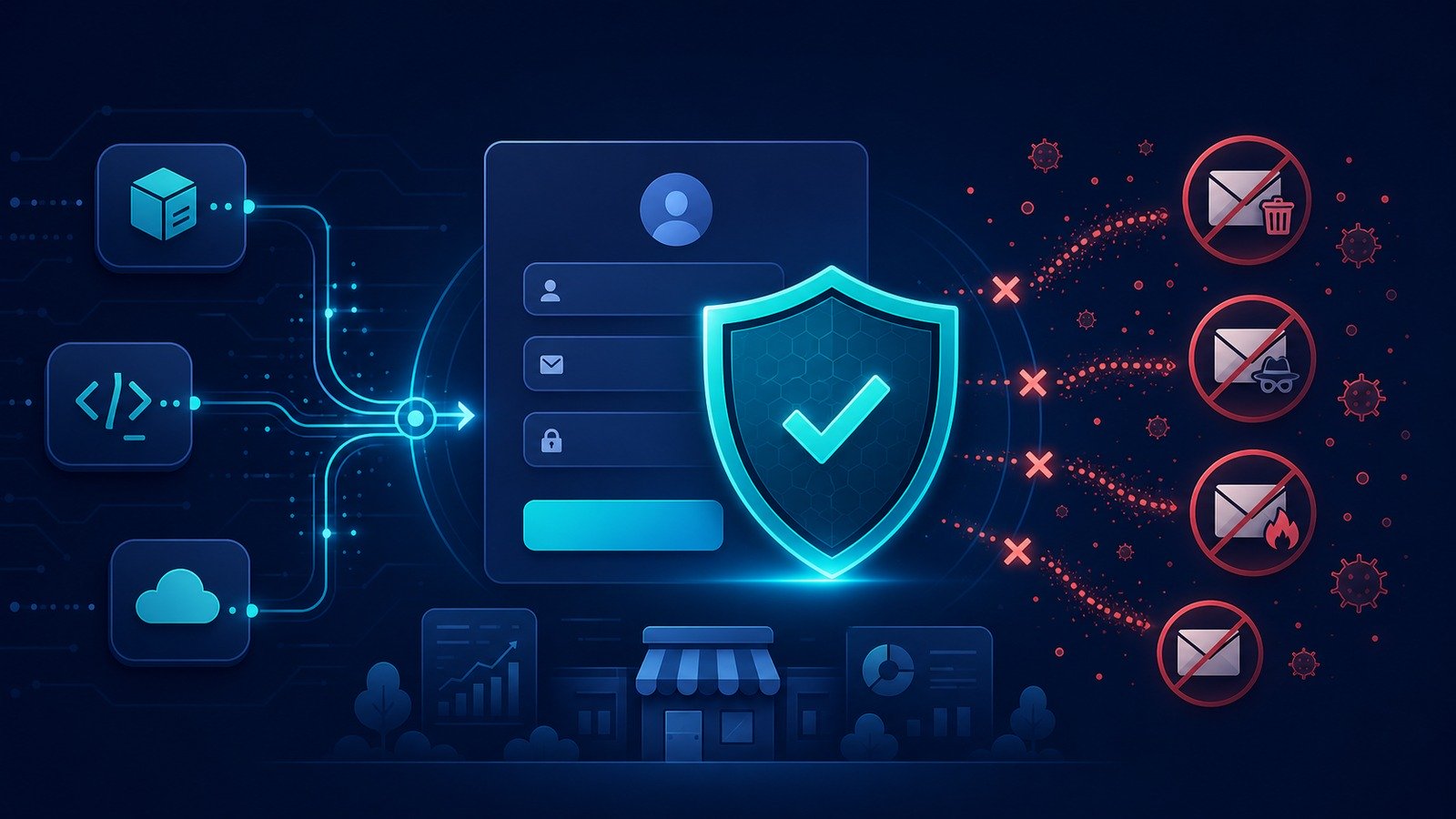
For SaaS companies, this can connect directly to product-led growth. If a large portion of free-trial signups use invalid or disposable emails, activation reporting becomes less reliable and sales follow-up becomes less efficient. Bouncer’s API gives engineering teams a ready-made verification layer rather than forcing them to maintain their own email-quality rules.
3. Bouncer Shield and signup protection
Bouncer Shield is designed to identify invalid, malicious, or fraudulent addresses at the moment of entry. For small businesses, that can matter on lead magnets, trial forms, demo requests, newsletters, communities, and ecommerce accounts. It is not a replacement for broader bot defense or abuse prevention, but it is a useful email-quality control.
This connects to CyberTrendLab’s ongoing guidance on phishing prevention and business email compromise prevention: identity and communication channels are only as reliable as the data behind them. If your CRM accepts anything, your campaigns and workflows inherit that mess.
4. Integrations and AutoClean
Bouncer lists integrations with marketing platforms so teams can verify contacts without exporting and importing manually every time. AutoClean is meant to reduce the recurring maintenance burden by connecting to a CRM or email platform, configuring rules, and keeping hygiene work moving in the background.
The practical advantage is consistency. Manual list hygiene often happens only after a painful campaign. Automated or integrated hygiene can become a normal operating habit.
5. Toxicity Check
Not every risky address is simply invalid. Some addresses may be deliverable but toxic from a sender-reputation perspective. Bouncer’s Toxicity Check is designed to identify addresses that could raise risk, such as patterns associated with malicious, disposable, or problematic contacts.
This is especially important for lead generation teams. A list can look large and technically usable while still being poor quality. Toxicity signals help teams avoid the trap of measuring only list size instead of list value.
6. Deliverability Kit
Bouncer’s Deliverability Kit adds checks that go beyond address validity. Bouncer describes it as a way to test inbox placement, verify authentication, and monitor blocklists. That is useful because verification and deliverability are connected but not identical. A clean list can still underperform if DNS authentication, sender reputation, or mailbox placement is weak.
Small businesses should not overcomplicate this. Start with SPF, DKIM, DMARC, list hygiene, segmentation, and consistent sending. Then use tools like Deliverability Kit to catch problems before a major campaign.
7. Company data enrichment and engagement insights
Bouncer also lists company data enrichment and email engagement insights. These features are useful when a team wants more context than “valid or invalid.” For example, engagement signals can help decide whether older contacts should be targeted, reactivated, or suppressed. Company enrichment can support B2B segmentation and sales prioritization.
Bouncer pricing in 2026
Bouncer’s public pricing page currently presents pay-as-you-go email verification credits that do not expire, with no credit card required to start. At the time of writing, the pricing page lists example credit packs including:
| Credits | Currently listed price | Best fit |
|---|---|---|
| 1,000 | $8 | Small tests, early newsletters, one-off cleanup |
| 5,000 | $35 | Small business campaigns and CRM hygiene |
| 10,000 | $60 | Regular newsletters or imported prospect lists |
| 50,000 | $250 | Agencies, SaaS growth teams, bigger cleanups |
| 100,000 | $400 | High-volume senders and recurring operations |
| 1,000,000 | $2,000 | Large databases and enterprise-scale validation |
Always check Bouncer’s live pricing page before buying because plan packaging, currencies, and add-on terms can change. But the current pay-as-you-go structure is attractive for small businesses because credits do not expire and teams are not forced into a large subscription just to clean a list occasionally.
Security, privacy, and compliance posture
Email verification platforms process contact data, so security matters. Bouncer’s public pages currently describe the product as GDPR compliant, SOC 2 certified, and hosted with EU data storage. For companies operating in privacy-sensitive regions or selling to European customers, that positioning is a meaningful advantage over tools that are vague about data location and compliance.
That said, buyers should still do their own vendor review. Ask where data is processed, how long uploaded lists are retained, which subprocessors are used, what access controls are available, and how deletion works. If your team is building a more formal software approval process, pair this review with CyberTrendLab’s vendor risk assessment checklist.
Pros and cons
Pros
- Focused product: Bouncer is built around email verification and deliverability rather than trying to become an all-in-one marketing suite.
- Flexible pricing: Pay-as-you-go credits that currently do not expire are friendly for small businesses and agencies.
- API and real-time protection: Bouncer can prevent bad emails during signup instead of only cleaning after the fact.
- Useful add-ons: Toxicity Check, Deliverability Kit, data enrichment, and engagement insights expand the use case.
- Security posture: Public claims around GDPR compliance, SOC 2 certification, and EU data storage are positive signals.
- Good fit for non-technical teams: Marketers can run bulk checks while developers can use the API where needed.
Cons
- Not a campaign platform: Bouncer will not replace Mailchimp, HubSpot, Klaviyo, ConvertKit, or a CRM.
- Results still require judgment: Verification statuses help, but teams need rules for risky, unknown, and catch-all addresses.
- Deliverability is broader than verification: Authentication, content, sending behavior, segmentation, and complaints still matter.
- High-volume teams need process: A tool alone will not fix messy acquisition sources or poor consent practices.
Best use cases
Before a major campaign: Verify the list, suppress invalid addresses, segment risky contacts, and send to your highest-confidence audience first.
Before importing leads into a CRM: Clean event, webinar, partner, and downloaded lead files before sales starts working them.
During SaaS signup: Use API validation or Shield-style protection to reduce fake trials and obvious garbage data.
For agencies: Add list hygiene as a standard preflight check before client campaigns. This makes performance problems easier to diagnose and reduces reputation risk.
For deliverability recovery: Use verification as one part of a wider plan: clean the list, authenticate your domain, reduce spammy volume, improve segmentation, and monitor inbox placement.
Who should not use Bouncer?
Bouncer is probably not the right purchase if you only need a simple newsletter tool and have a tiny opt-in list with low bounce rates. It is also not enough if your main problem is weak email copy, poor offer fit, no segmentation, or a broken CRM process. It cleans and validates email data; it does not magically create demand.
It is also not a replacement for security awareness training, anti-phishing controls, endpoint security, or a password manager. If your concern is broad business security, start with CyberTrendLab’s VPN vs password manager vs endpoint security guide and then add email verification where list quality affects revenue or risk.
Bouncer alternatives
The email verification market includes tools such as ZeroBounce, NeverBounce, Kickbox, Hunter Email Verifier, and other list-hygiene platforms. The right alternative depends on whether you care most about price, API volume, integrations, enrichment, deliverability tools, or enterprise procurement.
Bouncer’s advantage is balance. It is approachable for smaller teams, but it still includes developer-friendly and deliverability-oriented features. If you want only the absolute cheapest bulk check for a one-off file, compare credit pricing carefully. If you want a lightweight verification layer that can grow from manual list cleanup into API protection and deliverability checks, Bouncer is more compelling.
Setup tips for small businesses
- Define suppression rules before you send. Decide how you will treat invalid, risky, disposable, unknown, and catch-all contacts.
- Clean old lists before reactivation. Do not blast a dormant database without verification and segmentation.
- Protect forms early. If signups drive revenue, use real-time checks so bad data does not enter your CRM.
- Document consent source. Verification does not replace permission. Keep track of where contacts came from.
- Monitor deliverability after cleanup. Watch bounce rate, complaint rate, opens, clicks, inbox placement, and unsubscribes.
- Build a recurring hygiene schedule. Quarterly or campaign-based checks are better than panic-cleaning after a problem.
A practical Bouncer rollout plan
The best way to evaluate Bouncer is to treat it like an operational control, not a magic deliverability button. Start with one messy but valuable list: an older newsletter segment, a webinar export, a partner-imported lead file, or a CRM segment that sales has complained about. Run the list through Bouncer, then create a simple decision table before sending anything.
A sensible first-pass rule is to send normally only to clearly valid contacts, suppress invalid addresses, and review risky or unknown records separately. Catch-all domains deserve extra care. They may be reachable, but they can also create uncertainty at scale. If you have a high-value B2B account list, you may decide to keep some catch-all business contacts but send more slowly and monitor bounces. If you have a low-value purchased list, you may decide the risk is not worth it.
Next, connect Bouncer to the places where bad data enters. For many companies, that means demo forms, lead magnets, newsletter signup boxes, event registration pages, affiliate giveaway forms, and free-trial flows. This is where Bouncer’s API and Shield positioning become more valuable than bulk upload alone. A cleanup project fixes yesterday’s data; form-level verification improves tomorrow’s data.
Finally, measure the business result. Compare bounce rate, complaint rate, delivery rate, open rate, reply rate, and conversion rate before and after list hygiene. Do not expect every metric to jump overnight. The most important early signs are fewer hard bounces, fewer obvious fake records, cleaner CRM ownership, and fewer wasted sales touches.
How Bouncer compares with a basic email checker
A free email checker is useful when you need to validate one address quickly. It is not enough for a serious marketing or sales operation. Bouncer’s paid value comes from repeatability, scale, API access, integrations, reporting, and broader deliverability context. Those pieces matter when email quality affects revenue, not just curiosity.
For example, a founder checking ten customer addresses may be fine with a basic free checker. A sales team importing 8,000 prospects needs exportable statuses, team rules, and a documented cleanup process. A SaaS company accepting hundreds of trial signups per day needs API-level controls. An agency managing five client databases needs repeatable workflows and pricing that does not punish occasional spikes. That is the category Bouncer is built for.
The platform is also more credible when evaluated through the full email-quality lifecycle: collection, validation, enrichment, segmentation, sending, monitoring, and cleanup. If you only compare the cost of one verification credit, you may miss the value of preventing dirty data from entering the system in the first place.
Buying checklist before choosing Bouncer
Before purchasing credits or rolling Bouncer into your stack, answer these questions:
- Where do bad addresses enter? List every form, import source, CRM sync, event file, and partner feed.
- Who owns list-hygiene rules? Marketing, sales, RevOps, and engineering should agree on what happens to risky statuses.
- How often will lists be cleaned? One-off cleanup is useful, but recurring hygiene creates a better system.
- What systems need integration? Check whether your email platform, CRM, or automation tool is supported directly or through API workflows.
- What data-processing requirements apply? Confirm retention, deletion, region, and compliance expectations before uploading sensitive lists.
- What metrics define success? Track bounce rate, deliverability, sales productivity, and campaign conversion, not just the number of contacts cleaned.
If those answers are clear, Bouncer is easier to justify. If they are not, start with a small credit pack and run a controlled cleanup before expanding.
Final verdict: is Bouncer worth it?
Bouncer is worth considering if email is a meaningful revenue channel and your team wants cleaner data without buying a huge marketing suite. It is especially attractive for small businesses, agencies, SaaS companies, and growth teams that need both bulk verification and a path toward real-time validation.
The strongest reason to choose Bouncer is not just that it checks email addresses. It helps teams turn email quality into a repeatable process: clean lists before campaigns, protect forms during signup, review toxic contacts, and monitor deliverability signals. That is the difference between one-time cleanup and ongoing email operations.
If your current email stack is already working but list quality is holding it back, Bouncer is a practical upgrade. If your real problems are messaging, offer quality, audience fit, or campaign strategy, fix those too. Bouncer can protect your sender reputation and improve data quality, but the rest of your email system still needs to earn attention.
Check Bouncer pricing and features
FAQ
Is Bouncer only for bulk email list cleaning?
No. Bulk verification is the obvious starting point, but Bouncer also offers API verification, signup protection, integrations, AutoClean, toxicity checks, deliverability tools, enrichment, and engagement insights.
Does Bouncer send email campaigns?
No. Bouncer is not an email marketing platform or CRM. It helps verify and improve email data that you use in other systems.
How much does Bouncer cost?
Bouncer’s pricing page currently lists pay-as-you-go credits beginning at $8 for 1,000 verifications, with larger packs priced lower per verification. Credits are currently described as never expiring. Check the live pricing page before purchase because terms can change.
Is Bouncer good for SaaS signup forms?
Yes, that is one of its stronger use cases. The API and Shield-style protection can help reduce fake, disposable, invalid, or risky email addresses before they enter your product and CRM.
Does email verification guarantee inbox placement?
No. Verification helps remove bad addresses, but inbox placement also depends on authentication, sender reputation, segmentation, content quality, volume patterns, complaints, and engagement. Bouncer’s Deliverability Kit can help monitor some of those broader signals.
Affiliate disclosure: CyberTrendLab may earn a commission if you buy through the Bouncer links in this article, at no extra cost to you. We only include affiliate links when they fit the topic and the review remains editorially useful.