Quick verdict: Proton for Business is one of the strongest choices for small teams, agencies, founders, and security-conscious organizations that want encrypted email, calendar, cloud storage, VPN, password management, and privacy-first collaboration under one recognizable vendor. It is not the most flexible enterprise productivity suite, and teams deeply embedded in Google Workspace or Microsoft 365 will need a migration plan. But if the business goal is to reduce exposure to data mining, centralize secure communication, and give staff tools that respect privacy by default, Proton deserves a serious look.
For years, the default productivity decision for a company was simple: use Google Workspace, use Microsoft 365, or stitch together separate tools for email, file storage, calendar, passwords, video meetings, and VPN. That default is now being challenged by a different buyer priority: privacy.
Proton is best known for Proton Mail, but the business product is no longer just encrypted email. Proton now positions its business offering as a secure workspace that can include Proton Mail, Calendar, Drive, Docs, Sheets, Meet, VPN, Pass, and its newer AI assistant, Lumo, depending on the plan and region. The pitch is clear: give businesses practical productivity tools while protecting data from breaches, surveillance, and unnecessary third-party access.
That makes Proton particularly relevant for CyberTrendLab readers who care about cybersecurity, AI data exposure, remote-work security, and tool consolidation. It also creates a useful comparison point with products we have recently reviewed, including 1Password Business for password management and Close CRM for sales teams. Proton is not trying to replace every SaaS app in the company, but it can become the privacy layer underneath daily communication.
What is Proton for Business?
Proton for Business is a suite of privacy-focused productivity and security tools built around encrypted communication and storage. The public business pages describe solutions for business email, VPN, video conferencing, calendar, cloud storage, documents, spreadsheets, password management, and AI assistance. Proton also emphasizes that it is based in Switzerland and protected by European privacy expectations, which is a major part of the brand’s appeal.
At the practical level, the business suite is meant to answer a common problem: modern companies rely on dozens of SaaS tools, but their most sensitive data still flows through a few daily systems — inboxes, calendars, files, meeting links, credentials, and shared documents. If those systems are weak, the rest of the security stack is exposed. Proton’s value proposition is that privacy and encryption should be built into those everyday workflows rather than bolted on after a breach.

Who should consider Proton?
Proton is a strong fit for teams that treat privacy as a core business requirement rather than a nice-to-have. That includes consultants, agencies, cybersecurity firms, legal and finance teams, healthcare-adjacent businesses, journalists, nonprofits, founders handling investor or product IP, and remote teams that regularly exchange sensitive files.
It is also a good fit for companies that are uncomfortable with the idea of their productivity data feeding ad ecosystems, AI training, or opaque analytics pipelines. Proton repeatedly frames its tools around end-to-end encryption, zero-access encryption, and privacy-first design. In simple terms: the service is built to minimize what the provider itself can see.
The audience that may struggle is different. If your company lives inside Microsoft Teams, SharePoint, advanced Excel workflows, Google Docs add-ons, Gmail extensions, complex calendar automations, or enterprise device management policies, Proton may require more change management. It can still be worth it, but it is not a no-effort replacement for every feature in Big Tech productivity suites.
Key Proton for Business features
Encrypted business email
Proton Mail is the anchor product. Proton describes it as a secure email service with end-to-end encryption and zero-access encryption. For businesses, that matters because email is still where contracts, invoices, password resets, customer details, HR notes, legal documents, and vendor negotiations often pass through.
Business plans can support custom domains and team accounts. The exact limits depend on plan choice, billing term, and what Proton is currently listing at checkout. At the time of research, Proton’s business pages referenced plans such as Mail Essentials, Mail Professional, Workspace Standard, Workspace Premium, and Drive Professional. Proton’s plan content also referenced examples like 15 GB storage per user and three custom email domains on a mail-focused tier, and 1 TB storage per user plus 15 custom email domains on higher workspace-style tiers. Buyers should verify the latest plan table before purchase because pricing and plan packaging can change.
Calendar and scheduling
Proton Calendar is designed to protect event details. Proton’s public calendar page says event details such as title, description, location, and invitees can be protected so that the company cannot read them in the same way a conventional provider might. For many teams, calendar privacy is underrated. A calendar can reveal sales cycles, board meetings, client names, acquisition conversations, medical appointments, travel patterns, and hiring activity.
Secure cloud storage and collaboration
Proton Drive adds encrypted file storage and secure sharing. Proton describes Drive as end-to-end encrypted cloud storage that lets users back up files, access them from different devices, and share them with others. Its newer Docs and Sheets positioning makes Proton more interesting as a workspace option because it can support collaborative work rather than only file backup.
This is where the product becomes more than a secure mailbox. If a team can move sensitive proposals, spreadsheets, documents, and client files into a privacy-first storage environment, Proton starts reducing risk across multiple daily workflows.
VPN, password management, meetings, and AI
Depending on plan selection, Proton’s business ecosystem can also include Proton VPN, Proton Pass, Proton Meet, and Lumo. Proton VPN is marketed around speed, security, no ads, no logs, open-source apps, independent audits, and broad country availability. Proton Pass adds password management, while Proton Meet and Lumo show Proton moving further into secure collaboration and AI-assisted productivity.
The strategic benefit is consolidation. Instead of buying one vendor for encrypted email, another for VPN, another for password management, another for file storage, and another for secure meetings, some teams may prefer a single privacy-focused stack. That does not mean Proton is automatically best-in-class in every category, but the bundle can be easier to govern.
Security and privacy: the main reason to choose Proton
Proton’s strongest differentiator is not that it has an inbox or a calendar. Many vendors do. The reason to consider Proton is its privacy model. Proton publicly emphasizes end-to-end encryption, zero-access encryption, Swiss jurisdiction, open-source elements, and a broader mission around privacy and digital freedom.
For a business buyer, that translates into three practical benefits:
- Reduced provider visibility: sensitive content is designed to remain inaccessible to the provider where end-to-end or zero-access encryption applies.
- Lower data-mining anxiety: Proton’s brand is built around not monetizing user data through advertising profiles.
- Better privacy posture for clients: agencies, consultants, and professional services firms can show clients that they use privacy-first tools for communication and storage.
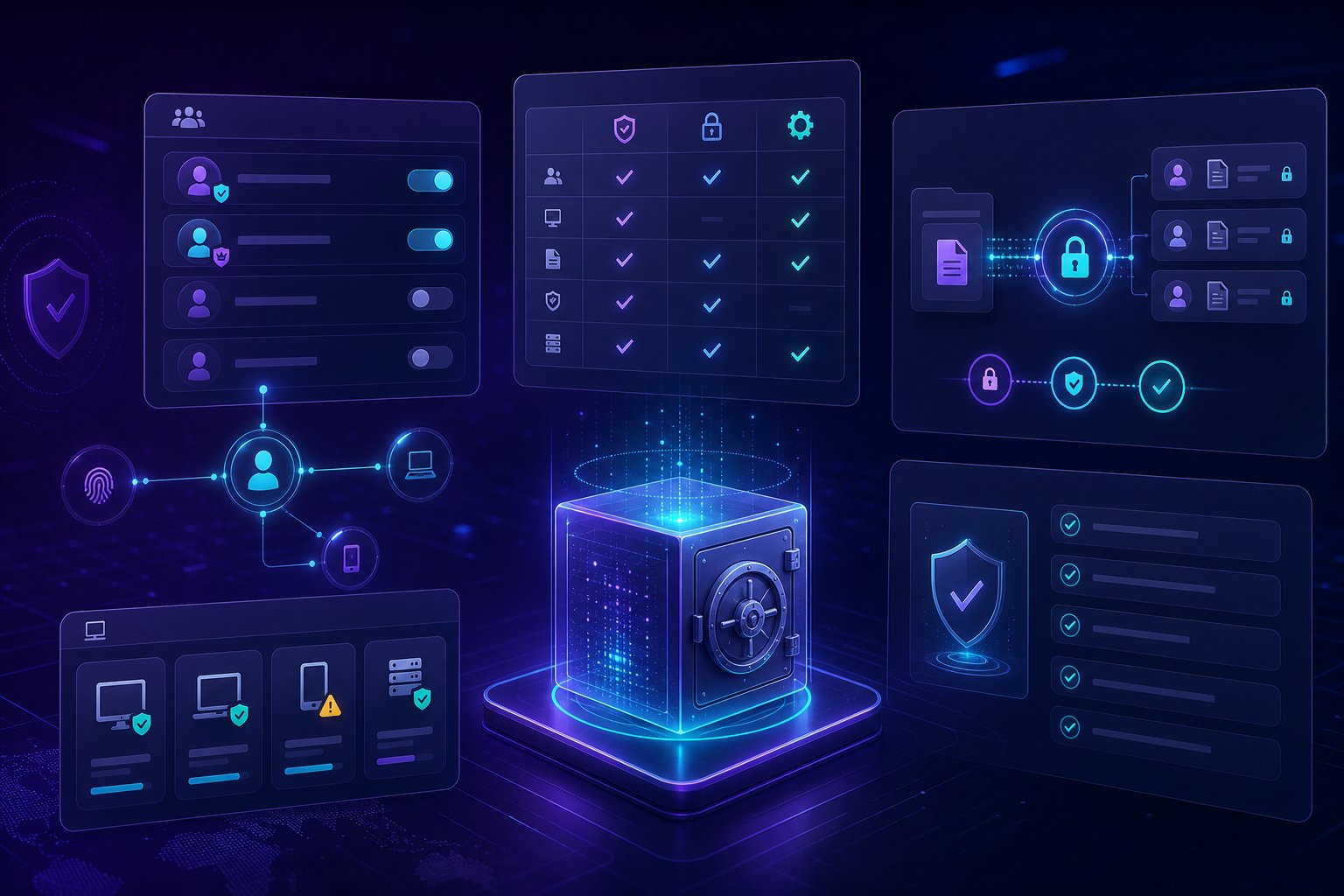
There is a caveat: encryption is not magic. Companies still need strong account security, device hygiene, phishing training, password management, backup policies, and access controls. Proton can improve the foundation, but it cannot fix a careless internal security culture by itself.
Proton pricing and plans: what buyers should know
Proton’s business plan structure can vary by region, currency, billing term, and product packaging. The safest way to evaluate pricing is to start from the official Proton business plans page and compare the live checkout options. At the time of writing, Proton’s public business pricing page surfaced plan names including Mail Essentials, Mail Professional, Drive Professional, Workspace Standard, and Workspace Premium.
The distinction is important. A mail-focused plan is usually the better starting point for teams that mainly need secure business email and calendar. A workspace-style plan is more attractive when the company wants encrypted storage, collaboration, VPN, password management, and other Proton tools in one subscription. A drive-focused plan is relevant for teams whose main pain is secure file storage and sharing.
| Buyer need | Best Proton direction | Why |
|---|---|---|
| Secure custom-domain email | Mail Essentials or Mail Professional | Focuses budget on encrypted email and calendar. |
| Encrypted collaboration suite | Workspace Standard or Premium | Better fit when files, docs, VPN, and password tools matter. |
| Secure file storage first | Drive Professional | Prioritizes encrypted storage and file collaboration. |
The buying mistake to avoid is choosing by price alone. The right question is: which sensitive workflows are you actually moving into Proton? If the answer is only email, keep the plan simple. If the answer includes email, files, calendar, VPN, passwords, and meetings, the workspace bundle is more strategically aligned.
Pros and cons
Pros
- Privacy-first brand and architecture: Proton is built around encrypted communication and reduced data exposure.
- Multiple business tools in one ecosystem: Mail, Calendar, Drive, Docs, Sheets, VPN, Pass, Meet, and Lumo can reduce vendor sprawl.
- Strong fit for security-conscious teams: particularly agencies, professional services, founders, nonprofits, and teams handling sensitive client data.
- Swiss and European privacy positioning: useful for companies that want a privacy-forward vendor story.
- Clear alternative to Big Tech productivity defaults: especially for teams uneasy about advertising-driven platforms and AI data exposure.
Cons
- Migration requires planning: switching email, calendars, files, aliases, and team habits is operational work.
- Not as integration-rich as Google or Microsoft: companies depending on extensive add-ons may need workarounds.
- Collaboration features are still a buyer-fit question: Proton is improving, but not every team will find it as mature as established office suites.
- Plan comparison can be confusing: buyers should verify current storage, domain, and feature limits directly on Proton’s plan page.
Proton vs Google Workspace and Microsoft 365
Google Workspace and Microsoft 365 remain the safest default for broad compatibility. They have mature collaboration, admin controls, integrations, marketplace add-ons, enterprise support, and deep user familiarity. If your team needs maximum app compatibility and the lowest training burden, they are hard to beat.
Proton wins on a different axis: privacy. It is the stronger choice when you are willing to trade some ecosystem maturity for a more privacy-focused vendor model. For many smaller companies, that trade-off is reasonable. A 12-person consultancy does not necessarily need every enterprise feature in Microsoft 365, but it may care deeply that client correspondence, board documents, or investigation files are protected by default.
For larger organizations, Proton can also be deployed selectively. A company might keep Microsoft 365 for broad internal operations while using Proton for sensitive teams, executive communications, private projects, journalists, field researchers, legal workflows, or high-risk accounts.

Setup tips before switching
- Audit your current workflows: list email aliases, shared inboxes, calendars, file libraries, meeting tools, password vaults, and automations.
- Start with a pilot group: move a small security-conscious team first before migrating the whole company.
- Plan DNS and domain changes carefully: custom-domain email requires correct DNS records and a cutover window.
- Train users on encrypted sharing: privacy tools only work if staff understand when and how to use them.
- Keep fallback access during migration: do not shut off the old inbox or file system until data and delivery are verified.
Best alternatives to Proton
If Proton is close but not perfect, compare it with the following alternatives:
- Google Workspace: best for teams that prioritize collaboration speed, Gmail familiarity, and third-party integrations.
- Microsoft 365: best for enterprises, regulated organizations already standardized on Microsoft, and teams needing Office apps.
- Fastmail: strong for paid email without Big Tech complexity, though not the same privacy suite as Proton.
- Tuta: another privacy-first encrypted email alternative worth checking for smaller teams.
- 1Password Business: not a workspace suite, but a strong complement if password management is the immediate security priority.
Final verdict: is Proton for Business worth it?
Proton for Business is worth it if your company wants privacy to be a real operating principle, not just a line in a policy document. The platform is especially attractive for teams that want encrypted email, private calendars, secure file storage, VPN, password management, and privacy-aware collaboration from a single vendor.
It is less ideal for organizations that need the deepest enterprise office integrations or cannot tolerate any migration friction. But for security-conscious small and midsize teams, the trade-off is compelling: Proton gives you a practical way to move core communication and collaboration away from data-hungry defaults and toward a more privacy-first stack.
FAQ
Is Proton for Business only email?
No. Proton Mail is the flagship product, but Proton’s business suite can include Calendar, Drive, Docs, Sheets, VPN, Pass, Meet, and Lumo depending on the plan and availability.
Does Proton replace Google Workspace or Microsoft 365?
It can for some teams, especially privacy-focused small businesses. However, companies that rely heavily on Google or Microsoft integrations should run a pilot first and confirm that daily workflows are covered.
Is Proton good for cybersecurity teams?
Yes, Proton is a strong fit for security-aware teams because it focuses on encrypted communication, secure storage, and privacy-first workflows. It should still be combined with device security, MFA, access management, and staff training.
Which Proton plan should a business choose?
Choose a mail-focused plan if secure custom-domain email is the priority. Choose a workspace plan if the team also needs encrypted files, collaboration, VPN, password management, and other Proton apps. Always verify current pricing and limits on Proton’s official plan page before buying.
Can Proton reduce AI data exposure?
Proton can help by moving sensitive communication and files into a privacy-first environment, but no tool eliminates AI data exposure by itself. Companies should also define policies for what employees can paste into AI tools and where sensitive client data is allowed to live.
Affiliate disclosure: this article may contain affiliate links. If you buy through these links, CyberTrendLab may earn a commission at no extra cost to you.